
Subscribe now and choose from over 30 free gifts worth up to £49 - Plus get £25 to spend in our shop
I'm looking to replace my monitor as its pretty old and tired. I bought it cheap (sub £80) about 7 years ago and it has served me well but its now time to move on.
I mostly do photo editing work and some occasional gaming. I don't have a huge amount to spend and don't mind buying second hand.
I'm looking for something that it going to give a decent quality image and some good, strong colours (I've fiddled with the settings on the current one and the colours are always very bleached)
Can anyone recommend any in particular?
Generally I like Dell and Viewsonic monitors. It's worth getting some calibration hardware/software if you're taking the photography seriously.
22" Samsung P2270HD 1080p HDMI monitor here. £200 about 9 months ago, though it does have a built-in freeview tuner for the single-figure number of hours I watch TV during the year. Lovely picture. (Must do the calibration thing sometime though.)
This would be the non TV-tuner equivalent:
if you can stretch to it, the Dell U2410 has got a VERY good reputation for photo editing. High resolution, big screen... I've got my eye on one 🙂
Very expensive retail new, but relative bargains on ebay, eg:-
budget £80-130 for a hardware calibrator like an eye-one or a datacolour spyder.
the best monitor out there is useless without hardware calibration for working with images.
the trouble with a lot of cheap monitors is they can't go down to the recommended 120 l/m2 for photowork. the ideal gaming monitor is more or less the total opposite of an ideal photographic monitor.
Eizo make some good monitors from cheap right up to the CG range (what i use)
http://www.tftcentral.co.uk/reviews.htm is your friend.
I have an [url= http://www.tftcentral.co.uk/reviews/nec_ea231wmi.htm ]NEC EA231WMi[/url] which is great for photos: 1920x1080 8-bit IPS screen. Nice accurate colours and a good deep black. Best display I've owned (aside from an iPhone).
My mate has the Dell U2410 mentioned above, also for photos and he is also very happy with it.
current "It's a no-brainer" at Scan:
http://www.scan.co.uk/TodayOnly/Index.aspx
[img] 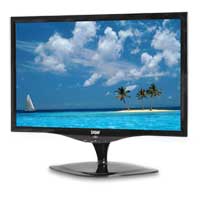 [/img]
A Feature packed 22" Widescreen TFT monitor with DVI-D and VGA Inputs with Speakers.
Panel Size: 22" Widescreen TFT LCD
Resolution: 1680 x 1050 (WSXGA+)
Pixel Pitch: 0.282 x 0.282mm
Display Colors: 16.7M
Brightness (cd/m2): 300cd/m2
Contrast Ratio: 700:1
Scan Frequency: H:30-80KHz, V:56-75Hz
Response time: 5ms
Viewing Angle: H/V: 170 degree(H) / 170 degree(V)
OSD language: English, German, French, Italian, Spanish,Dutch, Traditional Chinese
Input Signal: VGA (D-sub 15pin), DVI-D
Internal Speaker: Built-in Stereo Speakers
<£100 bargalicious.
current "It's a no-brainer" at Scan:
Yep, and if I had no-brain then that is exactly what I'd buy. 🙂
"Unfortunately, the colours it displays by default are far from perfect. There is a very strong blue tinge, as well as an incorrect distribution of luminance across different shades of grey. As a result, the average discrepancy between the colours requested by the graphics card, and those displayed on screen, or deltaE, is 7.5. In practice, that's exactly the sort of gap that leaves you with a green jumper when the one you thought you were ordering online was brown."
-- http://www.digitalversus.com/dgm-l-2262wd-p357_7508_448.html
Perhaps not ideal for photo editing.
In fact I'd steer clear of any TN-film display for photo editing. They just aren't accurate enough and they change colour depending on the position of your head.
Dell ultra sharp w2209
I love it it has huge viewing angles and great colour. Every one who sees it can tell its better. I mean mum just glancing at a few photos said wow thats better than ours. Mine is calibrated but to be honest it didn't make a huge difference
and its the top one in test freaks
[url= http://www.testfreaks.co.uk/monitors/?sort=score ]test freaks[/url]
All the cheaper monitors use inferior technology all the better ones cost loads more
the colours it displays by default are far from perfect
well, if you run your monitors on default, you only have half a brain anyway 🙂 😛
True but did you read the rest Stoner?
"The best deltaE we managed was 4.5; a value under 3.0 is generally considered acceptably low to be invisible to non-specialists."
i.e. it's pish.
By comparison, the NEC has an average Delta E of 1.8 when uncalibrated(!) and 0.2 when calibrated.
Can't remember what make it was now but the CRT monitor I used for Photoshop work fifteen years or so ago cost £2000! I think there's good monitors to be had that are a lot cheaper nowadays...
just joshing Graham. I'll doff my hat to you on IT stuff any day.
I like Scan for getting bargin tat. But then Im not pantone-aly anal 😉