
MegaSack DRAW - This year's winner is user - rgwb
We will be in touch
after my HD failed I need to reload everything, so do I buy windows 7 or just reload XP?
B
Using 7 at the moment, rather like it. A few nice features, but probably wouldn't pay for it over XP...
How old is the PC? Do you have £80 burning a hole in your pocket (on top of the price of the new HD presumably)?
I'd stay with XP for a few months yet
Try Unbuntu might be better for you... I like it.
Nownidows 7 or XP
7 is pretty good nice and smooth running, no need to wait for a few months yet.
Depends on your cash situation, really. If you have the money and don't mind spending it, 7 is good. Otherwise, XP with SP3 works just as well as it ever did and if you use that for another few months there may be more secondhand copies of W7 knocking about. Plus it's actually quite easy at a later date to do an XP->XP/W7 dual boot -> just W7 process so that you can transfer files and settings gradually, check things work etc rather than having to do it all in one go.
relaod with XP and put any software you also use on as well then run the Windows 7 upgrade wizard to amke sure all your kit is compatable - if the kit or software is old you may have driver issues.
then run the Windows 7 upgrade wizard
But obviously an upgraded installation runs slower than a clean installation, so you'll then want to erase the HD and start again...
Just had the same issue with my HD going. Took a massive leap of faith by getting 7 and I dont regret it one bit (easy to use and setup, runs quickly and has some nice features).
My situation was however different in the fact that it was either upgrade to 7 or stick with Vista. Needless to say I would rather stick a fork in my eye than reboot with Vista.
I'm getting on really well with 7 but money wasn't a problem for me as i didn't have to pay for it 😀
you can't directly upgrade from XP to Win7 anyway - it's always a clean install, GrahamS.
I have 7 at home and XP at work. I much prefer 7.
Does 7 "run faster" than XP? or is it it bit like vista where everythings abit slow e.g menus etc because of the pretty interface.
You could always look at getting windows 7 from software4students.co.uk or whatever it is. I think it was £30 last time I looked
its great, well worth the cash.
Does 7 "run faster" than XP? or is it it bit like vista where everythings abit slow e.g menus etc because of the pretty interface.
Vista is noticeably faster on my home PC than XP used to be.
Its a pretty crappy laptop that is running vista. It's horrendously crap tbh-freezes, menus take ages to appear...it only has 1gb ram, inbuilt graphics, but a reasonable processor. XP certainly runs better on it. Just wondering if 7 is better...in the same way the newest Mac OS snow leopard works even better on old machines than the previous os of OS x tiger.
just switched my netbook from XP to Windows 7 Ultimate (free licence) - seems no slower than XP and the interface is nicer.
One of the selling points of the whizzy graphics on Vista was that they offloaded all the graphics drawing to your graphics card, so yeah, I guess if you don't have a graphics card and you only have minimum memory then it might not do so well when all the effects are turned on.
You can't really complain about that to be honest. It was never meant to run on that. Just turn Aero off.
7 is supposed to do better in these circumstances as it was designed to work well on netbooks etc, which didn't really exist as a market segment when Vista was written.
[img] 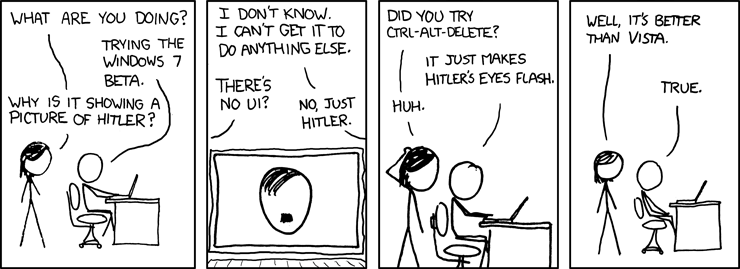 [/img]
I got a w7 laptop recently and I'd definitely say that it's better than xp though how much difference you find will depend on what you use. It certainly starts up very fast. Worth £80? Maybe. I haven't upgraded the other two computers from xp and can't see me doing so while they still run ok.
