
MegaSack DRAW - This year's winner is user - rgwb
We will be in touch
I've made an effort to set up my work phone, a Moto 4G on Lollipop. I wondered why there were five pages of home screen, until I started looking through the widgets on offer. Last time I bought an android phone about 4 years ago they were just useless clocks and whatnot, but now I have a choice of excellent work apps.
The main page has a big 'what's coming up today' thing and then app folders on the left with work, personal, and standard google apps in. Then I can swipe left and see a summary of actual emails, calendar and todo. To the right I've got weather, phone bookmarks and then on the far right I've got a Starbuck card payment button, some google translate links and Shazam.
I'm quite impressed - seems more useful than Windows Phone live tiles in some ways.
Here's mine:
[URL= http://i105.photobucket.com/albums/m215/me96kka/Screenshot_2015-10-15-12-33-00_zpsfgul54h9.pn g" target="_blank"> http://i105.photobucket.com/albums/m215/me96kka/Screenshot_2015-10-15-12-33-00_zpsfgul54h9.pn g"/> [/IMG][/URL]
Then got:
in one direction
- a mainly 'entertainment' screen with game apps, play store, you tube and Google search bar
- calendar on a whole page
in the other direction
- a screen that used to be mainly travel stuff, so Google Maps, RAC traffic app, widget for displaying notes & it used to have navigation shortcuts on it too - but pared it down a bit though recently, so it is a bit of a mish mash.
I used to have screens with Walkman widgets, newsfeed widgets etc. but found that I hardly used them so now just have app buttons where I need/want them.
reduced the 5 screens (or was it 7?) that I had on HTC (mainly there by default to pimp all the HTC bloatware), down to 3 on Nexus...
home page is mostly gmail, calendar, clock, etc.
page 2 is media player etc.
page 3 is all my favourite apps organised where I like them
background pic is of our group of 3 steel HT all propped up against stones near the footbridge near loch morlich, in a vaguely artistic fashion. because all the lollipop and kitkat bundled backgrounds were lame (not bothered to see what marshmallow ships).
I can hardly read that!
I don't see the point of having wallpaper if you plaster icons all over it so my home page is pretty much blank apart from clock, torch and camera.
Compressed down to two screens.
Walkman (last song played was The Promise by Girls Aloud - yeh baby!), calendar, camera and regularly used stuff like browser, whatsapp, facebook, instagram and gmail.
Second screen back less often used stuff - gallery link, eBay, BBC Weather, Sky Sports, Football Manager 2015 and STRAAAAAAAAVVVVVVAAAAAAAA.
but you can see tthe icons and once you've had your fone a few weeks your thumb knows where all the buttons are anyway.I can hardly read that!
you can still see it properly when you hit the power button before unlocking the screen.I don't see the point of having wallpaper if you plaster icons all over it
Google search bar
most used apps (ireader, clock app, calc, whatsapp, strava, mmtracker, keeper, messenger etc)
quick settings (wifi BT GPS etc)
Can't see much of my wallpaper when unlocked either 🙂
Email preview on left screen
Full clock and less used apps on right screen
don't use either of the end screens (5 as standard)
folders are a wonderful invention! 😆
The 6 are:
Various, Tv Casting apps, Maps, Music/Audio, Email, Travel,
plus whatsapp doubled up in the message icon.
[img]  [/img]
Try ditching the google now launcher imo
[img] 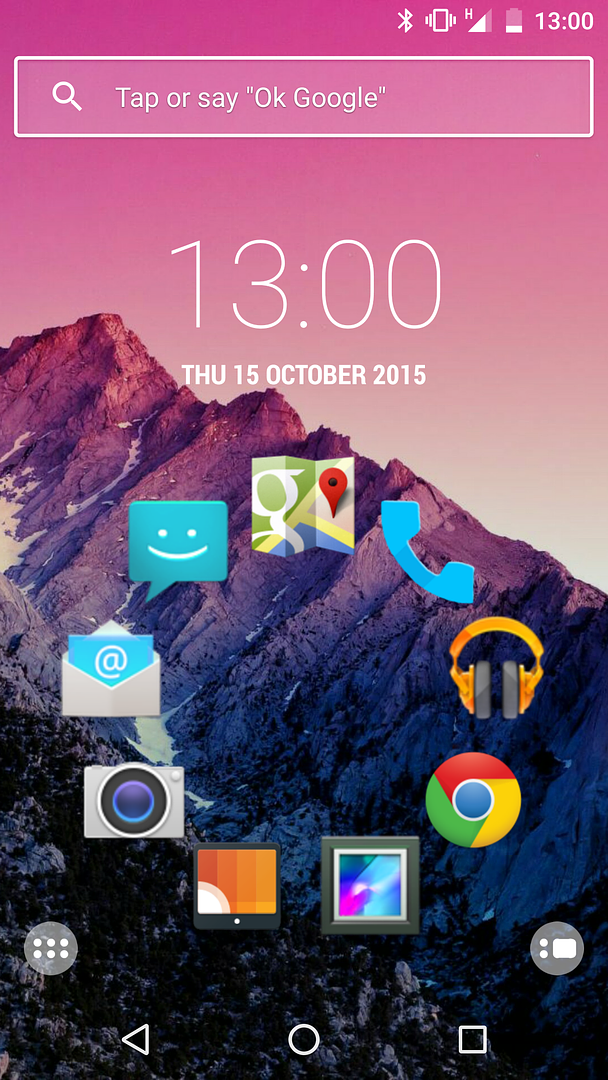 [/img]
ps widgets are keek, i don't use any. I've put them on in the past, but never used them.
widgets are keek
I've got a widget with most recent emails and upcoming meetings/calls on it - this is work remember - very useful, don't have to open an app.
All the usual, Clock, Calendar in a folder, message apps in another.
I have a NASA app that replaces my wallpaper every few hours. Best thing on my phone.
[img]  [/img]
I only have 1 screen, gives me access to my commonly-used apps, anything else, I hit the Apps button for. Not really seeing the need for any more than 1 screen. If I add more I then forget which one has what on it.
Saying that, I do have folders on the homescreen...so it isn't completely clutter-free.
Simple phone, simple [s]person[/s] mind.[IMG]  [/IMG][/URL]
I've never found them to update with any regularity tbh.molgrips - Member
widgets are keek
I've got a widget with most recent emails and upcoming meetings/calls on it - this is work remember - very useful, don't have to open an app.
R-kid
Love the minimalist icons in a circle. How'd you do that?
[IMG]  [/IMG]
Poor!
gmail widget full page on one other screen and calendar widget on another
[url= https://farm6.staticflickr.com/5783/22186088552_2c405de11b.jp g" target="_blank">https://farm6.staticflickr.com/5783/22186088552_2c405de11b.jp g"/> [/img][/url][url= https://flic.kr/p/zNvvb9 ]
Screenshot_2015-10-15-19-35-45[1][/url]
by [url= https://www.flickr.com/photos/23823661@N05/ ]scaredypants[/url], on Flickr
stumpy presumably lives where I was brought up.....if he's in his 40s we may know each other! 😯
I have a photo of my kids
Kelly Brook.
I think you all know what she looks like.
Currently trying (none too successfully so far) to use widgets to make my Android phone look and work like my Ubuntu one with its Scopes system. Shame the Ubuntu phone has such a shite camera and I'm tied into Google a bit or I'd switch across fully.
r-kid - Member
Its this launcher
https://play.google.com/store/apps/details?id=ginlemon.flowerfreeand then this icon pack
https://play.google.com/store/apps/details?id=com.ryanmkelly.me.min
Loving those apps...completely changed the look of my phone, spent over an hour last night tweaking it and ended up paying £3 for Pro for the extra flexibility with widgets etc.
Means I can enjoy those rare lucky shots as a wallpaper rather than covering them with a mish mash of multicoloured icons. My only complaint so far is that with nearly every app icon being single colour, the iPlayer app has red in it! However you can make the status bars etc hide with a swipe down to reveal, or they reveal for notifications you select.
P.S Screenshot to come...
[img]  [/img]
Posted from my
[img]  [/img]
Ihave
a scrabble game
E-mail aoo
Strava
Whats app
MM tracker
Sat nav
Stopwatch - need to for work
Alarm
Camera
Contacts
Music
Messages
Telephone
Google
And I store
Settings
Covers about 99% of the stuff i will ever use the hone for
I have one space spare you know just in case 😉
[URL= http://i106.photobucket.com/albums/m263/rob_g_clarkson/Screenshot_2015-10-16-08-59-13_zps3x2vbixu.pn g" target="_blank"> http://i106.photobucket.com/albums/m263/rob_g_clarkson/Screenshot_2015-10-16-08-59-13_zps3x2vbixu.pn g"/> [/IMG][/URL]
MoreCashThanDash - Memberstumpy presumably lives where I was brought up.....if he's in his 40s we may know each other!
Not in my 40's yet.... 🙂
And grew up in Wembley....only moved to the Fenny flatland fringes about 9 years ago!
Shots (hopefully not huge ones...)
[img]  [/img]
[img]  [/img]
Aah! So stumpy is one of those bloody southerners who moved up, drove up house prices and forced us locals to move away where we could afford to live!
Still, must be doing wonders for the Fenland gene pool....
MoreCashThanDash - MemberAah! So stumpy is one of those bloody southerners who moved up, drove up house prices and forced us locals to move away where we could afford to live!
Still, must be doing wonders for the Fenland gene pool....
Well, my Wife is a local - grew up around Glinton & Deeping.
Drove up house prices!? I'd love to see what they used to be, if they've be 'driven up'!! 😀
I like to think I am adding a certain classy sophistication to the area that's for sure, and improving the gene pool too!!
Not played with the gestures yet, its definitely an App that's needs some to-ing and fro-ing to work out what things do and how to get it looking right 🙂
Whats the SeventyThree, temperature in Fahrenheit?
R kid, I like your clock format, what is that?
He's given some links earlier in the thread
[img] 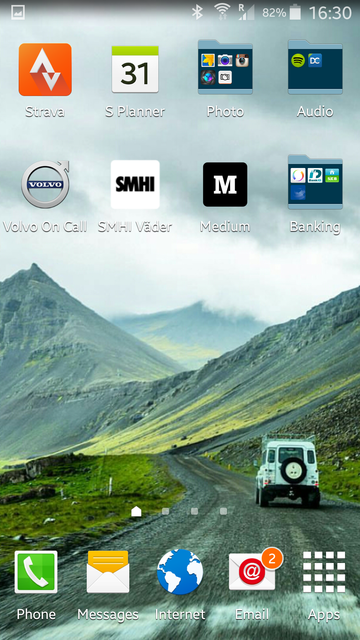 [/img]
Photo credit to the fantastic Chris Burkard
[IMG]  [/IMG]
Right. Broke my Lumia trying to fix it last night, so have upgraded my personal phone to android too. Samsung S6. Not quite convinced yet, the visual onslaught and bloat warehouse (not to mention aggressive auto correct) are making me miss the clarity and simplicity of my Windows Phone. And why the funky isn't there a comma on the main keyboard?
Going to have to try and clean it up as much as possible.
Try the Google keyboard, I find the predict/Swype on others inaccurate, also you can turn off the corrections. Comma...try holding down on the full stop and then sliding to the icon you want.
The bloatware that you can't uninstall, you may be able to hide in a folder in the app tray.
Also,why have Samsung put the back button right where my thumb can't reach it?
[img] 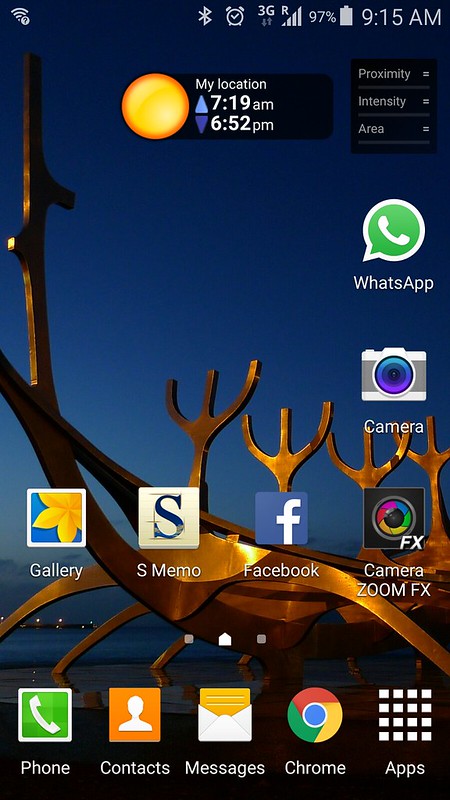 [/img]
Couple of widgets - sunrise/sunset (or civil dawn/civil dusk as it is here, you can choose which, sometimes I want to know when sunset is if I'm out taking photos, sometimes I'll want know a better idea of when it's going to be Dark)
and Rain Alarm.
2 photo things, both do good things the other doesn't. The S thing is a memo pad - handy to note down that band, gig, book someone's just told you to look up.
As others have, screen to the left is entertainty stuff, couple of games, music, pocketcast, instagram. Screen the other side is navigationy tools: copilot, google earth, maps, night sky, goggles, barometer/altimeter, strava, city mapper, uber...
I don't really see the point of the google input bar - it takes up a lot of space, and for the sake of one tap, you may as well launch chrome and search from there.
First effort, not that happy with it but I'm going to let it evolve for a while. Downloaded some nice more minimalist themes which help with the visual overload, also removed some of the 'we thought you might like to be able to do such-and-such' spam menu and app options. Unsure about this news reader app thing on the leftmost page either.
Tempted to go even more minimal with a plain off-white background.
[url= https://farm1.staticflickr.com/594/22299480005_63e8e1c189_z.jp g" target="_blank">https://farm1.staticflickr.com/594/22299480005_63e8e1c189_z.jp g"/> [/img][/url]
Ouch, that is too busy...
I'd put the email widget etc on its own page.
My last setup was a 4x2 Yahoo weather/clock widget which grabs some really impressive local photos from a Flickr group, followed by a few key apps underneath: (you can also have other locations, I used to have some key holiday locations in there...nice to be able to swipe through and get a weather update and scenic view from my honeymoon a few years back, keeps the memories fresh!)
[img]  [/img]
Obviously this isn't great for your wallpaper enjoyment hence why I jumped when I saw r-kids screenshot.
I'd put the email widget etc on its own page.
Yeah I've considered it. Home page on this phone is the left hand side not in the middle, so you can't swipe left OR right. So there's only one page that's one swipe away. On the work phone they are one swipe away, I have a 'what's coming next' thing on the main page which tells you how long you've got til your next meeting. Not much point on my personal phone though.
I wish I could have only one phone for both jobs.
[URL= http://i124.photobucket.com/albums/p31/twonks_photos/Screenshot_2015-10-19-13-03-40_zpsud4wvdg5.pn g" target="_blank"> http://i124.photobucket.com/albums/p31/twonks_photos/Screenshot_2015-10-19-13-03-40_zpsud4wvdg5.pn g"/> [/IMG][/URL]
Mine is a work phone so I need easy access to emails, and it's also used as a media player for the car hence the UAPP in the middle.
The next page is all folders for usable day to day stuff.
Having said that, after 2 months use of the phone (Sony Z3+), I'm going back to a Iphone 5S this week to see how it is as I find the Sony too large and android too fussy.
Fussy, that's a good word for it. I hate the way there's Samsung 'experience' apps and Google apps and to get my old Windows Live calendar stuff on there (shared with my wife) I now have to have Windows apps on there too, all competing for my love.
Sony I tried in the shop was just as large and thin as the Samsung but had sharp corners which made it even harder to hold. Also no wireless charging.. boo.
Can't you get your windows live calendar on there by adding it as an exchange account? It worked for my outlook.com calendars (I have one for me and one to share)
Yes.. but.. the Samsung planner (that which you have to add the exchange account to) includes all the calendars on the account though, you can't selectively turn them off like the Outlook app does. And you can't make an icon to take you straight to the Outlook calendar, you have to go through the mail app. However there is a widget that displays your calendar from Outlook with it filtered. I'd like to set the Outlook calendar to be the default calendar app but that doesn't seem to be a possibility...?
I think the Samsung system does allow you to select which ones show...but I can't recall how to tweak it - been almost 2 years since I had a Samsung.
Saying that it was in a settings option and wasn't something that was adjustable from the calendar...
Samsung planner
That may be your problem. Plain Android lets you select which calendars you see, my only issue is having to add and delete the account multiple times before it gave me a colour near enough to what I wanted.
Yeah I don't like all the 'value added' stuff they give you as it's usually a pain in the arse. Have to work to stop it notifying me of everything three times.
Cannot find the regular android calendar.
Cannot find the regular android calendar.
Isn't that just the standard [url= https://play.google.com/store/apps/details?id=com.google.android.calendar&hl=en_GB ]Google calendar[/url]..?
Loving this thread - reminds me of the business card bit from 'American Psycho'. Never seem to be happy with my own home screen and have seen lots of possibilities here.
aCalendar is a good alternative to the google one.
molgrips - MemberYeah I've considered it. Home page on this phone is the left hand side not in the middle, so you can't swipe left OR right. So there's only one page that's one swipe away.
Are you sure about that? On most phones, you can choose what screen is your home screen.
If you 'shrink' your home screens - (on my Sony it is 'pinch zoom' wide to narrow to do this, but it might be press & hold home screen on other phones) - you can scroll between the different windows. In the top left of each window is a 'home' icon. Tapping that will turn that screen into the 'home screen'.
So, if you have 5 windows - you can set the third window to be 'home' and you then have two either side of that you can get to by swiping left or right.....