
MegaSack DRAW - This year's winner is user - rgwb
We will be in touch
Pix on Flickr. Right click on he image, copy the address from the properties window, open new thread, click on the IMG tab, paste address, ok and bingo!
Well, for some reason it doesn't work. I don't know how many pix I have posted over the years on here but I just can't get it to work this time. Help!
Is it your image? Are you signed in? Flickr overlay a blank image over normal ones to stop you hotlinking (its against their terms), so you need to log in to get the correct URL. Test it out i an empty browser window.
[url= http://www.singletrackworld.com/forum/topic/linking-pics-to-stw-from-flickr-problems ] Clicky [/url]
😀
Drac - Member
Install Firefox, then Greasemonkey and then this script http://www.stewartpratt.com/?p=88.
It will create a Phorumr link when click on the different sizes with link back keeping within terms of flickr.
I followed these instructions and it works perfectly. Cheers Drac.
Sign in to Flickr, go and browse your photostream, find the pic, click 'all sizes' at the top. Choose the size if you don't want super big, then scroll down. The second box is the URL, copy this and then post the pic on the forum in the normal way.
sorted, thanks for your help guys!
Aye it's a nifty little script that.
Tis a cracking script, though a bit OTT having to install the two just to post the odd image 🙂 But FF is better than IE so it should be universal 🙂
Exactly just a case of installing a script or 2 if you had this sense to bin IE.
or upload image to tinypic.com
copy their forum link and paste it here
Testing the www.tinypic.com site
[IMG]  [/IMG]
Worked first time. Thanks retro83
Nice pic Alan - brings back memories of my holiday with you! 😀
Here you go reluctant......... 😀
[img]  [/img]
I used this without the space before the second bracket & after the third bracket
[img ] [ /img]
[img]  [/img]
Blinking heck! Thanks Crispy - why the heck is that so complicated? From photobucket, it's just a couple of clicks; maybe I'll improve with practice. cheers, mate! Random pic btw, nothing to worry about!
well done reluctant! it's always great to help someone to pop their 'posting pics cherry' cos it's e'fing frustrating as I know only too well when I first tried..........Grrrrr.
Personally I now open the pic in flickr & click on 'all sizes', right click on the picture & then click on 'copy image location', click on 'IMG' on STW & paste details 😆
[img] 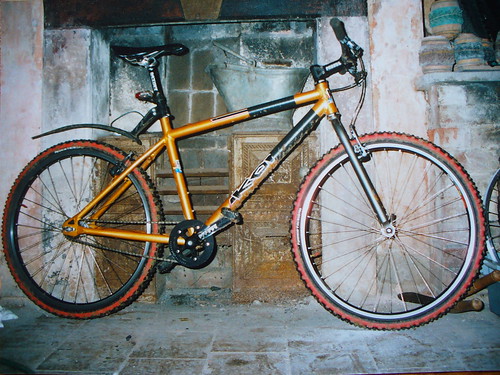 [/img]
When i right click the pic, i don't get "copy image location" , only "copy" which then doesn't paste into stw. Ah well, maybe it's Vista!
Still, method one works, thanks - here's a random pic of my old Kaboom!
to stay within the flickr regs you should also make the image a hyperlink through to flickr
I'll work on it! No, really, how would i go about it?
[i]I'll work on it! No, really, how would i go about it? [/i]
You could start by reading this thread.