Can't seem to post a picture I've used https://postimages.org/ to post my picture but it doesn't work. Keep getting a little box with Null next to it.
I have followed the instructions that I found in this post:
https://singletrackworld.com/forum/topic/luddite-how-to-post-pics/
But it still not working. What am I doing wrong? Do I need to create an account with postimages?
Cheers for any help
Not used that host before, I use imgbb which doesn't require an account. The key thing is you need a URL that ends in ".jpg". If it ends in something else it probably won't work. Once you have that URL use the IMG button at the top of posting box and paste it in
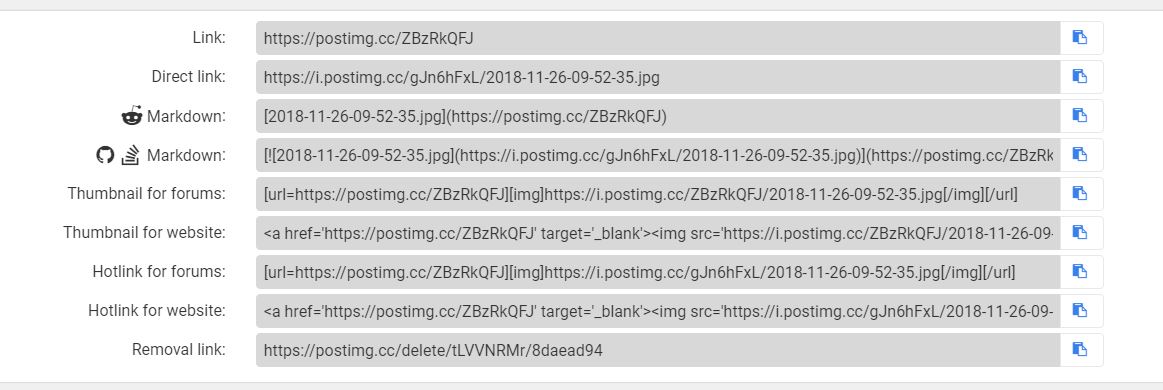
I copy the direct link far right then in STW box click on image tab at top and insert link into that
Or
you can click hotlink for forum further down and directly paste that into the STW box
No account needed.
*Open Postimages
*Click 'choose images'
*choose the location on your device where your picture is, tap your photo and upload
*When it appears, scroll down a bit. It says 'link' and below that 'Direct link' (2nd down what Bruneep has posted above). Tap the little blue icon to the right of that (that makes it copy the image address to your clipboard
*return to the forum, and just paste the text if on mobile, if on a computer, tap the image icon(very last one) and paste the text into that. (For some reason it works differently on pc versus mobile)
*Hit submit, and your photo should appear.
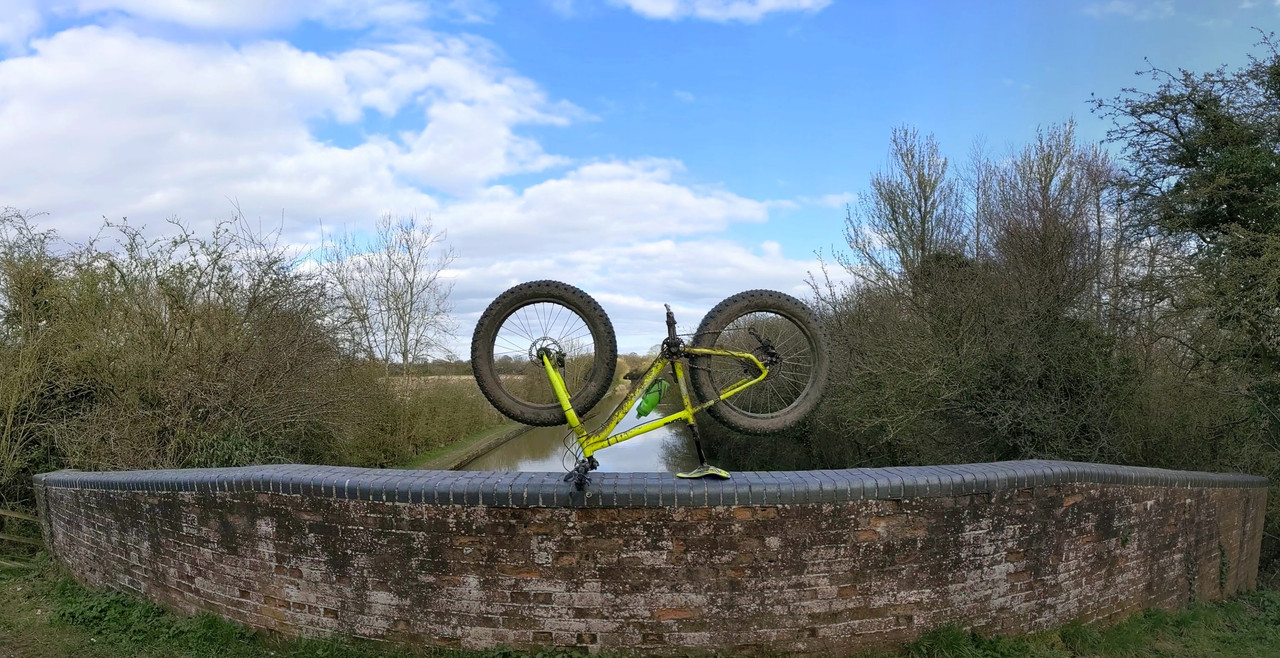
burneep I use that and then select the direct link button. But it still won't work.
Nickjb on imgbb, which Embedded code do you need to select?
Sbtouring, are you on mobile or pc?
Mobile - just paste the url and the forum does the rest.
Pc- Tap the image icon, paste into the pop-up box
If you're using that method you need to insert it in the IMG tab ^ remove the http that is pre filled in
Try again
Mobile try again
That's it. Cheers. Wasn't removing the http bit.👍
On imgbb I choose "BB code full linked"
Then paste that straight in
I always delete the outside bit manually (URL =...) and (/URL) leaving just the (img)...(/img) bit
Don't know if that is needed, a quick test.
With URL bit
[url= https://i.ibb.co/nbsW33M/IMG-20190526-131824.jp g" target="_blank">https://i.ibb.co/nbsW33M/IMG-20190526-131824.jp g"/> [/img][/url]
Without
[img]  [/img]
Edit: looks like both work to me, so select BB code full linked and paste it into you post text
I never remove any Http shizzle.
I just paste it right in the box on mobile. Works every time.
That’s it. Cheers. Wasn’t removing the http bit
If you click the hot link for forums from postimage.org and post direct into STW text box, you don't have to remember to remove anything.
Got high hopes that the OP is going to start a thread like THIS
(shame most of the posts have been lost to the photobucket and tiny pic demises though)
Meh, too late
test
test
No
Do this.
*Open Postimages
*Click ‘choose images’
*choose the location on your device where your picture is, tap your photo and upload
*When it appears, tap share icon, scroll down a bit. It says ‘link’ and below that ‘Direct link’ (2nd down what Bruneep has posted above). Tap the little blue icon to the right of that (that makes it copy the image address to your clipboard
*return to the forum, and just paste the text directly into the forum reply box if on mobile, if on a computer however, tap the image icon at the top(very last one) and paste the text into that. (For some reason it works differently on pc versus mobile)
*Hit submit, and your photo should appear.
https://i.ibb.co/M1hkS2D/20210308-160739.jp g" target="_blank">
https://i.ibb.co/M1hkS2D/20210308-160739.jp g"/> [/img][/url]" alt="" />
[url= https://i.postimg.cc/RCXpBJ4g/IMG-20210514-162538977-HDR.jp g" target="_blank">https://i.postimg.cc/RCXpBJ4g/IMG-20210514-162538977-HDR.jp g"/> [/img][/url]
That was a test!