
MegaSack DRAW - This year's winner is user - rgwb
We will be in touch
Just got a new PC at work (Dell Precision T3500) and there is a problem with the sound from it.
With no headphones attached, the built in speakers (in the base unit) work fine, when i plug in some headphones into the headphone socket on the front panel of the base unit the speakers are disabled but the headphones do not play back music or Microsoft sounds (although they do play when 'tested'). When I plug the headphones into the audio out socket on the back they work ok (playing music/sounds fine).
The problem with this is that the lead on my headphones is not long enough to be used when plugged into the rear socket. The unit is has not been opened or altered from the basic unit as it arrived from Dell. there are no audio sockets on the monitor.
How can I get the front audio socket working? Could it be something to do with the headphones themselves?
I suspect one of the volume settings is too low. Have a shufty around the control panel.
Has the front headphone jack worked in the past? Have there been any major software changes recently?
If yes, then it could be a driver issue. You might need to update your motherboard drivers.
Alternatively, it could be that the front headphone jack is not set as a default sound device. Check "Sound and Audio Devices" in the control panel.
I suspect one of the volume settings is too low. Have a shufty around the control panel.
All the levels are up at 100%.
Has the front headphone jack worked in the past? Have there been any major software changes recently?If yes, then it could be a driver issue. You might need to update your motherboard drivers.
Alternatively, it could be that the front headphone jack is not set as a default sound device. Check "Sound and Audio Devices" in the control panel.
The front jack has never worked properly as it's a brand new unit.
All sound devices drivers are up to date. I've already checked them.
The are 3 options on the sound devices (2 lots of 'Digital Audio HDMI' and 1 'speakers' which is currently the default option) I cannot select either of the HDMI options as Default
3.5m and £2.28 on Amazon;
[img] 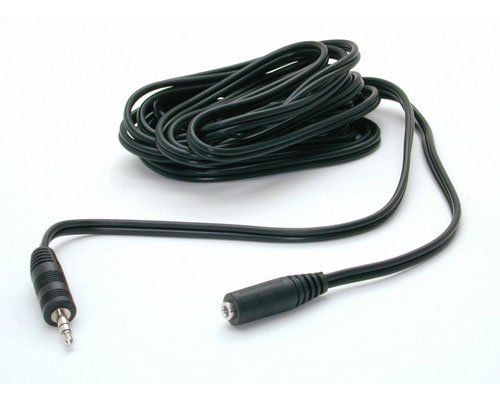 [/img]
obviously an extension will be an option but i'd like to get the headphone socket working as it's there!
Off-hand I'd wonder if it's been connected up correctly inside (though have no idea of the internal architecture of these machines). Are there other new ones in the office, to compare it to?
if it's running windows 7, you might have to change the deafault sound evice.
Apparently, Microsoft decided that to prevent apps from taking control of sound output (i.e. once second you're watching redtube and listening on your headphones, the next minutes the sound of vinegar strokes are being broadcast through the desktop speakers, unwanted 😉 ) you have to do stuff manually
You need to open the dialogue box in Control Panel, SOund & Hardware, Sound, and RHClick onthe playback output you want to set to default.
There's no way Ive found to automate it. But you can put a shortcut on your taskbar. I need to do it all the time when I switch between outputs to headphones, desktop speakers, and downstairs speakers.