
MegaSack DRAW - This year's winner is user - rgwb
We will be in touch
I know... I'm being dumb... but how do you do it???
I'm using a Mac just to be awkward!!!
You need to have them hosted somewhere and then create a link from the post, the place where they are hosted.
The easiest way is to create a flickr account - it's free and self explanatory. Once you have uploaded the picture, right click over the picture and select, 'copy location' then paste that URL into your STW entry using the IMG button.
Here goes then...
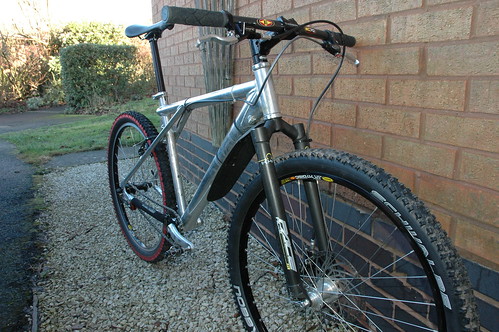
Justlikethat!
[img]  [/img]
Where's the 'img' command thingy gone?
Err... IMG button??? Where would I find that then???
read this > [url= http://www.singletrackworld.com/forums/forum-help/ ]forum help[/url]
having a mac makes absolutely no difference.
[url=  ?v=0][/url]
Almost :o)
[img] ?v=0][/img]
you should use [ img ] not [ url ]
[img]

JB I used this without the gap after the first bracket ...... go on have another go
[ img] ?v=0][/img]
[img] [/img]
[img] ?v=0[/img]
Oh Bo***cks......
Oh there it is!
The img button had disappeared for a while. Using a Mac, too, with Safari.
All these people, with identical bikes! How very strange!
grrrr read the ****in help link above!
there i said it 🙂 feel much better
FFS! just press the image button and enter URL.
[img] ?v=0][/img]
in his defense the IMG button wasnt there a moment ago
Hooray!!!! 😆
Yippee... at last!!!
Well done JB !!!!!
At last, welcome to the pics club on STW
in his defense the IMG button wasnt there a moment ago
prove it 😆
[img] http://farm4.static.flickr.com/3337/3204174598_bc4cd54d97.jp g" target="_blank">http://farm4.static.flickr.com/3337/3204174598_bc4cd54d97.jp g"/> ?v=0][/img]
proof grrr, well the fact that JB only managed to post his pic when the IMG button returned should be proof enough 😉
Thanks Dobo... but the failed attempt above was with the IMG button... the one that worked was Crispy Bacon's solution with this extra ] bracket at the end of the URL.
The ?v=0 isn't required.
[img] ?v=0[/img]
Thanks Dobo... but the failed attempt above was with the IMG button... the one that worked was Crispy Bacon's solution with this extra ] bracket at the end of the URL.
Nope you forgot the / don't blame the forum software.