Is google sketch up the easiest to use?
I am designing some speakers, I want to be able to model them to get the shape/proportions/angles right (they are gonna be huge, 100L)
yes
Yep. I managed a very accurate rendition of my whole house.
Printing out a list of keyboard shortcuts helps a lot.
Google sketchup is a horrible package, in comparison with paid packages it's depressingly poor and hard to use. But I guess that's the price you pay, so to speak. It's certainly the cheapest working option I can think of (unless you're willing to delve into the likes of blender 3D).
I found Sketchup really easy to use... But then, my first CAD package was on a BBC Micro so it's no wonder things have moved on.
I don't say this often but coffeeking is talking bobbins. The free version will cover what the OP needs and the pro version offers. . well pro features. There are lots of great plugins if you want to start making complex geometry, although I can't think you would on a speaker. If you need any help pop over to sketchucation.com
thanks peeps, I'll give it a bash...
I think there's an open source 3d modelling software called blender. Never really used it though so can't comment on it effectiveness.
[url= http://www.3ds.com/products/draftsight/download-draftsight/ ]Draftsight[/url]
Nice little package. It does not have the full functionality of a Autocad but should suffice. And its free!
Sketchup is fantastic for nowt. Better than stuff I was using a few years ago, for sure. I mean if you really want all the complex rendring and shading/lighting stuff etc for Pixar-esque stuffs, then you'll need to spend millions of pounds, but for simple stuffs, Sketchup rocks. Takes time to learn, but does a pretty good job tbh.
[img]  [/img]
Thought DraftSight was a 2D/drafting/DWG-based environment?
eeeugh, starting the year agreeing with fred.
its free, it works, its light enough to run on my netbook which i believe doesnt apply to "proper" software
Blender is good for 3D stuff if you want it to move.
SketchUp rocks Mr Al, but it really helps to run through the first few tutorials or it will drive you mad. You might even find that there are some drivers in the model library online.
Sketch up will be fine as long as you don't want to draft any complex curves. Home made speakers will just be boxes anyway won't they?
Can end up costing more for home made speakers than the shop bought ones as they are a bit of a dark art to get working really nicely.
You took that from the 3D warehouse didn't you Elf!
ta again
donks - Member
Home made speakers will just be boxes anyway won't they?
Can end up costing more for home made speakers than the shop bought ones as they are a bit of a dark art to get working really nicely.
I'm inspired by these so there's a bit more than just boxes...I used to design speakers for a living (I worked for this company) so I should get them to sound OK...it's the looks I may struggle with, being only a DIYer on the design/fabricate front
[img]  [/img]
bristolbiker - MemberThought DraftSight was a 2D/drafting/DWG-based environment?
[img] 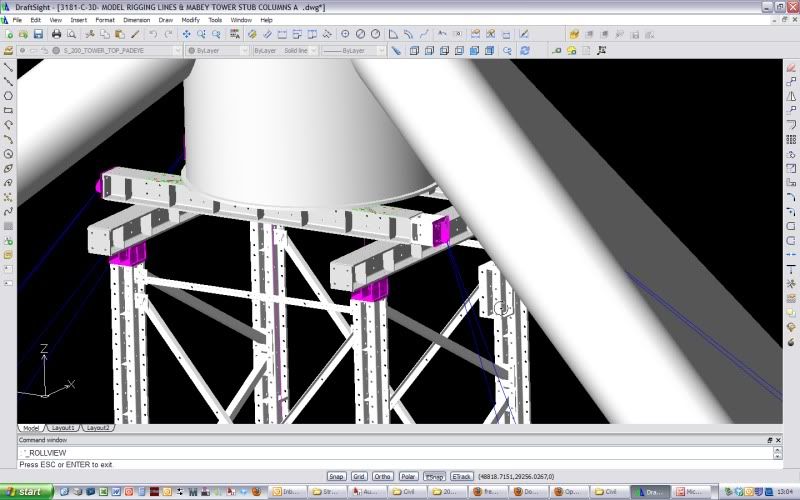 [/img]
It has limited functionality 3D capabilities. It is not as good as other products but it is free and quite intuitive to pick up.
If the OP only really needs a box of 100L and then to be able to take of sizes of panels, lengths and angles, it is more than enough for the job.
Fair enough - I'm a Solidworks user and use other 3ds products, so might be worth a look for basic/free work.
You could try this,
http://sourceforge.net/apps/mediawiki/free-cad/index.php?title=Main_Page
I have not used it & don't know anything about it, so don't know how good it is,
Andy
bristolbiker - MemberFair enough - I'm a Solidworks user and use other 3ds products, so might be worth a look for basic/free work.
I totally agree, there are far better products out there, specifically for more complex projects.
I have been dabbling with Inventor recently and it is a far better package than the older .dwg formats.
I should get them to sound OK...it's the looks I may struggle with, being only a DIYer on the design/fabricate front
Ooh...
Elf can makes looks nice...
You have email regarding this issue, Al....
X
If you are in the mood for an uphill learning curve I can give you access to a time limited edition of Solidworks for you to play with. Only snag will be that you'll get used to it and then it will stop working in November.
Email in profile.
Is solidworks windows only? Really sketchup will cover what you need, the speed between SU and 3DS max was like night and day. Is solidworks fast?
Is solidworks fast?
In what way? Fast to load? Fast to model stuff? Fast to learn?
The last two please!
Autodesk Inventor is easy to use. If you can handle basic Autocad commands you could use Inventor. It will certainly make generating 2d layouts a lot easier. Drop me an email if you need a hand with it.
I don't say this often but coffeeking is talking bobbins.
🙂 Well I have to throw an odd one out there every so often! I use solidworks and NX6 most days and find both pretty damn intuitive. Sketchup kills me. I'm not sure if it's the fact that I'm used to so much better, or it's just not in tune with my way of working/thinking, but I really dislike several key points about it. It just doesn't follow the norms I expect and as such I spend forever trying to create even simple stuff with it, give up and go back to SW. To be honest I even prefer creating 3D stuff in text format with POVRay over sketchup!
Yes, fast to model, and fairly fast to learn.
Also with coffeeking, I found sketchup very hard to learn, maybe because I use Solidworks. But that's not to say it's no good, too many example of impressive modelling, maybe I just need to unlearn Solidworks first.
You want this book Al.
[url= http://www.amazon.co.uk/Introduction-Loudspeakers-Enclosure-Design-BP/dp/0859342018 ]clickle[/url]
[img] 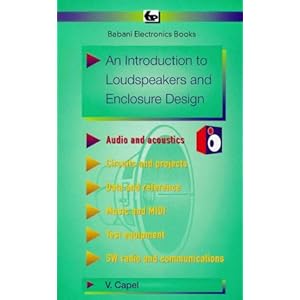 [/img]