
MegaSack DRAW - This year's winner is user - rgwb
We will be in touch
I've posted pics on here before, the usual all sizes copy and paste thingy.
BUT when I've recently tried to to it, I cant 'copy', clicking the right button gives me the normal option box, but the 'cut' and 'copy' options cant be used, just the 'paste' or 'select all'
Any clues? Please bear in mind Im a computer numpty so no long technical answers please. 😳
You can go to "all sizes" button which appears above your selected picture. Below the picture you'll see a couple of boxes with the code you need. Nº2 has "Grab the photo's URL:".
And Bob's your autie's live in lover!
Use this to stay within Tearm and Conditions and to make it a lot easier.
http://www.stewartpratt.com/?p=88
don simon thats what I do but as I said when I click on the grab the url the option to copy isnt available?
[url= http://farm3.static.flickr.com/2752/4356587978_f10d95f0c7.jp g" target="_blank">
Not sure how to help then, this has been done using that method. 😥
Drac Ive downloaded firefox, when I click on download greasemonkey it just links back to the download firefox page
Told you I was a numpty!
works fine in Chrome as well (no need to install Greasemonkey) - just click on the link Drac posted -> http://www.stewartpratt.com/?p=88
Ah didn't know that Tim, ta.
Also works in Opera, again no need for greasemonkey
I'm on Firefox and no problems.
i didnt either, just clicked the link and it worked 🙂

Just does a link for me...using Internet Explorer.
All sizes/medium copy n paste url.
[img]  [/img]
Thanks colnagokid 🙂
[IMG] 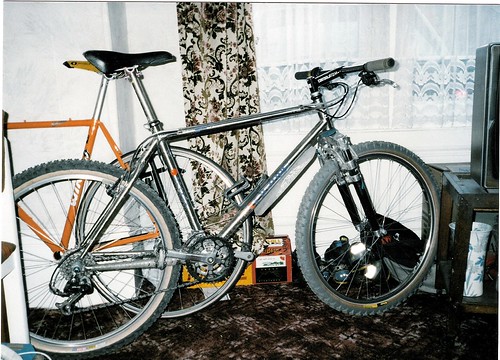 [/IMG]
That took some doing!
Still havn't got the extra box in flickr but its working so not to worry!
ooooh oldschool!
coffeeking, there may be a show me your old bikes thread soon!
drac, that script is quality - informed a couple of friends about it too. nice one.
[url= http://farm3.static.flickr.com/2768/4364239869_ef9eeedea6_b.jp g" target="_blank">