
Im having issues posting flickr images on the forum. If i use the 'official' HTML so i meet the Flickr Community Guidelines then no picture shows up :0(
If i use the URL it works fine.
HERE..
[img] 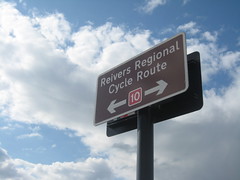 [/img]
Anyone else having this issue? its only been happening since STW 'upgraded' the site.
Cheers,
Rich
[img] 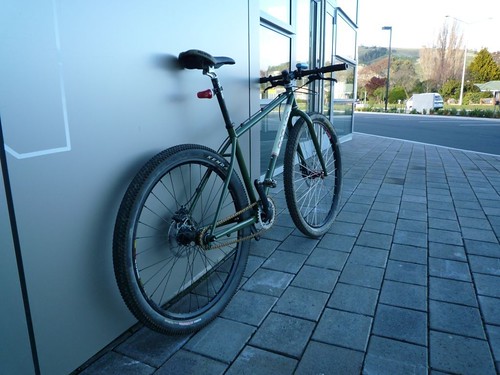 [/img]
nope
Oh this is great... I'm having the same problems!
Install firefox, the Greasemonkey script then add this script http://www.stewartpratt.com/?p=88
Then you will have a phorum link on each image to copy and paste.
[url= http://farm3.static.flickr.com/2672/3723405689_d2ea00bbe5.jp g" target="_blank">
here you go... read the forum help.. it tells you how to do it in there!
[i]RocketDog, I don't think you did it the right way.. It's supposed to be a clickable image to meat with Flickr guidlines... This code:
[/i]
ah, right, i've wondered how people do that, then again i tend to follow my own path and avoid guidelines
Looks like STW ITmonkeys have disabled HTLM code then. DRAC i cant be bothered to install new programs and extra scripts as im not always using the same computer. This used to work, now it dosnt, just wondering why?
Oooh you rebel.
[i]This used to work, now it dosnt, just wondering why? [/i]
They've not used HTML coding for a very long time now.
Works here.
[ url= http://www.flickr.com/photos/peakcyclehire/3558300894/ ][ img ]  [ /img ][ /url ]
Remove space after and before brackets.
[url= http://farm4.static.flickr.com/3370/3558300894_da33826de7_m.jp g" target="_blank">
spacehopper, thanks for that but thats not what im trying to do. Flickr provide a special code that does it for you (and allows you to choose what size image you display in the forum) but it looks like this forum no longer supports the posting of that code, so we have to do it the long way (like you just posted).

[i]Copy and paste this HTML into your webpage[/i]
No like I said STW hasn't used HTML code for a very long time.
I've edited my post above with the solution.
They've not used HTML coding for a very long time now.
Ive been posting photos this way for months, infact some of my old photo posts (pre forum update last week) are still working and Flickr is logging how many people are clicking them, so it must still be working but i just cant post anything new using that method.
ok cheers Rich, seems like we have to go back to the old way of doing it then, thats a bit naff.
[i]Ive been posting photos this way for months, infact some of my old photo posts (pre forum update last week) [/i]
No idea how you managed that then as it is disabled and has been for some time.
the Flickr HTML code worked until the last froum update a couple of weeks ago
i presume this means that any old posts with photos posted in this way will now be devoid of pictures.
that's a bit silly if you ask me
[url= http://farm3.static.flickr.com/2612/3704039692_03bf4b84e5.jp g" target="_blank">
i presume this means that any old posts with photos posted in this way will now be devoid of pictures.
No they are still there and the links to Flickr still work (my Flickr stats are still recording people linking to my gallery by clicking on those old pics). Thats why im confused, seems like the capability is still there but were just not allowed access to it.
Oh yeah. Cool.
Still, preview would be useful!
[i]the Flickr HTML code worked until the last forum update a couple of weeks ago[/i]
Really oh well I stand corrected but then I automatically use phorum code on forums as so few allow html.
Stato had a quick look at your pics, have you been to Thrunton latterly it's incredibly dry some parts I've not seen dry for years are dusty.
Not for a while Drac, its more my mates stomping ground than mine, but i expect to be up there a bit more in the future. Might have to arrange a trip soon if its that good (but dont want to bust myself before france as im off there in 2 weeks :0)
[url= http://farm4.static.flickr.com/3397/3604429432_0710711034.jp g" target="_blank">
The grease monkey code seems to still be working.
Details here: [url= http://www.stewartpratt.com/?p=88 ]http://www.stewartpratt.com/?p=88[/url]
It really is very dry, not been up last couple of weeks but doubt the rain we've had will have made much difference. The hidden trails are superb at the moment able to ride down them rather slide down.
[url= http://farm4.static.flickr.com/3598/3602700665_09da16c1a8.jp g" target="_blank">
[url= http://farm4.static.flickr.com/3481/3720178130_61427affa1_m.jp g" target="_blank">
the process is, click on IMG and put in the URL of the image. Highlight all that, including the [ i m g ] then click on URL and put in the site you want to link to. easy, you see.
just a test
ok. so the html code provided by flickr, or anyone, won't work because the forum, in this latest version as a security measure, turns all html code into it's html entity equivalent. i.e. & become & a m p ; etc.
bbCode it is http://en.wikipedia.org/wiki/BBCode
Ok Tom, thanks for looking at this for us, appreciate the effort (and the emails). I suppose security on the forum is worth the extra effort 🙄 😆
Regards,
Rich.