
MegaSack DRAW - This year's winner is user - rgwb
We will be in touch
How do i put photos on to my posts?
You need to have them hosted on a site such as flickr and then copy the image location and paste it inbetween [ img] and [ /img] removing the spaces after the [
You need the photo on the net somewhere - flickr or the like.
Open the photo you want - on flickr you get the url given to you or right vclick / properties / location. copy that url then in your post click the IMG button and paste the url in there
you should end up with [ img ]urlofpic[ /img ] in your post - without the spaces obviously
potobucket is the other main photo hosting website, I have an account with both flickr and photobucket.
Download your photos (from your camera) onto your computer, then load your choice photos onto the host website. Then, as everyone above says, you can copy the url of the pic you want to show on this website into the IMG option above.
sweet! thanks guys.
Testing...
[img]  ?v=0[/img]
Yaaaay. Ive popped my picture posting cherry 😀
hah I can't do it!
hah I can't do it
a picture URL will end with .jpg or .gif or .png and not 3372577364//
also the final tag is [/ img] without the space. You need the slash to show it's the end
Yer Tiz pimpmyride 🙂
[img]  ?v=0[/img]
[url= http://www.singletrackworld.com/forums/forum-help/ ]This is very useful[/url]
Cheers 🙂
[img]  [/img]
tried to add a photo from flickr in another post and just end up with a small box with a red cross in it.. anybody kno what i am doing wrong??
Are you sure your linking to the URL of the picture ? post it up on here again & we'll try to see where you are going wrong.
Ha I can't believe I got this thread going again!
I only tried again to post a picture without looking like an idiot if it didn't work but it did and i'm well chuffed 🙂
Cheers crispy bacon 🙂
[img] http://www.flickr.com/photos/38350649@N08/3523125672/ [/img]here we go again
i've just created a flickr account and put a photo of my bike and copied the link in by pressing the image button
if you use this
[img ]

/img]
without the gap before the second bracket & after the third bracket then you will get this
[img] ?v=0[/img]
/p>
You need to copy your image location, click on 'IMG' then paste the location & click OK.
Go on have another try 🙂
this is the link crispy bacon.. see if it works
http://www.flickr.com/photos/38350649@N08/3523125672/ 😯
thnaks
Nice one it says this photo is private so you can't link it to here, you will need to change that first, you will also need to copy the URL so it's got [b][u]jpg[/u][/b] on the end see my post above. If you click on the picture to open it up & then copy the URL from there. 😆
orite, i'll chage it. no wonder. silly me 🙄
ok here goes, again.. photo is now public...8)[img] http://www.flickr.com/photos/38350649@N08/3523125672/ [/img]
Thats more like it remove the gaps as above from this
[img ] 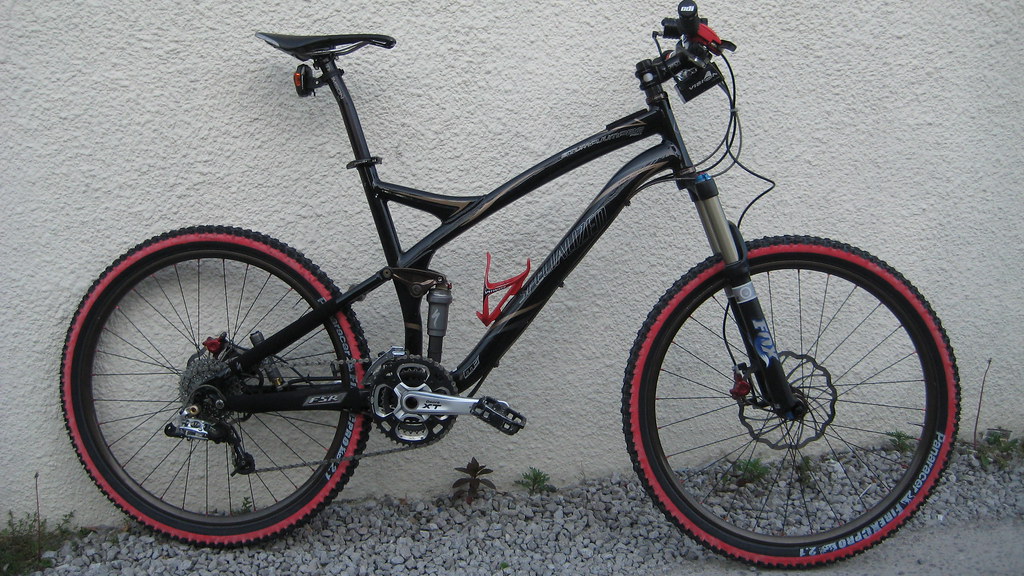 [ /img]
and you get this
[img] [/img]
At bloomin last ......... nice bike btw 😀
sorry to be a pain crispy bacon... what gaps do u mean?? and i thought i was computer literate, lol..
He means remove the space between the g and ] and the [ and the /
[img6] [6/img]
Ok i've changed the gaps to the number [b]6[/b] instead, if you copy the above & remove the two numbers 6 inside the first & last brackets then it should link your picture onto STW - fingers crossed...
ok im getting there.. i think i copying the wrong link.. trying
[img] [/img]<
crispy bacon you are a legend mate thank you very much 😀
i was copying thw wrong link
thanks Simon Ralli
8)
[img]  [/img]
God I need a drink now .......
PS about time you weeded the gravel 😉
No probs - it can be hard to explain since if you write what you are meant to put the photo comes up. Look forward to seeing more pics BTW!
LMAO!!!! Thats the drive way to the falts where I live... Student digs so no weeding here..
Now I got the hang of this Simon Ralli im gonna be flickr happy and get more shots on. lol..
LoL, thanks again and would like to say nice wheels too guys... forgot to mention that..
Don't forget our Flickr group where each day legions of adoring fans will lap up every photo of yours for an entire year 😀
A few bods from STW are on there
http://www.flickr.com/groups/onephotoeveryday/
thanks Simon, joined and made my contribution of my beloved bike.
brokencollarbones, you popped your picture cherry 🙂
oh yes pimp my ride... finally. lol. nice wheels. 😉