Can anyone recommend any good software or websites to do this?
While we're at it... show us your panoramic photos, and tell us how they were made...
Microsoft Image Composite Editor (I think it's called) if you're on Windows is free and pretty good.
Couple of mine, done with either that or Photoshop:
[url= http://farm6.static.flickr.com/5214/5392484341_18f81a3a87_b.jp g" target="_blank">
[url= http://www.flickr.com/photos/willslater/5392484341/ ]Steetley Magnesite[/url] by [url= http://www.flickr.com/people/willslater/ ]Will Slater[/url], on Flickr
[url= http://farm3.static.flickr.com/2505/4202536623_d43e950cac_z.jp g" target="_blank">
[url= http://www.flickr.com/photos/willslater/4202536623/ ]Paris From Above[/url] by [url= http://www.flickr.com/people/willslater/ ]Will Slater[/url], on Flickr
[url= http://farm3.static.flickr.com/2514/4127488587_d0781cd280_z.jp g" target="_blank">
[url= http://www.flickr.com/photos/willslater/4127488587/ ]Clarence Machines Panorama[/url] by [url= http://www.flickr.com/people/willslater/ ]Will Slater[/url], on Flickr
I use photoshop, very easy if you have good starter images.
[url= http://farm6.static.flickr.com/5293/5481762523_628200395f_b.jp g" target="_blank">
[url= http://www.flickr.com/photos/21634402@N07/5481762523/ ]Penrith_C2C_Panorama1[/url] by [url= http://www.flickr.com/people/21634402@N07/ ]ben_oggles[/url], on Flickr
[url= http://farm6.static.flickr.com/5178/5481762409_950eba2925_b.jp g" target="_blank">
[url= http://www.flickr.com/photos/21634402@N07/5481762409/ ]Leeds_Panorama1[/url] by [url= http://www.flickr.com/people/21634402@N07/ ]ben_oggles[/url], on Flickr
I've tried to do interior shots to make HDR lighting backdrops for 3d rendering software - but it gets very confused most of the time and ends up discarding half of the photos.
Hugin is free and does it all. But it can be a pain to get going
[url= http://cvlab.epfl.ch/~brown/autostitch/autostitch.html ]Autostitch[/url]
[url= http://farm5.static.flickr.com/4102/5431746614_ebe06927e2_z.jp g" target="_blank">
[url= http://farm3.static.flickr.com/2386/1561383010_95e3c6d9a9.jp g" target="_blank">
[url= http://farm4.static.flickr.com/3524/3261121494_7089234810_z.jp g" target="_blank">
[url= http://farm1.static.flickr.com/90/229345076_79352e13dd.jp g" target="_blank">
[url= http://farm1.static.flickr.com/159/433758639_bff2d271fe_z.jp g" target="_blank">
I've just tried out Photoshop merge, and it's astonishingly primitive compared to PTGUI, which I use, or Hugin (free but complex), but it wasn't too bad either.
Just used hugin myself...
[img]  [/img]
I use Elements but Microsoft ICE is nice and simple (and free).
Very informative thread. Just tagging for future use 8)
I made a few more, including the "Polar Distortion(Planet)" effect:
[img] 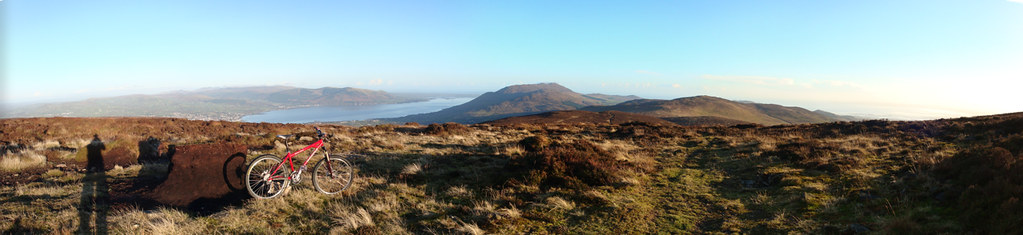 [/img]
[img] 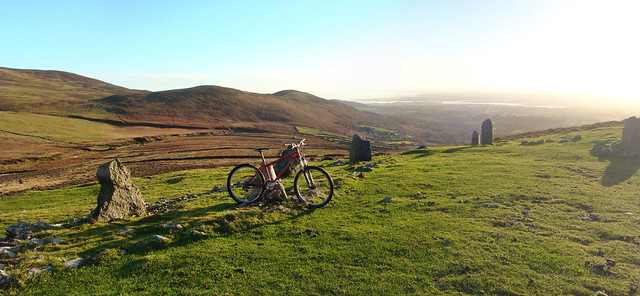 [/img]
[img]  [/img]
Another Autostitch user here. Does the job.
[img]  [/img]
[img]  [/img]
[img]  [/img]
[smug] i have a sony and it just kinda does it by its' self [/smug]
[IMG] 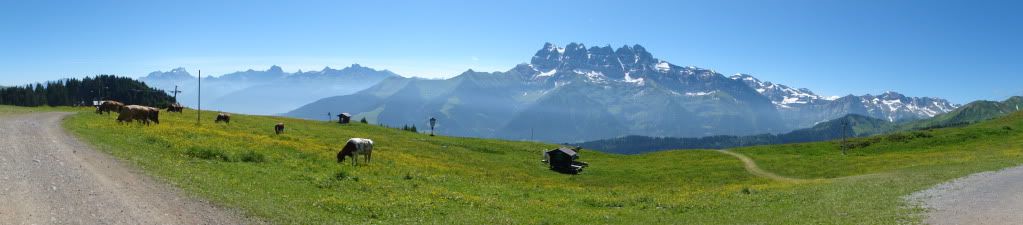 [/IMG]
Cwncarn a couple of weeks ago..
[url= http://farm6.static.flickr.com/5256/5441921611_985f47bd57_b.jp g" target="_blank">
[url= http://www.flickr.com/photos/46015517@N05/5441921611/ ]Cwncarn[/url] by [url= http://www.flickr.com/people/46015517@N05/ ]Smanley2009[/url], on Flickr
Another thumbs up for Autostitch 8)
[img]  [/img]
I have a sony too, but it doesn't have a "stitch" mode? I think my old canon compact did however...
I have had the Microsoft ICE manage where Autostitch has failed. It also seems to be faster and more reliable but much less tweakable.
Microsoft ICE
[url= https://lh5.googleusercontent.com/_9ZGd1hvuY_8/TQ5LbuWU1RI/AAAAAAAAHjg/-8wfzeTL4_I/s800/DSC00385_stitch%20copy.jp g" target="_blank">https://lh5.googleusercontent.com/_9ZGd1hvuY_8/TQ5LbuWU1RI/AAAAAAAAHjg/-8wfzeTL4_I/s800/DSC00385_stitch%20copy.jp g"/> [/img][/url]
This one had plenty of overlap, but Autostitch couldn't find the matches in a couple of seams. Done with ICE.
[url= https://lh5.googleusercontent.com/_9ZGd1hvuY_8/TWrG0PNGz6I/AAAAAAAAH2U/OeDjNOc0d5Q/s800/pano%20full%20desk%20wide1920.jp g" target="_blank">https://lh5.googleusercontent.com/_9ZGd1hvuY_8/TWrG0PNGz6I/AAAAAAAAH2U/OeDjNOc0d5Q/s800/pano%20full%20desk%20wide1920.jp g"/> [/img][/url]
And an older one done with Autostitch
[url= https://lh5.googleusercontent.com/_9ZGd1hvuY_8/TWrHduHItVI/AAAAAAAAH2k/YES_vHiIHMI/s800/P1110815%20pano%20jon.jp g" target="_blank">https://lh5.googleusercontent.com/_9ZGd1hvuY_8/TWrHduHItVI/AAAAAAAAH2k/YES_vHiIHMI/s800/P1110815%20pano%20jon.jp g"/> [/img][/url]
Also Autostitch, which I reckon is better with images of differing exposure.
[url= https://lh4.googleusercontent.com/_9ZGd1hvuY_8/TDOpWakPLQI/AAAAAAAAHK0/wLMH6Pundzs/s800/Sycamore%20Gap%20WP.jp g" target="_blank">https://lh4.googleusercontent.com/_9ZGd1hvuY_8/TDOpWakPLQI/AAAAAAAAHK0/wLMH6Pundzs/s800/Sycamore%20Gap%20WP.jp g"/> [/img][/url]
Have a look [url= http://www.gigapan.com ]here[/url] for some amazingly huge panorama pictures; will be taking a Gigapan to the Alps this summer so hope to capture some BIG views around Morzine.
Microsoft ICE here too. Only ever had one photo it failed on, and that was a very difficult one, might try out Autostitch and see how that does.
[url= http://farm5.static.flickr.com/4128/4946416324_8ee2dca820.jp g" target="_blank">
[url= http://farm5.static.flickr.com/4148/4946418298_3c97e04a03.jp g" target="_blank">
[url= http://farm5.static.flickr.com/4121/4945834487_9309818d3e.jp g" target="_blank">
[url= http://farm5.static.flickr.com/4114/4937963697_eed4338b4b.jp g" target="_blank">
[url= http://farm3.static.flickr.com/2618/4016706379_dd840df57e.jp g" target="_blank">
Another vote for ptgui. I'm on me phone at the mo but will post some later.
This is my first attempt after downloading Microsoft ICE.
It seems a very easy program, I just uploaded 4 pictures and next thing this popped up!
It's Edinburgh from the top of White Hill in the Pentlands.
[IMG]  [/IMG]
This is up in White Hill too...
[IMG]  [/IMG]
[url= http://www.photo-freeware.net/autostitch.php ]Autostitch[/url]
[url= http://farm3.static.flickr.com/2799/4259341175_aee0faac48_b.jp g" target="_blank">
[url= http://www.flickr.com/photos/leecollis/4259341175/ ]Alnwick Caslte Winter 2010[/url] by [url= http://www.flickr.com/people/leecollis/ ]Lee Collis[/url], on Flickr
Tony- you will need to bring that to Morzine just to fit my belly in- I'm as big as a whale at the moment!
Fine, now how do I get a printer to do a stretched A4 landscape (assuming I have the correct shaped paper)?
Is there special driver software around?
A4 and scissors. Or use an online photo printing service for a big one.
Not a great stitch, but I like the end result.
[url= http://farm4.static.flickr.com/3267/3171239813_a69541ca34.jp g" target="_blank">
[url= http://www.flickr.com/photos/gingerfox/3171239813/ ]Grasmere[/url] by [url= http://www.flickr.com/people/gingerfox/ ]Ginger F0x[/url], on Flickr
[img]  [/img]
[img]  [/img]
A couple from a camping trip to Arrochar.
Auto stitch here too:
[img] 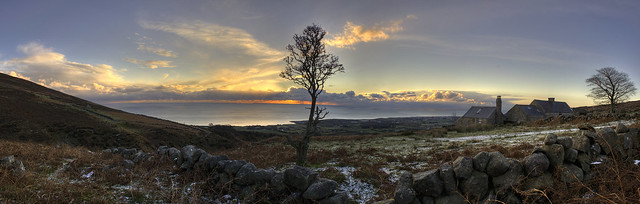 [/img]
[url= http://farm6.static.flickr.com/5139/5483224808_60efd23f9c_b.jp g" target="_blank">
brilliant Kit!
This is taking the photo stitch idea a step further - there are some amazing photos on this site (make sure you view in fullscreen)
A guy in my area does them, here is one of Murrays monument (not far from Kirroughtree)
http://www.360cities.net/image/murreysmonument1
[img] 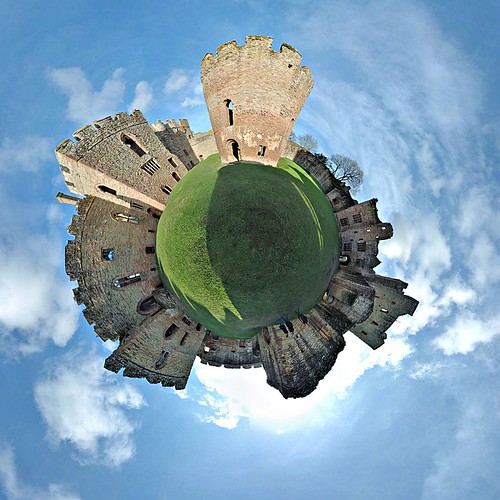 [/img]
As a result of this thread I tried Ice its fab
but the final step needed Hugin as well
[url= http://farm5.static.flickr.com/4018/4642425215_a94c1cebe0_b.jp g" target="_blank">
About the best I've managed, using the 'Panorama-Maker' software that came free with my Lumix. Usually have way too much curve / exposure difference between shots for a good result.
Few from Oz.
Brisbane...
[url= http://farm4.static.flickr.com/3550/3365436150_3b50122a35_z.jp g" target="_blank">
[url= http://www.flickr.com/photos/takisawa2/3365436150/ ]Brisbane_City_Merge_2[/url] by [url= http://www.flickr.com/people/takisawa2/ ]pten2106[/url], on Flickr
Olgas...
[url= http://farm4.static.flickr.com/3638/3365436606_b659f3259f_z.jp g" target="_blank">
[url= http://www.flickr.com/photos/takisawa2/3365436606/ ]Olgas_Merge_1[/url] by [url= http://www.flickr.com/people/takisawa2/ ]pten2106[/url], on Flickr
Blue Mountains.
[url= http://farm4.static.flickr.com/3583/3365436372_57e8d75038_z.jp g" target="_blank">
[url= http://www.flickr.com/photos/takisawa2/3365436372/ ]Blue_Mountains_Merge_1[/url] by [url= http://www.flickr.com/people/takisawa2/ ]pten2106[/url], on Flickr
awesome pics
The clouds and foreground in this one of north-east Skye make it look rather concave, my usual problem when not taking enough time. Perhaps I need to use more pics at a time, say 4 instead of 2...;
[url= http://farm5.static.flickr.com/4091/5047317915_2fc6d12873_b.jp g" target="_blank">
Ile Rousse in Corsica;
[url= http://farm3.static.flickr.com/2535/4236859601_7de5697d96_b.jp g" target="_blank">
And a fairly large crawler we had on site recently - had to be brought on in bits and constructed in-situ with a 150t mobile (ground-to-top floor levels in this pic is about 23m);
[url= http://farm6.static.flickr.com/5129/5346676146_4f061de99c.jp g" target="_blank">

