Have a DSLR and very early learning stages (Nikon D70). Concentrating on trying to take a good pic rather than being interested in editing afterwards. I use Picasa to sort my pics.
I'm shooting on Jpeg format - can anyone explain RAW benefits and how to use in really simple terms (as I'm dim) and can I use RAW via Picasa or do you need special soptware?
Many thanks!
Raw allows you to mess about with it more - change exposures and so on. However it's a bugger to work with as not much stuff supports it, and for example you can't see thumbnails in windows explorer etc.
RAW files wherever possible for me - but I like doing post processing in Lightroom - if you aren't into processing you might as well shoot jpeg. The other thing to consider is you might not like post processing now but you could want to in future - especially if you get the 'killer shot'.
Raw files allow you to make fairly big changes in exposure, contrast and white balance etc without really degrading the image quality
You can use RAW in Picasa (at least with my camera) and on Mac the thumbnails show up just fine in Finder 🙂
Lightroom is superb imo if you do get into processing.
I would stick to Jpegs until you get used to the camera. A RAW file isn't an image per se as it needs to be processed by an image processor such as Photoshop. the on board image processors on the camera do a pretty good job but they are seldom perfect so using RAW files allow for more flexibility.
Im not sure if Picasa supports Raw files as there is a few different formats of Raw ( i know Nikon use .NEF files) so might be worth a look as Photoshop and other image processors can be quite expensive (if you have to pay for them).
Have a play with it see what you can do. if you have your camrea to take a RAW and Jpeg for each picture you will be able to put your pictures up on the net quicker and replace them with the RAW processed ones later.
I rarely use RAW files for day to day picture taking though I will if i want to be able to add a few effects etc.
Bear in mind that RAW files are uncompressed and can be quite large in size!
HTH
RAW did help me rescue a few screwed up shots. You don't have the option of switching to RAW when you know you are about to mess up a shot.... 🙂
Use RAW far better but whilst learning use RAW and JPEG if your camera allows both. Who cares about the size of them storage space is cheap as hell.
RAW (or more accurately NEF in Nikonland) is the way forward if you like to twiddle with your images at all after you've taken them.
Basically when you take a photo the camera must take the information from the sensor, interpret according to your camera settings (i.e. white balance, contrast, saturation, sharpness) and produce a compressed JPG image.
When you shoot RAW you instead get all the info from the sensor and you can set the white balance, contrast etc yourself on your PC. You also get a bit more detail and colour depth to play with.
A good metaphor is that shooting JPG is like a polaroid: the camera develops the image for you.
RAW is like shooting film and then developing it yourself.
for example you can't see thumbnails in
windows explorer etc.
Search for NEF Codec and you'll see the thumbnails in explorer.
Only shoot in RAW now
Oh yeah one other thing to consider is if you are shooting action stuff in burst mode - you will be able to take more jpegs than raw files before filling up the buffer.
RAW is like shooting film and then developing it yourself.
And being able (at a later date) to also choose a different film stock and development procedure.
I always shoot in RAW - it gives you a chance to rescue shots that would otherwise have been thrown away.
It takes a bit of extra effort* and double the storage space, but having the ability to go back to the original image as recorded in the camera is excellent.
Irfanview is a good ( free ) image viewer that at least supports Canon Raw files - it might be worth checking if it can do Nikon as well.
* I've written a script for myself which finds the memory card in the PC, copies the raw files to the hard drive, calls Breezebrowser ( my RAW conversion software ) and finally adds in IPCT info to my JPGs and starts Irfanview.
Just downloaded a free Olympus viewer, and it takes a loooong time (and hammers the cpu) to open a folder with a lot of RAW files in...
My concern with RAW files is something that I read online and am not sure how true/relevant it is or not.....
As I understand it, every camera needs a 'translator' for it's RAW files which is why when new cameras come out, Adobe (for example) has to bring out a plug-in specifically for that camera, so Photoshop can read the RAW file....
Assuming this is correct - who is to say that in years to come, the software will still support pictures shot in RAW on old cameras? Why would the manufacturers of image processing software still support RAW from a Nikon D80 twenty years down the line and does this mean that were I to shoot in RAW, all my images might one day be unreadable.....?
Or is that nonsense?? (I suspect it might be)....
For what it's worth - I shoot jpeg most of the time. I have tinkered with RAW every now & again and while it saves the odd shot here and there it seems more faff than it's worth.
Not nonsense, Stumpy. But if you have a software NOW that will decode your files, then you will still have it tomorrow if, for example, new verions of Photoshop don't support your camera.
Of course media become obsolete, so you need to keep an eye on the landscape and if something nasty happens be prepared to export all your RAW files as a different format (TIF for example). My thinking is that when I need to do that, I'll have a much faster computer to do it with.
Assuming this is correct - who is to say that in years to come, the software will still support pictures shot in RAW on old cameras?
The fact that the code contains the code for older cameras too. Well at least Canon ones seem to.
If you like, just shoot in raw, then any that need special attention can get it. When you're done, convert the lot to JPEG and delete the RAWs.
The fact that the code contains the code for older cameras too. Well at least Canon ones seem to.
I guess the fear is that whereas Photoshop 1 supports files from a Canon A, Photoshop 99 may be a total re-write, and drop support for Canon A, B and C. At that point you may want to use your version of Photoshop 98 (IYSWIM) to export your files in a new format, for safety.
If your talking about software then your problem will be the OS running with Photoshop not Photoshop accepting your files.
Yep - that's another thing to watch.
The raw plugin I just downloaded supports my old old 2001 compact camera's raw format.
stumpy01: a counter-argument is that if you shoot as JPG then your images are effectively stuck like that.
As wide-gamut displays become more commonplace you are stuck with a compressed 8-bit jpg, whereas those with a 12 or 14 bit RAW file can easily knock out a new version that uses the extra gamut.
What computer/OS are you using? As much I agree that it's important to focus on your camera and trying to take a "good" picture, there is a huge amount to be learned about doing so once you start processing. Once you see your pictures displayed full-screen, and have an easy way to make minor colour/contrast adjustments, you'll start to see differently what you see through the viewfinder.
Your camera uses older-format NEFs, so see if you can pick up Adobe's Lightroom 1. It's better for straight photo developing than Photoshop/CS and is very, very simple to follow and use.
Lightroom is a superb piece of software and is designed for post processing.
DrJ - Member
Not nonsense, Stumpy. But if you have a software NOW that will decode your files, then you will still have it tomorrow if, for example, new verions of Photoshop don't support your camera.Of course media become obsolete, so you need to keep an eye on the landscape and if something nasty happens be prepared to export all your RAW files as a different format (TIF for example). My thinking is that when I need to do that, I'll have a much faster computer to do it with.
If your talking about software then your problem will be the OS running with Photoshop not Photoshop accepting your files
Yeah - they be my concerns....that new versions eventually might not support my camera......and that if I have to rely on, for example, PS CS6 being the last version that supports the D80 what happens when Windows 2020 doesn't allow me to install PS CS6......?!
GrahamS - indeed that is a counter-arguement, but I'd rather my files were 'stuck' in a readable 8-bit, compressed, narrow-gamut format (that to all intents and purposes still allows me to print large images that look good), than a format that nothing can read in 20yrs......
I know that the chances are there'll be some way of converting them, but for me I'd rather just stick with jpeg.
If I was to take things to a more serious level with my photography, then I would perhaps research RAW more thoroughly as a tool to improve processing/quality.
Yeah - they be my concerns....that new versions eventually might not support my camera......and that if I have to rely on, for example, PS CS6 being the last version that supports the D80 what happens when Windows 2020 doesn't allow me to install PS CS6......?!
Your seriously unlikely to suffer this problem unless you just never update your computer or it's OS. To get to that stage your going to have to be at least 10 year behind with OS and computers.
Oh yeah - to me doing PP is one of the major aspects of digital photography - similar to what you used to do in a darkroom. Not doing it just means you are letting the camera make decisions for you.
There is a quality issue with shooting jpegs as well - it is a lossy compression format, which results in a reduction of image quality. You probably won't noticeimmediately , but if you keep editing and resave your jpegs, the effect is cumulative.
For the best quality images, shoot in RAW, import into Lightroom/PS/OtherEditorOfChoice for tweaking and export to jpeg at the image size/resolution you need. If you need to change size etc, make the changes in lightroom/PS/etc. and reexport. Don't re-edit the jpegs!
Have a DSLR and very early learning stages (Nikon D70). Concentrating on trying to take a good pic rather than being interested in editing afterwards
If you are concentrating on taking good pictures and aren't particularly interested in editing then I think that JPEG will meet your needs just fine.
I switched to RAW for the reason to learn to take a better picture, understanding the manual settings and how it effects things seemed better in RAW. Then adjusting and processing the image on the PC when it wasn't just quite right or I did something wrong is all part of it.
Snapping an image and letting the camera do all the work teaches you nothing much, unless you note the settings the camera selected and adjust slightly.
If you are concentrating on taking good pictures and aren't particularly interested in editing then I think that JPEG will meet your needs just fine.
In a few month's time, when he's more comfortable and confident with his technique and gear, he'll almost certainly want to come back to some of the images he's taking at the moment, be it for retouching or cropping to create new images he isn't seeing just now. Better that these images are in RAW format than JPEG, I would say.
What are you trying to learn - taking good photos or using image software? (Rhetorical question, I can see from your OP what you want but obviosuly all the people talking about RAW plugins can't...)
I'd start with just taking JPEGs and see how they turn out. Take as many pics as possible, work out which ones you like and which were "good" (in a technical sense) then you can move on to taking RAW shots and learning how to manipulate them afterwards. RAW is a great tool that gives you a massive amount of leeway to play with photos but at this "very early learning stage" (your own words) you're effectively trying to teach yourself 2 things at once.
There's so much rubbish spoken about cameras; the assertion that all kit lenses are crap and need to be binned immediately, the idea that everything needs to be post-processed to within an inch of it's life to get a half decent picture.
Modern cameras do an excellent job of image interpretation so while you're learning, let the camera do that part for you and it leaves you free to work out how the different settings affect the overall image.
I need to figure out how to fix heavily under-exposed pics.. :/
I started out using RAW just because as a philosophical issue I don't like throwing data away right at the beginning.
A beginner can still use RAW and apply the default conversion settings in his software, with the same practical results as using JPEG, but with the added benefit that he can go back later and rework them, and that he can avoid the lossy compression problems that jca mentioned.
I don't know if Ken Rockwell is right or not in this assumption, but he describes it better than me. It's got nothing to do with keeping your computer/OS up to date as I understand it. It is purely to do with the fact that a RAW file from a particular camera is unique to THAT camera. And who knows in 20yrs whether anyone will support that particular camera RAW format anymore. Perhaps this is nonsense and there really is nothing to worry about, but here's a snip from Ken Rockwell's site that perhaps explains it better than i have been (I've bolded certain bits):
"Horror of horrors, I've heard that the latest Nikon software can't even read the NEFs from older cameras and that you need to load older software to read them. Just like raw eggs, unless you process it into something like an egg-albumen print or a JPG, the raw files may go bad if left unprocessed.
It's not the file that goes bad, silly, it's the potential ability of future software to read it. [b]Since raw data is entirely unique to each camera, and different even for different firmware revisions for the same camera, raw isn't even a format, even though the different files have the same suffix like .CRW or .NEF.[/b]
[b]Raw files themselves don't go bad. What goes bad is that in 10 or 20 years, whatever software we're running on whatever sort of computer we'll be using may not be able to open a long-forgotten 20-year old proprietary file.[/b]
JPGs are universal. [b]Raw is proprietary to camera make and model and even camera firmware version. Without solid manufacturer support you won't be able to use your raw files again.[/b]
Can you find a computer to open word processing files from 10 or 20 years ago today in Lotus Notes or PFS Write or Brother Style Writer? I can't; that's why I converted my files from these programs to the universal .TXT format back when I could. Do you trust Canon, Nikon and Adobe to support 10 or 20 year old cameras? How about 30 or 40 year old cameras? If you do, go ahead and leave your raw files as raw. I convert all my raw files to JPGs or TIFFs for archiving."
I think I'll do some more digging on this to see what I can find.
You can open MS office files from years ago still. You can also work with BMPs, GIFS, JPEGS and so on, all of which are pretty old formats.
I know they are not proprietary, but the code for the old RAW formats will still be lying around.
Like I say - I'll be editing them and then saving JPEGS alongside. Oh and before you know it there'll be an open RAW format, and you'll be able to convert proprietary RAW to open RAW and be safe that way.
I don't know if Ken Rockwell is right or not in this assumption, but he describes it better than me. It's got nothing to do with keeping your computer/OS up to date as I understand it. It is purely to do with the fact that a RAW file from a particular camera is unique to THAT camera
Well for Canons he's wrong, the RAW file is backward compatible. The problem DrJ pointed out is more viable but only if you don't keep up to date. I have Canon Ixus from 2001 my daughter plays with it, I'm now on Windows 7 and although now I need to use a card reader it still read the raw files based on the current RAW codec from Canon.
Ken Rockwell is widely regarded as an internet clown.
There are already open-source libraries that can read all NEF and CRW files so support isn't quite the issue that some make out.
If you are worried though you can always shoot in RAW+JPG, or just use your RAW software to save a version as a JPG (or TIFF/PSD).
One of the reasons I like CaptureNX is that it can read all the Nikon camera settings from the NEF file, so I can easily run it over a collection of NEFs and get pretty much exactly the same JPGs that I would have got if I shot as JPG in-camera.
Modern cameras do an excellent job of image interpretation so while you're learning, let the camera do that part
I'd say they do a "passable" job. I very rarely have a picture where the camera-generated image can't be improved on by tweaking the RAW file.
I asked on another thread, but I'll repeat it here- any good free software for converting RAW?
I'd like to get Lightroom, but its a bit pricy for my meagre (non-existant) salary...
P
thanks all ... will keep plugging away at taking pics. Maybe have a go at RAW / NEF once I have some idea of how my camera works, and what I'm getting right / wrong. Want to avoid complicating it all too soon!
And if you'll be gentle 😕 any pointers on these pics?
[img] 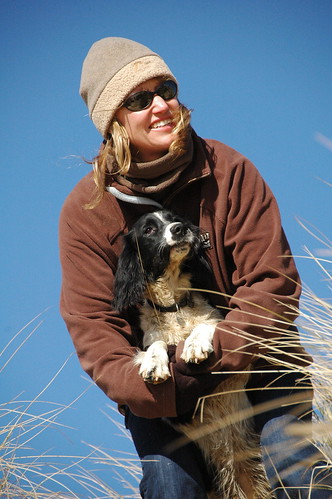 [/img]
[img]  [/img]
[img]  [/img]
[img]  [/img]
Thanks!
I asked on another thread, but I'll repeat it here- any good free software for converting RAW?
If it is Nikon RAW then ViewNX is free from them.
I'm sure Canon bundle an equivalent.
Otherwise try your manufacturer or check out Picasa.
If you do, go ahead and leave your raw files as raw. I convert all my raw files to JPGs or TIFFs [b]for archiving[/b]
RAW: Freedom to convert when you've done your post processing.
Jpeg: Data has been lost at the beginning, it can't come back.
Once you're happy with your RAW photos, export them to any format you wish. RAW simply allows for a further stage in the photographic procedure.
Aus: not much wrong with any of those pics to my eye. Already considerably better than the dross I squeeze out.
Some cracking photos there Aus, if you pushing those out then you really are ready to move and try post processing. Tiny tweaks may help with those ubt it'll more for personal taste than necessity.
Ok as a quick fiddle with Lightroom you can see by adjusting highlights, exposure, blacks and saturation you get a clearer effect. Doing this with RAW has a more prominent effect and the range you can achieve is greater.
Before:
[img] [/img]
After:
[img]  [/img]
I will delete the file I have after a few hours from my server and computer.
(Edit: Drac's fixed his own typo 🙂 )
Ahhh fixed that one already but for some reason didn't work.
Cheers Graham.
I'll add, the flesh tone on your daughter is still off a little, and your wife's jacket is a touched over exposed not now on the one I altered. However, that can be fixed the changes I only took 30 seconds or so. With more time brushes and layers can be added for fine tuning.
Lol, now you've broke the Before image 😀
I still see it.
Mmm might have been me.. All tickety boo now.
(I'll remove my one)
Drac - like the warmth you've added - seems a definite improvement. Was it complicated to achieve, or a quick 'fiddle'?
In Lightroom it was extremely easy, again it's a process of trying difference settings to see what they do and mix them. The beauty is that the image isn't altered it uses metadata so can all be reset at any time, it's only when you export to a new image that it keeps the settings to be seen outside of Lightroom but that is the new image only.
There's loads of tutorials on you tube and adobe site for Lightroom.
Likewise edits like that can be easily done directly to a NEF file in [url= http://www.capturenx.com ]CaptureNX[/url] and the (non-destructive) results saved back to the same file. You can even save multiple versions in the same NEF, flip between them and always still get back to the "As Shot" original.
Just a quick comment to those worried about not being able to read raw files in a few years time. The best bet for now is to convert your the proprietary RAW files into Adobe DNG which is designed as an open standard. This doesn't completely remove the burden of library maintenance, but it does make life easier.
-j
I actually like the first image better. Coldness of the scene contrasted with the warmth of the subject matter.. I love the muted colours. Makes it even more of a stand-out shot.. which it is by the way - top work.
Yup personal choice but I'd say his wife's not that pale or is her hair. The Background could be left alone if I you wanted to and just alter flesh and hair tones as I say it's quick edit to show what's possible rather than "point click I'm done"
thanks ... inspired to have a bit of a play. One (probably) daft qn - if i shoot on RAW (or NEF), can I get them printed out just the same as Jpeg files?
Thanks
Yes but maybe not in places like boots you can save them as other formats though even the jpg to help with such things.
Just a quick comment to those worried about not being able to read raw files in a few years time. The best bet for now is to convert your the proprietary RAW files into Adobe DNG which is designed as an open standard. This doesn't completely remove the burden of library maintenance, but it does make life easier.
Not convinced about that. DNG is an Adobe proprietary format and while "open" for now, may not be for ever.
Not convinced about that. DNG is an Adobe proprietary format and while "open" for now, may not be for ever.
The same could be said about any format, but the fact that Adobe is constantly improving their DNG format to be compatible with manufacturer's newest RAW types does appear to suggest that such a move would be unlikely. It would be, from a business point of view, incredibly stupid of them to reduce the usability of the DNG format, in the same way that requiring non-open software to read PDFs would be. Although you clearly are not, I'm confident that DNG will become an open standard in the same way that PDF has.
Image now removed.
try to avoid overexposure before you even have to fiddle around in the [s]darkroom[/s] living room.
@DrJ - two points: 1) DNG is fully documented, so in theory if Adobe closed the standard someone could write a reader independently. 2) You can embed your original camera manufacturer RAW files within the DNG, so you don't lose anything apart from a bit of disk space.
Also of note is that DNG is basically an extension of the TIFF standard and I believe that the ISO group responsible for TIFF are looking at merging the changes into the next spec.
-j
jca - Member
There is a quality issue with shooting jpegs as well - it is a lossy compression format, which results in a reduction of image quality. You probably won't noticeimmediately , but if you keep editing and resave your jpegs, the effect is cumulative.
This is the main reason to shoot in a non lossy format such as TIFF or Raw.
For years, I shot weddings in jpeg format. I know how to compensate for odd lighting conditions (strong backlighting for instance, which will fool the meter into silhouetting the subject). Auto WB does the job for most situations and it's a doddle to tweak it where necessary. I didn't feel I needed the 'safety-net' which raw provides.
I looked at my colleagues shooting in raw and wondered why they wanted to add an extra step into their workflow - I was editing and processing entire weddings in a day, maybe two - they were taking at least two, usually three.
Then I began to notice that by the time my images made it onto the web, they were definitely degraded. Details were blocking up and the pics looked very unlike the original, processed images. This was due to what jca describes in his post - every time you open and re-save a jpeg, you lose quality. I was re-saving each image perhaps five times as part of my workflow.
I became a raw convert, doubled my workflow time, invested daft cash in new software (Lightroom) and hardware (mahoosive hard drives).
This worked well for a while but now shoot nothing but TIFF - my colleagues still think I'm strange (and brave 🙂 ) but I can process them with a mixture of LR and PS and re-save them as often as I like with no loss of quality - and I do so in the (fairly reasonable) certainty that the TIFF format will still be around in 20 years.
Sorry for the big post 🙂
@DrJ - two points: 1) DNG is fully documented, so in theory if Adobe closed the standard someone could write a reader independently. 2) You can embed your original camera manufacturer RAW files within the DNG, so you don't lose anything apart from a bit of disk space.
As things stand, I agree it is fine, but there is no guarantee that that will remain the case. I'm not really anti-DNG, I just don't see that it adds anything at this stage. Relying on some 3rd party to extract my images from DNG at some point in the future is not more appealing than relying on someone to reverse engineer a programme to read RAW files.
try to avoid overexposure before you even have to fiddle around in the darkroom living room
Agreed, but although a lot of people have mentioned the ability to 'rescue' shots with RAW there is more to it than that.
RAW gives you far more control over things like white balance, levels, response curve, noise reduction, saturation, lens correction, etc than your camera ever possibly could.
(Plus it lets you work in wider-gamuts like AdobeRGB if that is your thing).
That is why the Rockwell "I just get it right in camera" school of thought misses the point a bit.
This worked well for a while but now shoot
nothing but TIFF - my colleagues still think I'm
strange
So why not just shoot RAW and then save as TIFF when you finish editting?
Wouldn't that give you the same benefits?
every time you open and re-save a jpeg, you lose quality. I was re-saving each image perhaps five times as part of my workflow.
Why re-save 5 times?? If I edit a jpeg and don't get it finished before I have to stop working on it, I save it as a psd file (as I'll undoubtedly have some layers).
I then save the final image off as a jpeg, so am only re-saving once.
Or I get all my editing done and then do a 'save as' so the original file is still there.
I can pretty much guarantee that you would not be able to discern the drop in quality caused by the jpeg saving routine doing this (especially if you chose high quality, lower compression).
I think next time I take some pics I will set the camera in 'RAW + Jpeg' mode and do some more comparisons.
Why re-save 5 times?? If I edit a jpeg and don't get it finished before I have to stop working on it, I save it as a psd file (as I'll undoubtedly have some layers).
I then save the final image off as a jpeg, so am only re-saving once.Or I get all my editing done and then do a 'save as' so the original file is still there.
Or you could just use Lightroom or such software that doesn't actually alter the file.
Or you could just use Lightroom or such software that doesn't actually alter the file.
But, I don't have Lightroom......and don't really wanna splash £200 on it, either.
Saving as a psd as an intermediate step seems to work fine and is lossless as far as I was aware....?
No one has EVER commented on any photo I have taken that the jpeg image capture & saving method I use has added unacceptable artefacts to the image........so while I can potentially see the processing advantages of using RAW, I think for the everyday photographer the whole 'jpeg lossy' format thing is an unnecessary concern.
So why not just shoot RAW and then save as TIFF when you finish editting?
Wouldn't that give you the same benefits?
Yes, biut it adds another hour or so onto my workflow for no extra benefits at all - that is, I have to wait an hour for my computer to convert about 1500 photos from raws to TIFFs.
Why re-save 5 times?? If I edit a jpeg and don't get it finished before I have to stop working on it, I save it as a psd file (as I'll undoubtedly have some layers).
I then save the final image off as a jpeg, so am only re-saving once.
Fair question. It's mostly due to the way I used to process, resize, sharpen, 'de-noise' and save for web. I used to start with a file full of jpegs and work on each file at full size, saving to another folder.
Once all these were done, I would run the processed pics through Noise Ninja (or similar), saving them again, in a new folder. I then ran a couple of photoshop actions to sharpen / resize for web / add drop shadow frame / whatever else, saving again into a new folder.
So that's why I used to end up opening and closing my files several times, causing degradation. And that's why I now work pretty much only with TIFFs.
Apologies to the OP - IIRC, the D70 only does Jpegs or raw....
I think for the everyday photographer the whole 'jpeg lossy' format thing is an unnecessary concern.
Might depend on your camera too, but with mine the jpeg colours just don't look as good somehow - and when you increase the contrast (even by quite a lot) on a RAW file you get gorgeous deeper colours, whereas the jpegs start to look funny fairly rapidly.
That's because a RAW file is typically 12-bit, whereas as JPG is 8-bit.
Each pixel is a combination of Red, Green and Blue channels.
An 8-bit jpg has just 256 possible values for each channel, whereas 12-bit RAW has 4096 possible values per channel.
The limited precision of the jpg means when you tweak it you can quickly run into problems with colours blocking together etc.
While it's true (at least from my point of view) that Lightroom is the dog'd bo**ocks, other RAW editors are available.
Nikon and Canon bundle their own with RAW-capable cameras, and several aftermarket solutions are available, such as ACR (Adobe Camera Raw) for Photoshop CS (whatever is the latest version) and Elements, which is free.
As others have mentioned, if you can shoot jpeg and RAW at the same time, you should consider doing so, as then you could learn to post-process RAW images and actually see for yourself the extra quality, detail, etc you qould squeeze from them.
Granted it's a little more time-consuming than shooting jpegs, but it really will open up a whole new range of possibilities for your photography.
I prefer raw files to jpeg, and it might just be software driven,I'll explain.
I used a Canon 7D, if I chose save the file as raw and jpeg, then I can clearly see a difference in the unedited image.
Raw is much better.
I save the images to a folder on my external hard drive and then open them with Canon DPP (its free as well). The images really do look good from the off.
Sometimes export in Aperture as its easier to edit if I need to do some extensive editing.
Have to agree about saving the final version as a jpeg though.
Best policy is to print your best images - so many people leave them on their hard drive.
Its the same as holding a vinyl record - the album cover artwork needed to be handled and viewed by many. Maybe its just me, but its the same with books vs ebooks.
Raw files as sooooo big though.
Is it worth getting Photoshop LS over the RAW adjuster that comes with Elements 8 (which I already have)?
Best policy is to print your best images - so many people leave them on their hard drive.Its the same as holding a vinyl record - the album cover artwork needed to be handled and viewed by many. Maybe its just me, but its the same with books vs ebooks.
Agreed. Nothing beats getting a nice picture printed well.
Nikon and Canon bundle their own with RAW-capable cameras, and several aftermarket solutions are available, such as ACR (Adobe Camera Raw) for Photoshop CS (whatever is the latest version) and Elements, which is free.
What's the Nikon one - I've got loads of CDs with my D80 but didn't think that it came with a RAW converter as standard - perhaps I need to check over the CDs again!!.
I downloaded the RAW converter for my copy of CS2.
Best policy is to print your best images - so many people leave them on their hard drive.
Definitely YES! I have a hard covered spiral bound sketch book that I got from an art shop & every now & again I get my favourite recent pics printed & spend an evening putting them in the book. Much nicer way to look through pics than on a monitor.
And GrahamS - I agree with your comments about the colour information limitations with jpeg. If you do some hard post-processing to an image, you do get some weird colour artefacts emerging as you run out of colour info. I normally don't process images to this point, but it could be an issue if you are trying to do some 'creative' processing.
@Molgrips: Yes, and no. Yes, if you shoot lots and want a way of organising and editing large numbers of files in batches, including complex whole-image manipulations like gradients and split-toned B+W.
If, on the other hand, you just shoot RAW every now and again, or simply don't shoot that often, then the very latest ACR plugin for Photoshop or Elements is all you need, as it's the same RAW converter as the latest version of Lightroom is based on, but without all the whistles and bells.
@Stumpy: I'm afraid I don't know the name of Nikon's RAW software, being a Canon shooter. I'll try and find out, but I'm sure my brother said he had a raw converter with his camera (D80, I think?).
Don't know whether he downloaded it seperately though, I'm sorry.
Does the latest version of ACR support your camera in CS2? I didn't think it CS2 was still being supported by recent ACR updates (but I could easily be wrong about this, as I no longer use CS2 very often and don't own a Nikon.)
belgianbob - well I've got a D80 & CS2 & have always been able to open RAWs.
Wasn't able to with CS though.