
MegaSack DRAW - This year's winner is user - rgwb
We will be in touch
how can i create an image like this?!!
[img] 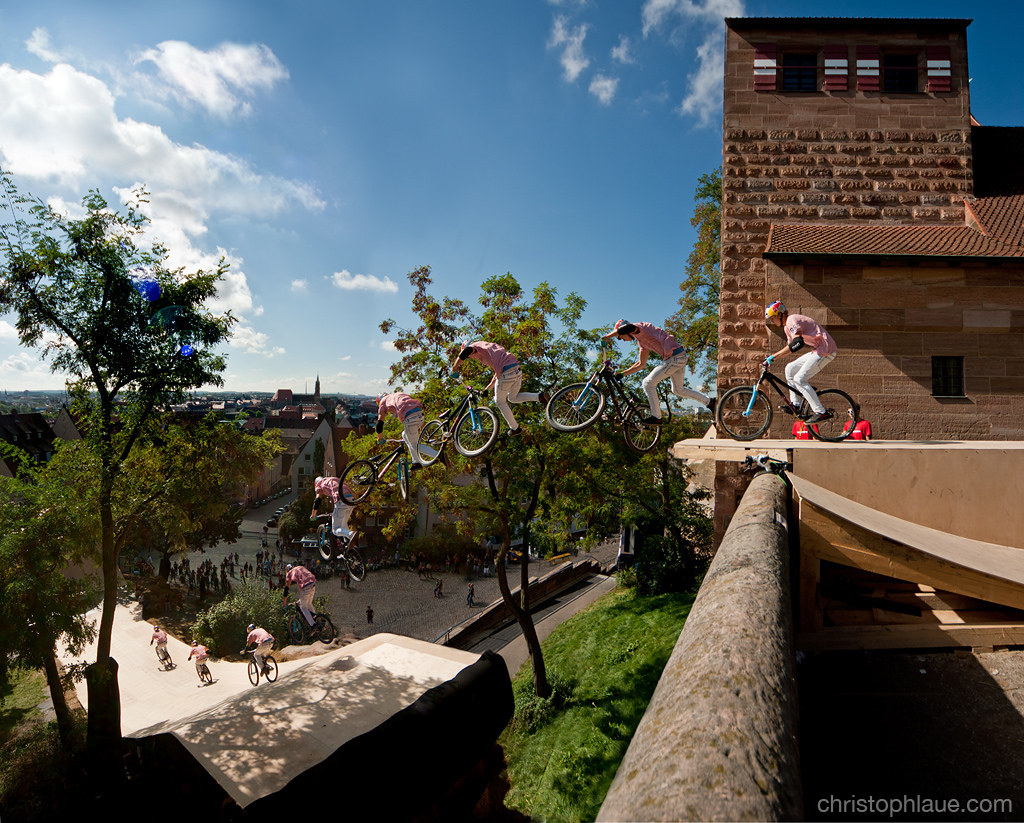 [/img]
camera with high frame rate, ideally on a tripod, but not essential, combine in photoshop and reveal the rider from each frame/layer.
some compacts can apparently do it automatically now...
What you have there is [url= http://www.photoble.com/photoshop-tutorials/creating-an-action-sequence-photo-in-photoshop ]an action sequence.[/url]
Get a lot of friends that same hight and build as you then buy all your clothes from the same shop. Alternatively its a locked off camera, shooting a sequence of shots and then either some patience in photoshop or a software solution that saves you being patient.
thats great, cheers guys..... shame i gotta use photoshop. dont have it ;( lol
might have to invest.
what a great effect.
Can you not do layers in Gimp (free)?
Any software that will allow you to work with layers should be fine, OP.
Gimp can do layers, yes
That, or something similar, is something I need to try with my Sony Alpha, which can click away at 10fps
If you have a Samsung Galaxy S2 you can do it with the built in Camera App. Admittedly not the greatest photo as it was my first shot and positioning wasn't brilliant. This was on the World cup track at Fort Bill.
[IMG] 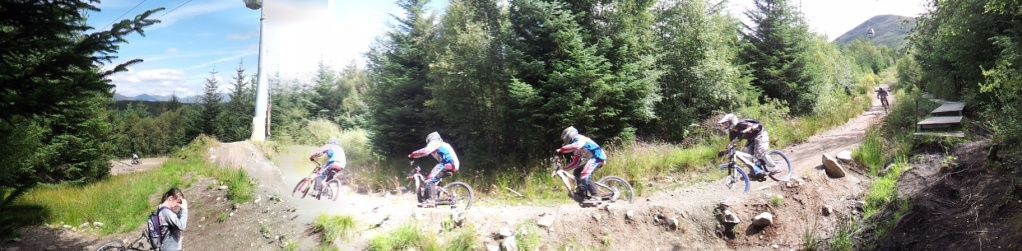 [/IMG]
Have a look at some of [url= http://naldzgraphics.net/photography/action-sequence-photography/ ]these[/url], all I would say is that be very careful of the shadows when layering. The ones with shadows on only one subject look really odd.
I've used [url=hugin] http://hugin.sourceforge.net/ [/url] to do things like this, in combination with [url= http://www.gimp.org ]gimp[/url].
Hugin basically can be used to account for moving the camera during the shot, and to output a multiple layer image where all the layers match up perfectly. You can then use the layers in gimp to make the rider images be on top.
If you use a tripod or hold the camera nice and steady, you can often do it easily enough in gimp alone (free thing that does quite a lot of what photoshop does), I just had some where I'd done some pretty major panning/tilting during the shot.
Ooh, I've just looked at the newest version of hugin, and it has a magic 'include region' mask, so you can draw round each rider and tell it to put that in the final version. So, you can probably do simple ones purely in that (ones where there is a gap between each rider image). Neat.
How do people find drawing round objects easy enough to be accurate? I'm on a laptop touchpad, so obviously that's a no-no, but even with a proper moose I struggle, despite being quite adept with a pencil.
In Photoshop, you can use 'paths' to make your selections - it's time consuming but extremely accurate - you can seperate out individual hairs if you really want to...
How do people find drawing round objects easy enough to be accurate? I'm on a laptop touchpad, so obviously that's a no-no, but even with a proper moose I struggle, despite being quite adept with a pencil.
In gimp, magic scissors tool (which snaps to object edges), then change the selection to a mask and paint on / erase the mask to make it just right.
If you use a tripod often you don't need to, except where the person in two frames overlaps, you can just bung a rough wodge of each frame in (feather the edge of the selection, and make sure the colour levels are the same between all frames).
In photoshop there are all manner of clever tools to sort out the edges:
eg.
www.testking.com/techking/tutorials/the-power-of-photoshop’s-refine-edge-tool/