
MegaSack DRAW - This year's winner is user - rgwb
We will be in touch
I used to be able to post pics using flickr, but for some I can no longer do it (maybe read..I've forgotten!).
I go to the pic, grab the BB code, then go back to STW hit the URL button, paste the URL and delete the 'URL' bits at the beginning and end...and that should be it shouldn't it?
Was hitting the post preview but that also doesn't appear to work either as it only displays the first 4/5 lines. Sure it never used to do this?
Thanks for any help.
Cheers
[url= https://farm4.staticflickr.com/3851/14146707059_6155b4e80c_z.jp g" target="_blank">https://farm4.staticflickr.com/3851/14146707059_6155b4e80c_z.jp g"/> [/img][/url][url= https://flic.kr/p/ny6z9p ]2014-06-01 10.32.16[/url] by [url= https://www.flickr.com/people// ]Mike Smith 79[/url], on Flickr
Just paste the BB code as is into the box you don't need to use the URL or IMG buttons
What are you trying to post pictures from , if its a tablet especially a Samsung its impossible if you're a luddit 😳
Mike - tried that too.
I normally use post preview to check its worked...but the post preview doesn't work properly...at least on my laptop.
I'll try just doing a dummy on this thread later on to see.
Working fine even in preview.
On flickr click the little arrow that curls to the right it's on the right side below image --> then click BBCode os it's underlined ----> pick image size, the on the code ---> below that click in the box make sure it's all selected then copy ----> paste in here don't change anything.
[url= https://farm3.staticflickr.com/2926/14146753030_55a66082d7_z.jp g" target="_blank">https://farm3.staticflickr.com/2926/14146753030_55a66082d7_z.jp g"/> [/img][/url][url= https://flic.kr/p/ny6NP1 ]2014-06-01 10.36.20[/url] by [url= https://www.flickr.com/people// ]Mike Smith 79[/url], on Flickr
that was very confusing Drac, I thought I recognised that summit as I scrolled down...
What I do is click the download arrow then select view all sizes. Click on a medium size. Then right click copy image location. This is in firefox.
[img] 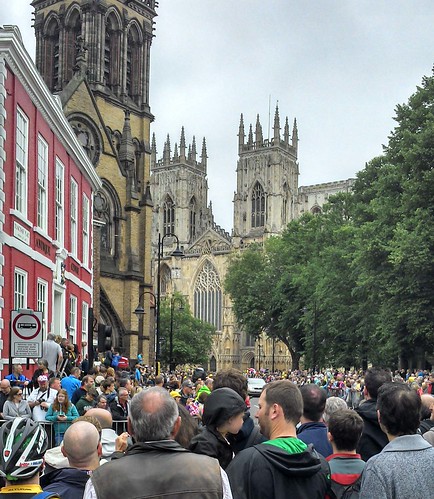 [/img]