
MegaSack DRAW - This year's winner is user - rgwb
We will be in touch
been toying with getting one, and my wife loves hers for internet, kindle app etc.
things i think id miss are a physical keyboard, and not being able to 'stand it up on a desk/table' etc if doing skype. you need to hold it all the time.
so i wondered if itd be worth me borrowing hers for a few days, but wouldnt want to change her settings/passwords for the things we both use.
so..... is there any way of having a different user profile so i could see if i could get it set how i like it?
cheers
not that i'm aware of.
Yes, you can set up users on a Nexus 7 though I can't say I've tried it beyond a quick play.
As to the holding aspect, it's small enough that it's a non-issue IMO or you can just get a case/stand for it.
If you're planning on doing lots of typing then a tablet isn't the right tool. For normal use (eg internet, stw) then I find it fine.
FWIW, I think you can plug a keyboard in via the micro usb using a OTG adaptor (£2 from Amazon) and the Nexus Media Importer app (£2 IIRC)
I think you can, I was delving into the settings on mine at the weekend and I am sure I saw an option to tun on multiple profiles.
Great little device!
Multiple users
You can with Jellybean 4.2 but I've not tried it
http://www.androidpolice.com/2012/11/14/android-4-2-feature-highlight-multiple-user-accounts/
I saw a lady who had a cover which converted into a stand / keyboard thing.
You can add a keyboard - either USB with an OTG cable, or bluetooth - but TBH the on-screen keyboard works well once you get used to it (and there's a multitude of third-party options).
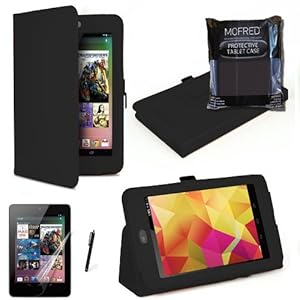
Stand is easy enough too - I got a cheap case for it that folds back on itself to form a stand.
Not sure about profiles offhand, I'd have to check. On my Android phone, you can sort have profiles in that you can save the desktop, but it's more of a theme than an actual profile; it doesn't save passwords etc in the way you describe.
excellent, thanks chaps. ive created a user account on it now, so ill keep playing around, see if i can get it how id use it. and thanks for the links to stands etc, ill go have a look.
i nearly put in an offer on one in the classifieds the other day, but the user only had that post in his history, so left it alone to be on the safe side 🙂
cheers
quick question on browsers if you can provide an answer. i use chrome on my laptop but dont mind using either firefox or dolphin either. with all of them tho, the page is too small to read and i have to keep zooming.
my phone has dolphin and seems to be set at mobile view or something, which presents the pages perfect size for me, larger than the stock browser.
is there a way on the nexus to do this? cant see it anywhere.
thanks
As other people have mentioned you can have multiple accounts. I have an account on my girlfriends nexus that syncs to my gmail etc...
Not sure about the default zoom but most browsers have a double tap zoom that seems to zoom to right level for most pages. Also if you do use chrome you can sync your bookmarks between the laptop and tablet.
sadex - it's a feature of the app usually rather than the tablet.
Almost all allow you to double tap an area of text and it'll auto zoom to fit the screen with that section.
Multiple accounts on tablets was introduced to Android with Jelly Bean. This one feature would convince me get one over an iPad.
10" tablet + stand + bluetooth keyboard seems a really good combo for most people, most of the time. A colleague has an iPad mini with the Logitech keyboard/case and really rates it for 90% of what he does, and I say a journalist tweet that he's not booted up his Macbook since getting this set up.
I've been playing with a Chromebook for work, but think a tablet + keyboard would be better.
I bought my wife a Bluetooth keyboard for her nexus. It was around 20 quid iirc. It is a brilliant bit of kit. Same patterned back as the nexus and clips over the screen for transit.
I'll dig out a link.
Are you talking about the BG-7?
http://www.amazon.co.uk/Wireless-Bluetooth-Keyboard-Google-Tablet/dp/B009SL3WS4
Really like the look of that but a) it's a US layout and b) there's no Escape key (which I need for a specific app).
I'm still in the market for the perfect keyboard, something pocket-sized that I can still actually type on. If Psion could manage it fifteen years ago I fail to see why this is proving so difficult.
be interested to see where this goes as far as keyboards go. some good advice and links on here thanks.
btw, just installed dolphin mini on it and it seems to have the page the right size by default 🙂
EDIT: FWIW im sure id be fine for messages/emails with the stock keypad, its more for when im chatting on messenger that im thinking of.