I find MacOS awkward to recommend because it has some huge productively flaws* that are pointed out year-after-year and never addressed by Apple. Microsoft does at least make changes in response to criticism.
* eg: giving focus to a window then requires a second click inside it; apps randomly start opening in the background when launched from the dock; maximised does not mean maximised, it means useless; Finder windows open to a different size every time; the sound is unbalanced left/right on the Air; the WLAN sucks (my ancient X1 Carbon with a WiFi 5 card is more than 4x as fast thanks to the ridiculous implementation by Apple); "use your iphone to set up this laptop" never works; the supplied storage is pitiful; the supplied charger will allow the battery to drain during high workloads; the pointless liquid glass thing makes it look like a primary school art project; and if you thought OneDrive in Windows is annoying it's nothing compared to iCloud.
** apart from that though it's fine.
I find MacOS awkward to recommend because it has some huge productively flaws*
That's funny because I've been using a Mac for over 30 years and never noticed being inconvenienced by these "huge flaws".
I find MacOS awkward to recommend because it has some huge productively flaws* that are pointed out year-after-year and never addressed by Apple. Microsoft does at least make changes in response to criticism.
I do find this sort of vitriolic attack a bit odd. These hardly seem 'huge productivity flaws' (I mean, compared to the number of times I've booted a machine into windows over the years wanting to do some work and had some massively slow minor OS update kill it for 15 minutes). Most of it I've never noticed and certainly doesn't seem true of the version I'm running now.
* eg: giving focus to a window then requires a second click inside it;
I've been clicking between safari, WhatsApp and notes that I've got open at the moment and whether I click with the mouse or cmd-tab the cursor is in the active window and I can start typing without another click.
- apps randomly start opening in the background when launched from the dock;
never noticed this. nothing I open now seems to do it.
- maximised does not mean maximised, it means useless;
maybe this depends on how you work, but because drag between windows was a core part of the OS 'fullscreen' wasn't the default. But clicking the green dot definitely goes fullscreen now, and a hover gives you all sorts of 'full screen type' arrangements.
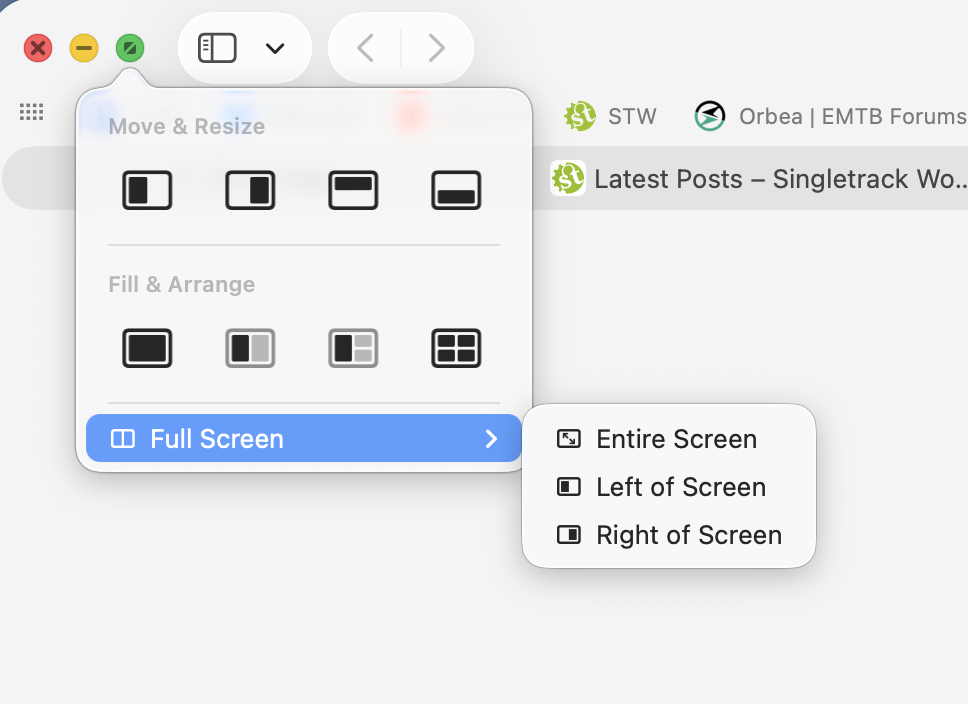
- the supplied charger will allow the battery to drain during high workloads; t
that sounds like it might be a problem specific to a particular spec/device at some point rather than a general problem. It's also not really a fatal productivity flaw unless you're trying to say you set off a rendering job and the machine drains the battery and shuts down.
- Finder windows open to a different size every time; the sound is unbalanced left/right on the Air; the WLAN sucks (my ancient X1 Carbon with a WiFi 5 card is more than 4x as fast thanks to the ridiculous implementation by Apple); "use your iphone to set up this laptop" never works; the supplied storage is pitiful; and if you thought OneDrive in Windows is annoying it's nothing compared to iCloud.
Again, nothing I've ever actually experienced.
- The pointless liquid glass thing makes it look like a primary school art project;
The new icons are ugly, but iOS had an option to turn down the transparency in the .1 release. On the MacOS I've barely noticed the change.
What *does* help productivity is that the Mac OS has basically worked in a consistent way since OSX launched in 2001 - pop up dock, apple menu. Whereas I used Windows daily for 20 years but they've messed around with so much of the interface in each version since Windows 7 I always now find it bewildering.
I'd get a BBC or an Acorn tbh. I can't see this Apple thing taking off at all.
well I couldn’t resist. Bought the base m4 model.
its cheaper to get a new one than it is for a refurb one direct from Apple! Bonkers.
thanks to everyone who posted.
Re usability or productivity of osx vs windows. Suspect neither will be perfect. Microsoft have a chequered history of operating systems and updates, some over the last 20 years have been properly poor. If it wasn’t for work, I’d ditch MS completely, windows 10 and now 11 and the continuous revolving door update approach is infuriating. I’ve had macs before, a 24” iMac which was actually pretty good, I’m hoping things have improved since then too, it’s good that it’s still based on the same os framework. Looking forward to the continuity thing.
I’m not expecting every app to work on osx. But there’s ways of sorting everything out.
i quite like the Liquid Glass ui, not the worst ui I’ve worked with.
I’m not expecting every app to work on osx. But there’s ways of sorting everything out.
In some cases that way is to buy a Windows machine. Not a problem if you're just using a browser and MS Office for routine stuff, but, if you use specialized software, it's best to check compatibility first.
Rather than start another Mac Mini related thread I'd thought I'd ask this here.
I'm also looking at a base M4 mini to replace a late 2013 iMac*
I currently have a Samsung T5 SSD acting as additional storage for music (I know ... cloud and all) and a spinning HDD as a time capsule.
The plan is to replace the spinning HDD acting as the time capsule and start again - fresh install just moving what I genuinely need - mainly photos and a few documents.
I'm hoping with a cable change the T5 should just work as an external drive that I can point Music to.
For those that have already gone down the M4 route have any of you gone with a Thunderbolt 4 external drive?
*Its still plenty capable for what I use it for but is becoming less and less supported with browser options etc. It will live on though as a Chrome OS machine ...
For those that have already gone down the M4 route have any of you gone with a Thunderbolt 4 external drive?
No but I've thought about it, and looked out for a good deal on SSD and enclosures this Black Friday. But a plain old Samsung T7 seems to be fast enough for storing photos.
Good question, for those who didn’t subscribe to Apple’s extortional prices for additional storage, what is the STW storage of choice for speed & cost (to a degree) for say a 2-4 gb drive to connect to a Mac mini ?
I should have said I bought mine from John Lewis for 499.
Wouldn’t bother with a Thunderbolt enclosure (unless you’re editing 8K footage or doing some crazy LLM/ML stuff), as USB4 should suffice - perhaps this UGreen one from Ali - and bung in a TB or 2TB stick https://www.aliexpress.com/item/1005006447117044.html
what is the STW storage of choice for speed & cost (to a degree) for say a 2-4 gb drive to connect to a Mac mini ?
I use a Crucial 4tb SSD
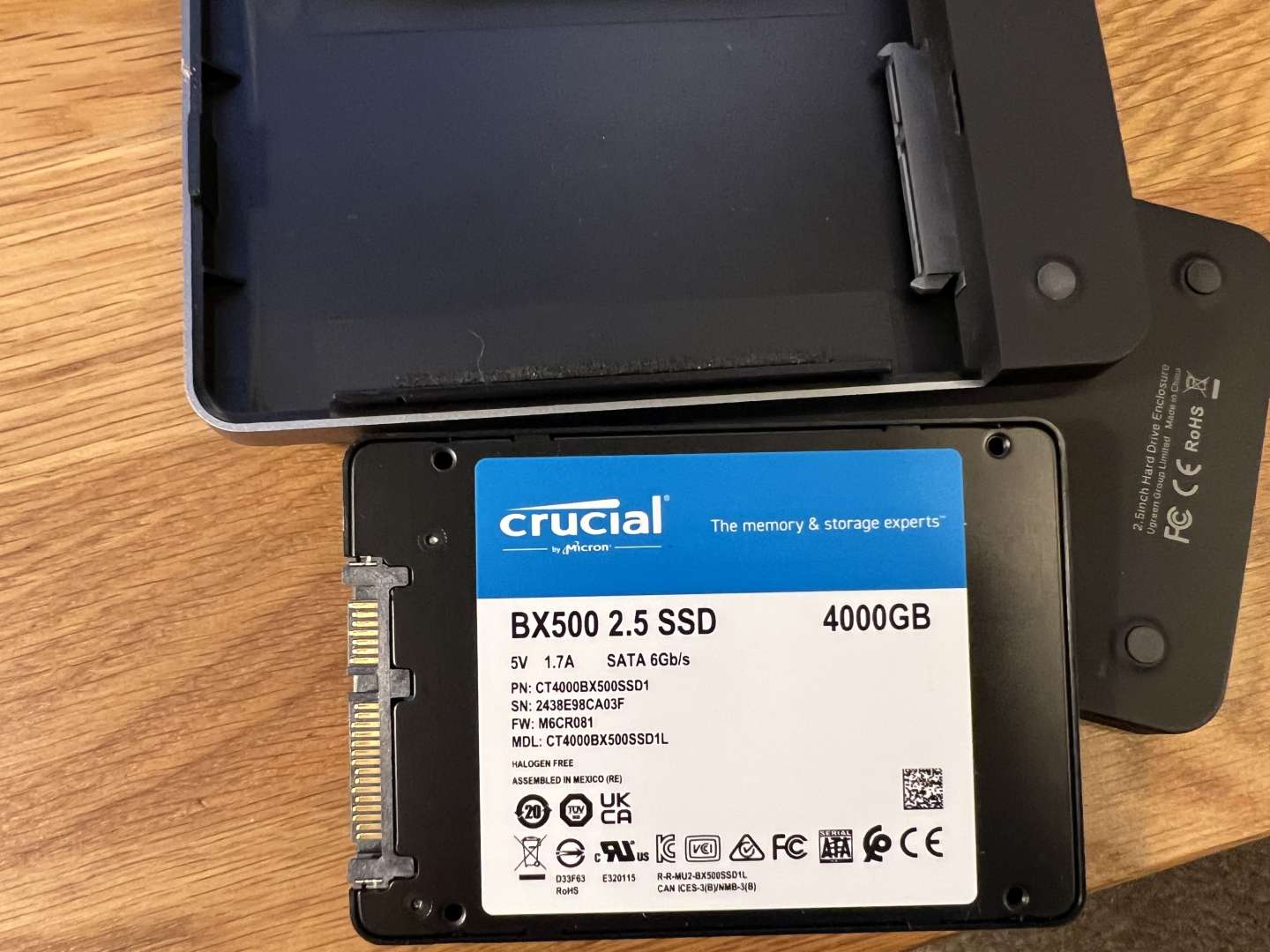
inside a Ugreen USB C caddy
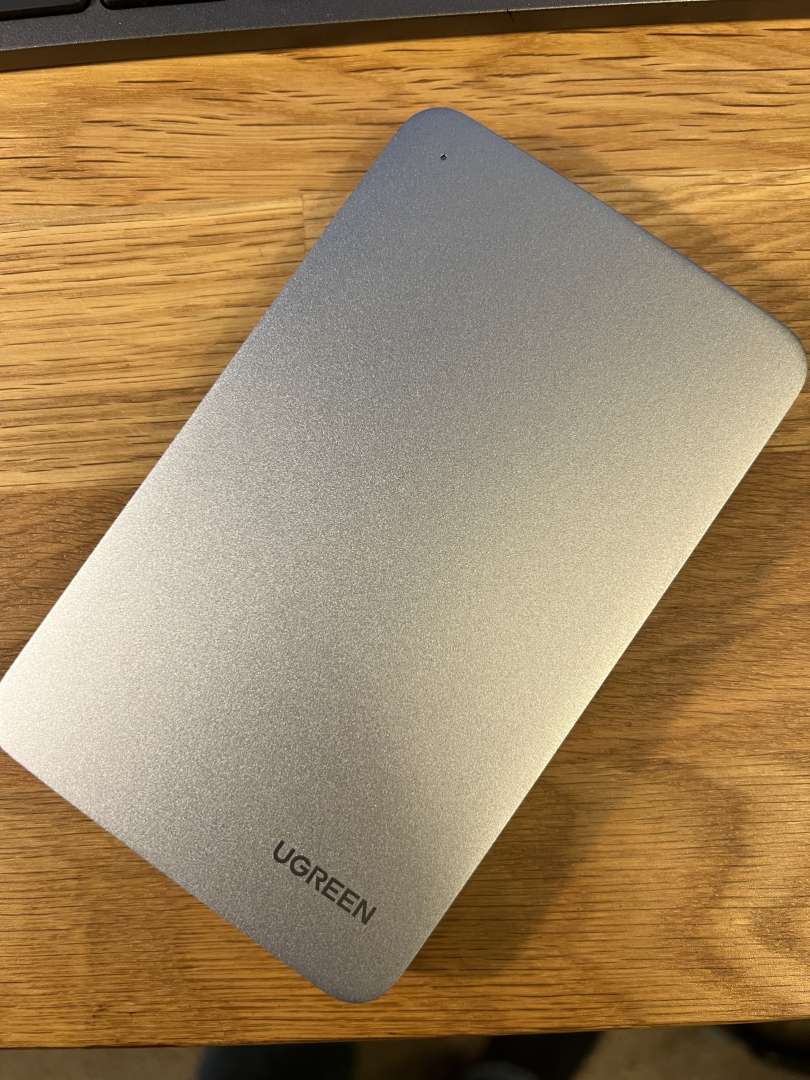
The SSD was originally used internally on another computer. I just repurposed it by making it an external drive.
Thanks
anyone used one of these designed for the Mac mini docks ?
why do the Amazon links not work ?
it’s a SATECHI Mac Mini M4 Hub & stand
I have the previous version of the satechi mac mini hub under my M1 mini and its a neat product, I stuck a 2GB NVME SSD in there for local storage and its fast enough to retrieve 4k films etc that are stored there. It's very unobtrusive and the front ports sometimes come in handy. I think the M4 one also has a small cut out making the power button more accessible, which could be useful. The satechi build quality and finishing matches the Mac which is a nice aesthetic
I noticed they do an SSD enclosure without ports that sits on top of the M4, whilst still matching the design/dimensions of the Mac, and I might have been tempted by that if it has been available when I got mine.
I have the previous version of the satechi mac mini hub under my M1 mini and its a neat product, I stuck a 2GB NVME SSD in there for local storage and its fast enough to retrieve 4k films etc that are stored there. It's very unobtrusive and the front ports sometimes come in handy. I think the M4 one also has a small cut out making the power button more accessible, which could be useful. The satechi build quality and finishing matches the Mac which is a nice aesthetic
I noticed they do an SSD enclosure without ports that sits on top of the M4, whilst still matching the design/dimensions of the Mac, and I might have been tempted by that if it has been available when I got mine.
that looks good, is usb4 and supposedly faster.
not sure I’m after more ports, so this might fit the bill. SATECHI USB4 NVMe SSD Enclosure for Mac Mini M4
not sure I’m after more ports, so this might fit the bill. SATECHI USB4 NVMe SSD Enclosure for Mac Mini M4
This one seems like it uses one of the TB4 USB-C ports on the back of your Mini and in return you get some USB-A ports on the front. At present I am using one TB4 port for my monitor and one for an external SSD, so in my case I'm not sure it's a good swap.
Well I’ve ordered the base spec mini.
Now which dock!
I’ll initially be using an HDMI cable for a monitor as the only option I have is only an HD one but I will be trialling using an old iPad as a second [I’m still thinking of a justifying reason]. I don’t believe this justifies the use of anything other than an HDMI cable.
I’d like, in due course, to get an SSD for the enclosure and also run a separate SSD for a time capsule.
The Satechi dock would allow this but I’m not sure I need the USB A or SD card reader.
Maybe a word of warning for the users of a base spec 256gb Mini. This is mine based on the usual MS Office plus Lightroom & Photoshop:
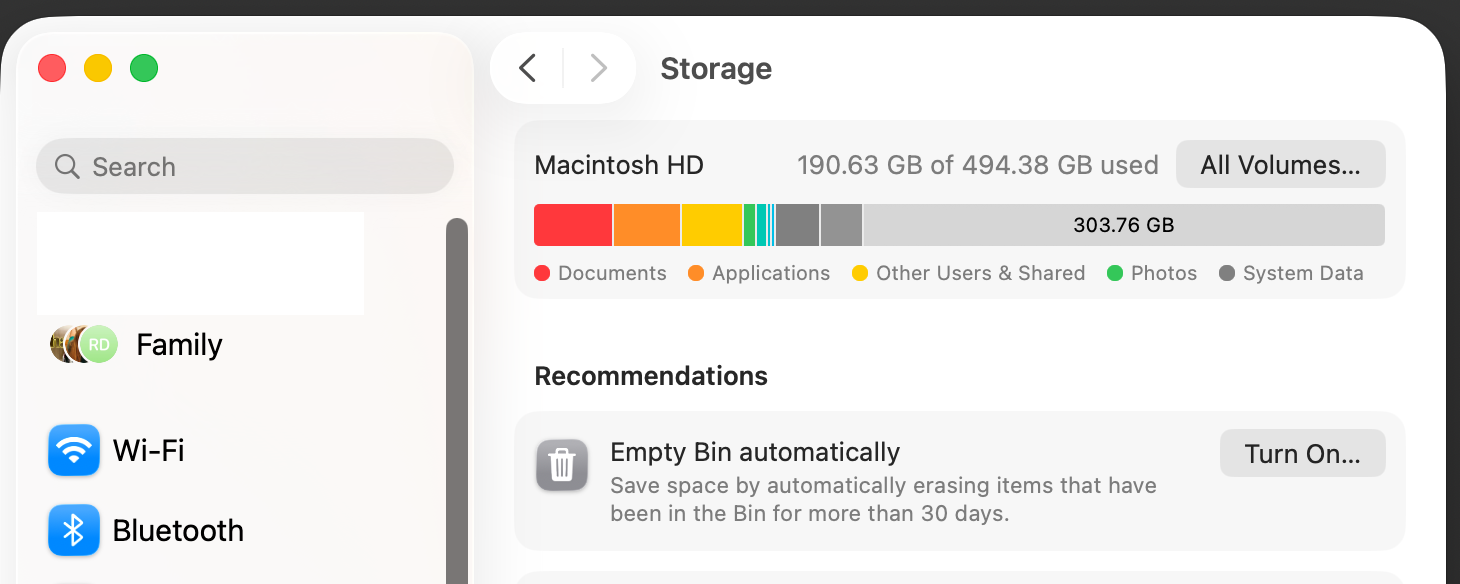
I'm not really that far of using 256gb and that's with me managing all the media in an external SSD.
(I upgraded, at significant expense, to the 500gb version)
I’ll initially be using an HDMI cable for a monitor as the only option I have is only an HD one but I will be trialling using an old iPad as a second
Is it possible to turn an iPad into a monitor? Edit: just checked, and it looks like you can. I'm using a Dell Ultrasharp with mine. Not as nice as the old 27" Retina screen but still very good.
@north of the border - that’s a mix of interesting and worrying! My current iMac is only a 256gb version and with 80gb of photos on it it still has plenty of space (I think) but I’m now going to go and check! I don’t have a need for Office, Lightroom etc …
I bought this, idk why, but hopefully it works out.
https://satechi.net/products/mac-mini-m4-stand-hub-with-ssd-enclosure
@north+of+the+border having just bought one that isn’t the best news I’ve heard so far on this. Hadn’t come up as a problem with the base model that I’d found. Will feedback once I’ve set it up tomorrow.
Ours is a family machine so it has 4 different accounts using it. That's possibly the reason why it's used fair chunk of the internal storage.
You will probably be fine.
Well it arrived. Setup was a piece of proverbial.
played about with it for a while and it’s very quick and super responsive. Love it.
 Continuity is useful & I know you can achieve the same with android and windows, but this was effortless.
I knew the dimensions before I bought it, but it seems even smaller irl.

