Forum menu
Which digital camera and software for panoramic photography? I'd like the output to be good enough to hang on the wall.
Thanks all.
Whatever you can afford...photostitch and gimp for software...and remember to pivot the camera through the centrepoint of the lense.
Cheers,
How do you achieve pivoting through the centrepoint of the lense rather than the point where the camera attaches to the tripod? Are good compact cameras up to the job or should I save up for a compact system camera such as the canon EOS M? I enjoy photography and can use a camera in its manual settings but can't justify the cost of digital SLR.
The proper way is a nodal point tripod head - I use a Nodal Ninja 3 - but for landscapes and especially if you're not doing 360-degree panoramas you can get away with a normal tripod or even doing it handheld.
Would agree with that and do all my panoramics using a standard tripod head.
Make sure everything is in manual so the exposure doesn't change for each shot. Set ISO, shutter speed and aperture. If you can, meter for the brightest part of the scene then lock it before doing the sweep to avoid excessive blown highlights. Manual focus is a good idea too.
I think if your camera's good enough, and your eye's good enough, plugging it into Microsoft ICE to sort out the stitching gives great results.
These fall down on the camera (just a blackberry) so wouldn't be good enough to blow up too big, but I think they came out pretty well, considering. ( still kicking myself I didn't take a proper camera!) Some banding on the 1st one, but a short while in photoshop would sort those out. clicky for bigger.
[url= http://sphotos-h.ak.fbcdn.net/hphotos-ak-snc6/221522_10151957840555411_110317151_o.jp g" target="_blank"> http://sphotos-h.ak.fbcdn.net/hphotos-ak-snc6/221522_10151957840555411_110317151_o.jp g"/> [/img][/url]
[url= http://sphotos-d.ak.fbcdn.net/hphotos-ak-ash4/219751_10151957843195411_430788927_o.jp g" target="_blank"> http://sphotos-d.ak.fbcdn.net/hphotos-ak-ash4/219751_10151957843195411_430788927_o.jp g"/> [/img][/url]
Edit, plus what jad said about controlling exposure and focus throughout.
Tripod. Windows Live Photo Gallery and the panorama plugin.
[img]  [/img]
(view image...)
Great information. Thanks.
It's not that important to do the pivoting thing. I've never done it and got decent enough panoramas. With a compact as well as a SLR. Didn't even use a tripod here:
[url= http://farm5.staticflickr.com/4099/4885250409_3e4eb60129_b.jp g" target="_blank">
[url= http://www.flickr.com/photos/11569254@N06/4885250409/ ]Trail Peak Road[/url] by [url= http://www.flickr.com/people/11569254@N06/ ]molgrips[/url], on Flickr
Make sure everything is in manual so the exposure doesn't change for each shot
You can get around that with a compact. All cameras I've used set the focus and exposure when you press the shutter half way down. So you can point at the middle of your panorama, half press the shutter, then move to the far side, press it all the way down to take the picture, then as long as you keep it half way down between pics it'll keep the same exposure.
I also tend to use a focal range between 35 & 50mm. Wide angle panoramas don't do it for me and can look very strange.
Also, I always rotate the camera to portrait mode.
nedrapier - Is that St Kilda? You just took the camera phone to St Kilda? Haven'y made it out there yet but its definitely on the to do list. Great pictures regardless.
You only need a nodal slide if you have objects close to the camera, using one avoids parallax errors.
for landscapes with no objects in the foreground like the examples above you can get away without one.
TP, yup, I know! Totally daft. I was there on a work trip, and slightly surplus to requirements, so I didn't want to act like a total tourist, taking photos all the time. I did anyway, though, they're just not very good! 2nd one is Plockton.
I've tried many stitchers and find ICE brilliant
I do find it much easier to use RAW files from the camera so i can sort out consistent white balance at home. I also correct exposre and lift shadows aetc. before stitching
Hugin is good as well but less good at the stitching. It has many more out puts
I now often start in ICE out put as a cylinder then put it into Hugin. This gives things like this
[url= http://farm9.staticflickr.com/8441/7888499468_3051f6861b_c.jp g" target="_blank">
[url=  [/url] by [url= http://www.flickr.com/people/john_clinch/ ]John Clinch[/url], on Flickr
Or stitching for proper panos this was done in ICE
[url= http://farm9.staticflickr.com/8063/8239390086_21d0a030b1_c.jp g" target="_blank">
[url= http://www.flickr.com/photos/john_clinch/8239390086/ ]More Stony Floods[/url] by [url= http://www.flickr.com/people/john_clinch/ ]John Clinch[/url], on Flickr
Hugin I think
[url= http://farm5.staticflickr.com/4069/4675634001_5cd509349e_b.jp g" target="_blank">
[url=  [/url] by [url= http://www.flickr.com/people/john_clinch/ ]John Clinch[/url], on Flickr
Hugin
[url= http://farm4.staticflickr.com/3041/3058920543_c991e93d09_b.jp g" target="_blank">
[url= http://www.flickr.com/photos/john_clinch/3058920543/ ]mountaincloudsstack[/url] by [url= http://www.flickr.com/people/john_clinch/ ]John Clinch[/url], on Flickr
hugin
[url= http://farm6.staticflickr.com/5260/5486954922_c14a0978d9_b.jp g" target="_blank">
[url= http://www.flickr.com/photos/john_clinch/5486954922/ ]Ludlow Castle[/url] by [url= http://www.flickr.com/people/john_clinch/ ]John Clinch[/url], on Flickr
This last was in photo shop. Some times its nice to turn the blending off
[url= http://farm6.staticflickr.com/5068/5887894170_78cab9ef87_b.jp g" target="_blank">
[url= http://www.flickr.com/photos/john_clinch/5887894170/ ]st pauls pano cylinderweb[/url] by [url= http://www.flickr.com/people/john_clinch/ ]John Clinch[/url], on Flickr
Newer Sony cameras have an "auto panorama" function which, despite being the most vulgar form of cheating, give pretty good results in-camera.
[url= http://farm8.staticflickr.com/7120/8155164234_2b8cc8781b_z.jp g" target="_blank">
[url= http://www.flickr.com/photos/stuartie_c/8155164234/ ]kinbreak-2[/url] by [url= http://www.flickr.com/people/stuartie_c/ ]stuartie_c[/url], on Flickr
(Click for full size)
Sony TX5 compact tough camera auto panorama setting handheld on a mtb ride at Thassos. Its cheating i guess but im not really a fan of panorama pictures, that said i like some of the above. Dunno if the quality is good enough or not for full size, its had a small edit to adjust the colours so not washed out, theres some imperfections but not bad really.
[url= http://farm9.staticflickr.com/8333/8405714313_c0b0f9a0df_z.jp g" target="_blank">
[url= http://www.flickr.com/photos/dobo1973/8405714313/ ]DSC00542a[/url] by [url= http://www.flickr.com/people/dobo1973/ ]dobs1973[/url], on Flickr
Snowy mtb ride the other day 🙂 pretty dull picture to be fair but was nice at the time
[url= http://farm9.staticflickr.com/8049/8402949663_d259d03e7f_z.jp g" target="_blank">
[url= http://www.flickr.com/photos/dobo1973/8402949663/ ]DSC03179a[/url] by [url= http://www.flickr.com/people/dobo1973/ ]dobs1973[/url], on Flickr
Great pictures guys. I'm feeling inspired and lucky to be living in Scotland. Are sony the only ones to do it in camera. I assume the image can be tweaked on the computer if needed.
I always tended towards normal ratios but I now find myself living on the edge of the Cairngorms and I think the landscape would really lend itself to the wider aspect.
Thanks for this thread and the pointer to ICE
just grabbed the camera on auto and held in portrait sat on a swivel chair and clicked
popped it into ICE and bingo
[IMG]  [/IMG]
idiot friendly 😆
ampthill, those are fantastic!
TP, I've just bought a Lumix LX7 which does that. Only tried it once on a very bright, low sun winter's day and it didn't really work. Not surprised, though! I expect the Sony cleverness would have struggled as well. And me trying to cobble something together manually with enough range.
nice, trout. Fun, isn't it?
It does struggle when the horizon's not obvious. I'd like to know how to pull this one up on the right. Any ideas anyone?
[url= http://sphotos-a.ak.fbcdn.net/hphotos-ak-snc7/664448_10152214858905411_1965775768_o.jp g" target="_blank"> http://sphotos-a.ak.fbcdn.net/hphotos-ak-snc7/664448_10152214858905411_1965775768_o.jp g"/> [/img][/url]
And you need to remember to take enough photos!
[url= http://sphotos-e.ak.fbcdn.net/hphotos-ak-snc7/327348_10151226486605411_1101870716_o.jp g" target="_blank"> http://sphotos-e.ak.fbcdn.net/hphotos-ak-snc7/327348_10151226486605411_1101870716_o.jp g"/> [/img][/url]
I'm on a Mac. I think that counts ICE out? Whatever I use needs to be idiot friendly too. While I can take a picture occasionally my computing skills could be worked on.
I like the St Pauls and Snow asymmetric efforts. A great scrap/cuttings book look.
How to Shoot Really Big Panoramas (10 Pictures)
http://digital-photography-school.com/how-to-shoot-really-big-panoramas
Nedrapier - easiest is to just crop and rotate to get a horizontal horizon - I do it in Lightroom but any image processing software will be able to do it.
Some of mine:
[url= http://farm5.staticflickr.com/4104/5005807580_7fb64260ca_z.jp g" target="_blank">
[url= http://farm3.staticflickr.com/2767/5854448755_baf0cba64d_z.jp g" target="_blank">
[url= http://farm4.staticflickr.com/3068/2642385369_60807df2c3_z.jp g" target="_blank">
But what I really do them for is for virtual reality panoramas like this:
http://www.catchingphotons.co.uk/panoramas/output/Inverkip%20Pano.html
And remember to lock your exposure somewhere around the middle of the whole scene's lighting, and focus on your subject and not re-focus/re-meter each shot
[url= http://farm5.staticflickr.com/4046/4512355193_b017e1804b.jp g" target="_blank">
[url= http://www.flickr.com/photos/bucklevision/4512355193/ ]Mull from Easdale[/url] by [url= http://www.flickr.com/people/bucklevision/ ]j.buckle[/url], on Flickr
9000x3000 pixels, IIRC a 12 shot stitch.
Lots to be going on with but can I also throw Autostitch into the mix? It's free and incredibly good. I use it for professional panos for visual impact assessments.
You do need to spend an hour playing with the parameters to get a decent sized image out of it, but the stitching is better than anything else I've tried.
this was done yesterday on my phone
simple but very effective function
[img]  [/img]
Vulgar, cheating, phone camera single shot: 😉
[IMG] 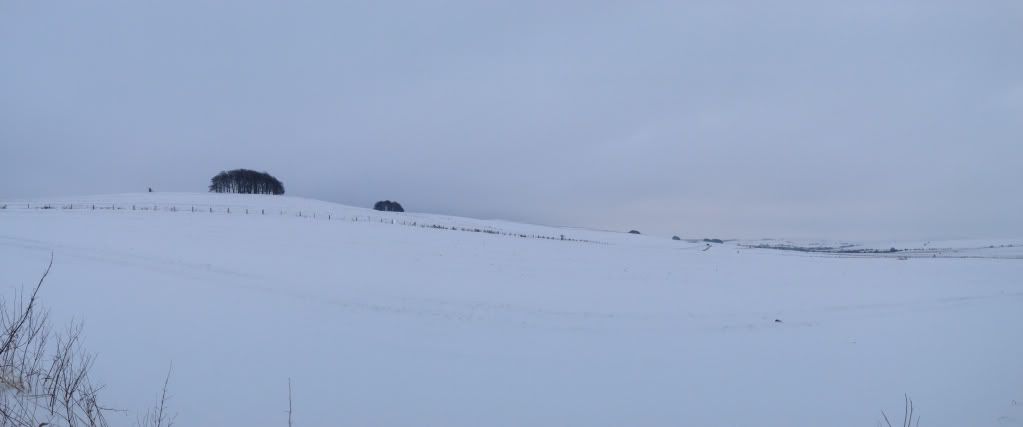 [/IMG]
The Ridgeway and the Herepath, single-sweep iPhone photo:
[IMG] 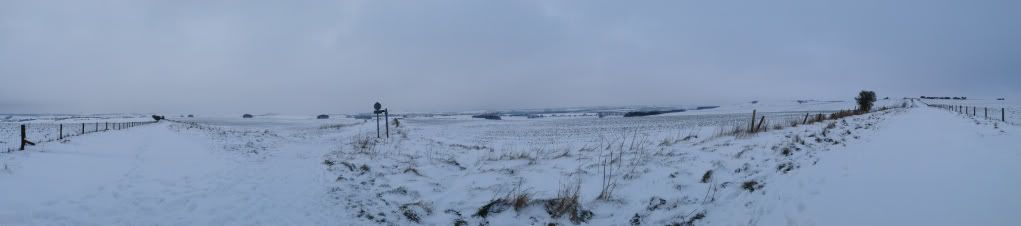 [/IMG]
Used ICE too, after it was recommended on here. The Canon has a stitch feature, but ICE makes it so simple and the results are pretty seamless.
[img]  [/img]
Loads on here
http://singletrackworld.com/forum/topic/show-your-panoramic-pictures
I use Autostitch, might have to have a look at ICE
Another vote for ICE, much better than the software that came with my Canon DLSR. Very simple to use as well.
I didn't realise ICE did RAW either. Going to have to give it a try.
Right then, I've got some software and will take some pictures this weekend with the wife's camera. If the results are any good I might even post one up here. The bar has been set high though...
I didn't realise ICE did RAW either. Going to have to give it a try.
I may have given that impression
sorry i convert the RAW in lightroom first.