
I've tried to use Komoot at various times over the past couple of years, yet each time it frustrates me.
For some reason, the map tile don't load or are very very very slow in loading. I end up with a very low definition overlap of the route but no detail at all.
Is it just me, or is it really a terrible piece of software?
(Samsung S8 phone, in case it's relevant)
Fine for me. In fact I was using it yesterday on a ramble/hike and was thinking how much I liked it.
I don't think I've ever had any issues with Kommot, certainly not with loading times.
I tend to just use it for getting route suggestions though - are you using it to navigate?
As it goes, I’d created a route a couple of days ago. I’d done this in another app (I dislike the Komoot IOS UI quite strongly, but need routes to be on Komoot to sync with my watch).
When loading this GPX to Komoot I got a message with two options, both involved Komoot rerouting my GPX, which was rather annoying. I’d like to stick to the route I’ve planned you throbber!
Edit, just tried that again. Does the same thing in when using a browser too. Is there a setting somewhere to over ride that, I’m frequently not sticking to “known ways” so it’s an annoying thing.
I think it depends on what you want it to do. I don't like the way that it's a bit of a faff to do a "find me an interesting MTB loop starting and finishing in the same place". It's fine for "from here to there" via slightly less traffic congested roads, if that's what you want. It's annoying when you load a route into it, it always wants to change it.
Used it a few times, got rid of it.
I've tried to use it to plan loops every so often but always get frustrated and give up. I have much more luck with Strava and its heatmaps for road rides, and Strava, heatmaps and an OS map for planning new gravel rides. It's probably more effort than using Komoot 'properly' (whatever that looks like) but I prefer the level of control.
In this particular instance, I was trying to check out someone else's suggested route - so they provided a link which I clicked on then waited for the map tiles to load (and waited....and waited...and then waited some more).
In the past, when Ive started routes from my house, it seems to have cached my local map tiles so finding the place to start the ride is fine. But when I have to search for the destination, it takes forever to load the tiles before I can click on the exact end point I want.
It then shows the route it has calculated between the to points but in very low resolution. When I try to zoom in to check the details or tweak the route, nothing! Literally, nothing happens for minutes at a time...
So I give up...
(Generally, I prefer Ride With GPS for exact route planning, but usually in conjunction with checking Strava heatmaps. In today's instance, the route author uses Komoot so I was forced to use it again...)
Yes there's an issue. I raised a ticket at the weekend as I couldn't download any rides and load them to my wahoo bolt.
The developer is working on it.
Just add that I got round it by uploading the gpx itself.
Is it just me, or is it really a terrible piece of software?
no, it's not just you, I think it's terrible too.
Some people seem to really like it, I guess once you've got it working properly and synced to your GPS of choice, it must be OK. I've never ever got it close to that point though, it's always been an exercise in frustration.
A bit like What3Words, they really went to town on the marketing of it, sponsored loads of route guides online and in magazines and enough people seem to like it that the rest of us are stuck with it now.
My cycle club tried using it for route guides and after a short while involving a lot of complaints went back to RWGPS.
Some people seem to really like it
I think it depends what you want your routing software to do for you. For the folks who're happy to plug in the minimum detail of start and finish locations and just follow what it suggests it's fine.
I like it for plotting on the phone or getting rough idea of routes/distances. Occasionally I've used it when out on a ride and decided to change my plans in an area I don't know as it's useful for that on a phone.
However, I do find that it has some odd routing choices that have caught me out if I just follow it at face value. Seems road rides are road rides but ignore obvious quiet alternative roads sometimes. Tourer can often include much rougher routes, gravel often includes MTB routes and MTB often includes hiking 🤣 And a personal bugbear if mine is it always routes me through an active quarry from home with no public access funnily enough.
On the pc I use Strava, heat maps, aerials and OS map layers to plan and plot.
I'm not a fan of it either. IMO over hyped by influencers who aren't upfront that they are being incentivised to use it.
I always find, when trying to create a route on my phone, I get half way through plotting points only to then find it’s decided to rearrange the order of points earlier in the ride and usually reverse the route, so I have to go back and move them all around again which is a PITA…or most often, I just give up!
It's OK for downloading routes put up by others but Strava (though far from perfect) is far better for creating routes.
I get half way through plotting points only to then find it’s decided to rearrange the order of points
I think this is the issue i had with it in a nutshell, in theory you can make it design you a loop, for you with a start and finish in the same place but it'd really rather not. It wants two points that it can plot a route between and anything other than that finds you struggling as it fights with you
I don't recognise any of these issues.
I'm now using Komoot for all route planning, referring to OS maps if reqd. Adding "off route" links is easy enough and if a path/track I know isn't on the maps then I just add it via OSM and it'll appear in Komoot in a couple of weeks or less. Map tiles load almost instantaneously.
I'm using it on both Windows 10 and Android.
Syncing to any of my Garmin devices is simple too due to its links with Garmin Connect.
i use it for plotting routes, that then (sometimes) get synced to my wahoo.
but i hate it.
click on the map - click button to set as start point, click on the map - click to set as end point, click on the map - click to set as end point (again). etc.
all the bloody pointless extra clicking. why can't i just click-click-click-click-done?
i hate it.
and often, it doesn't even work.
Tried to use it occassionally to find interesting new loops to ride, but the search is so flawed and turns up such a mess of routes that I just don't bother.
I try searching for Strava segments and routes now and this provides much better outcome.
My basic workflow works fine - this is to load a gpx that gets sent to me each week for a group ride. The sync to my Garmin headunit.
If I try to do anything else I generally end up fustrated, encountering several of the issues already raised regarding creating new routes. Never worked out if it has a learning curve that I've never mastered or alternatively if its just not that user friendly.
Doesn't do anything I can't do already. Tried it when it arrived, but pointless for me. I can do all it offers + more for ... free.
Tried it and for most of the reasons above didn't stick with it, Strava route planner just seems so much more predictable and flexible, even if it requires more user input.
I suppose if Strava didn't exist I might have stuck with Komoot and learned to love it.
We use it for walking on a smart phone (Android), with it speaking directions at major turns. I do route planning on a laptop (Windows 10). We download the route before leaving our wifi and find the maps tiles load fine. It's failed mid-route probably twice out of about 50 walks and needed a re-boot.
I search for routes by map, on Komoot or AllTrails or whatever. The issue of 'clicking' to select the points: Once you've got your start and end points (or loop and destination), drag the line to the places in-between. And use the 'reverse route' if it's going the wrong way. To be fair, my partner bought a lifetime subscription early on, so it is effectively free for us.
Something touched on, it uses OpenStreetMap as the base map. If a path isn't shown, you can either choose to add an off-route segment or you could update the OSM. If you are riding (or the route you follow rides) routes that aren't bridleways, it is likely/possible the algorithm knows you shouldn't be following it. OSM has lots of additional information on bridleways, with a 'singletrack rating' S[0-5]. I've found a handful of tracks/drives where OSM has been marked 'private' but are actually a footpath or bridleway and you have to do off-route segments for those. If you change to a 'hike' does it "follow ways" appropriately? In some areas I do have to add off-route bits quite often, but I am happy to refer to an OS map and even Google streetview to understand where I can (legally) go.
OP - have you bought the relevant map regions (one time purchase, whole world pack at full price is around £30 but usually available cheaper)?
I quite like the simplicity of selecting "round trip" or one way, select start point, select end point (if required - obvs not required if specified as round trip), select relevant ride type (tour/gravel/MTB/etc...), add a handful couple of points along the way and leaving it to sort out the bits in between automatically. I will acknowledge though that it can be a bit of a pain convincing it to route you a specific way, especially if some of the route isn't entirely above board.
OP – have you bought the relevant map regions (one time purchase, whole world pack at full price is around £30 but usually available cheaper)?
No...I did consider it a couple of years ago but I didn't think the user experience was good enough then and hoped, every now and again, the software had been improved but it hasn't.
On a PC, it's ok and some of the functionality was better than RWGPS, but RWGPS seems to have caught up and is much more straightforward to use...
On a phone, though, Komoot is useless for "planning"
My first experience of Komoot was sitting in the Fife Arms in Braemar, planning a route with it on my phone. I thought it was an absolute dawdle and that convinced me to try it again, leading to buying the world mapping pack when it was on offer.
It’s superb. Easier to manipulate on a laptop, makes it easier to drags the route to the chosen trail. The mobile app works well enough to make a on-the-hoof trai route straight onto a Wahoo roam. You need to sense check it isn’t taking you down a footpath.
It’s superb. Easier to manipulate on a laptop, makes it easier to drags the route to the chosen trail. The mobile app works well enough to make a on-the-hoof trai route straight onto a Wahoo roam. You need to sense check it isn’t taking you down a footpath.
I've got to agree, I think it's great. I recently worked out a route on my laptop (southwest France) and was following it on my phone, I'd made one mistake which included a section that my 28mm road tyres weren't going to cope with. I retraced a 100 metres or so and it rerouted immediately and perfectly.
I don't really like it.
I got the worldwide offline maps for £30 when that offer was on so use it for that functionality as my OS map subscription isn;t 100% reliable when zero internet so feel its safer to download to root for offline use on komoot.
I don't like the way it shows random numbers (points of interest?) rather then mile/km markers on the route.
I don't like the way it covers the route in a different colour if you 'start navigation'.
I do like how easy it is to find some nice hikes if you are in an area you don't know about.
Me, wife & running club all use it for finding, planning & navigation walks runs & rides across various phones & android builds without issue but then I have a gravel bike so clearly I'm a slave to fashion / influencers / marketing departments so that's probably why.
I'm ill, so spent some time today looking at Komoot and planning some routes.
Some issues:
I search for text 'Lismore' (Island, not the town). I get two routes, neither are the 'circuit' with Oban and two ferries.
I filter by road. Or Bikepacking. Or Mountain biking. Or Gravel. And get different, but overlapping, results.
I use the map to search for routes - set an area that is 10km beyond the edges of the usual Lismore circuit. Two routes show up, neither the usual circuit.
I create a route, surprised no one has added this in Komoot before, dreaming of a hot and sunny day in a few weeks to do the route.
As I'm leaving I see Marcus Stitz has some new routes, so go to browse.
Yep, he's got the route I've just planned.
Search still doesn't show his route or my route...
I use it for road route planning on the PC with no bother. Route saved to Kamoot, auto linked to my wahoo account and appears after a refresh, send to Wahoo Bolt, start pedaling.
I filter by road. Or Bikepacking. Or Mountain biking. Or Gravel. And get different, but overlapping, results
To be fair, this is my biggest bugbear with Strava too, searching for segments, even ones you know exist, seems quite difficult. I usually resort to going back to old activities where I know I've ridden the segment in order to click through to the details (a good example being the main road climb out of Comrie to Braco, I can never get it to show up on the segment map).
Yep, he’s got the route I’ve just planned
😱 What are you implying?? 😉
i think it's mostly excellent. i use it to plan routes (excellent) find nice bits of trail (excellent) upload to my various gps units (excellent) and store gps routes from other sources (also excellent).
I'm also a bit crap with technology so i'm intrigued as to why others seem to struggle with it so much.
But there are some things i think are a bit crappy. Its nowhere near as good when used on an ipad, so i suspect is any other non PC use. The search for routes others have done is really poor. If you can find routes in other peoples profiles or find something in their "collections" its great, but try and find a mountain bike loop in a given area and it's really hit and miss.
I’m also a bit crap with technology so i’m intrigued as to why others seem to struggle with it so much.
Expectations of it to act like something else I guess... though I mainly just use it for planning on the PC and then follow on the phone.
I often download the gpx and check in OS Maps for rights of way .. not that I don't do anything cheeky but I like to know when I am and be polite/discrete
Pile of poo.
How the frick are you meant to plot a mountain bike ride without an OS map.
For the record, using Komoot to plot route on a PC is fine. More or less the same as RWGPS and both have similar workflows to push the route to my Garmin, and following route on Garmin is fine as well (or viewing route on phone)
However, the free version of RWGPS does not allow new routes to be created on the phone, which means that if I need to create an ad hoc route 'out in the field', then I'd have to use Komoot to do so.
This is where things start to go wrong and the biggest bug bear I have is it takes for ever to download the map tiles. For each of these screen shots, the screen loads where taking upwards of 15-30 seconds, and the same time would be needed each time you panned or zoom in/out and need new tiles to load
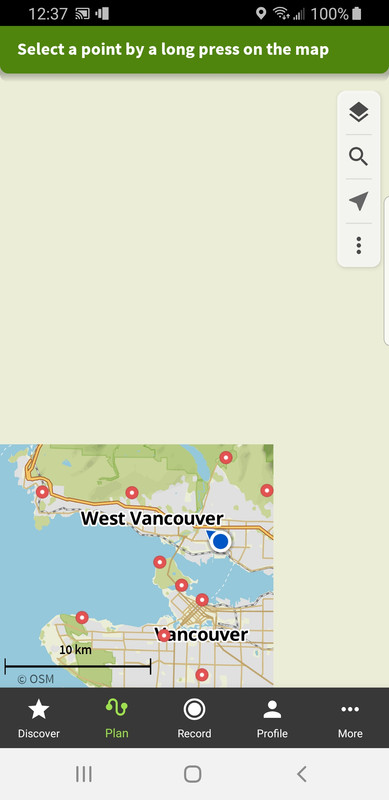
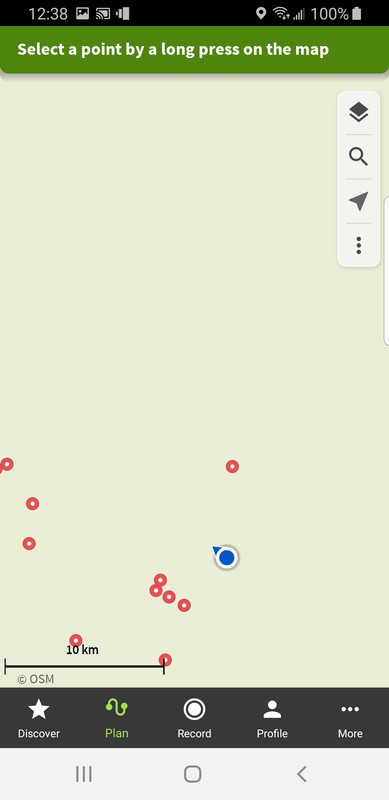
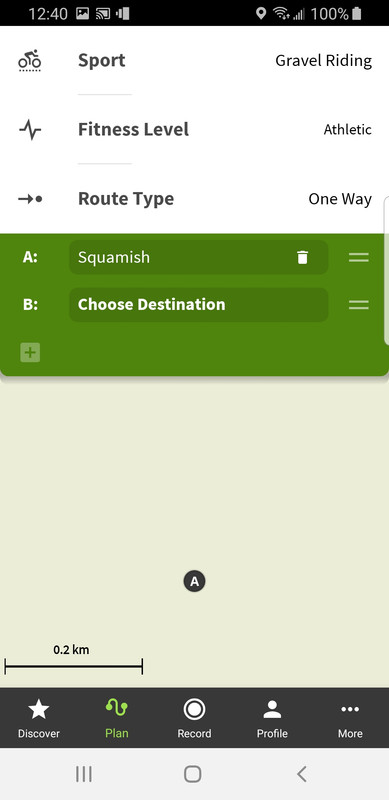
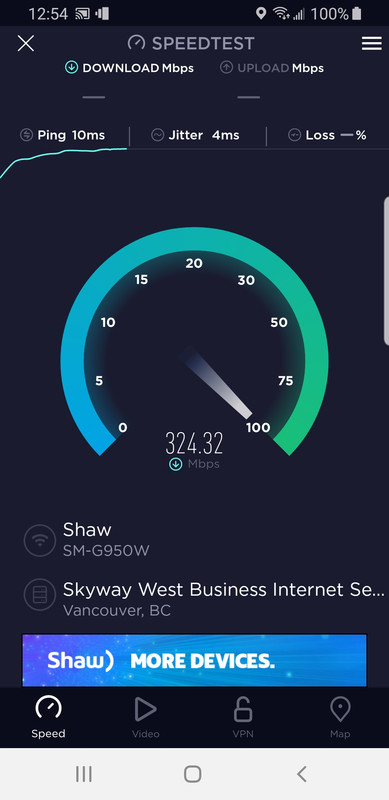
My wi-fi isn't exactly slow...
Also, creating a one-way route, or even an out-and-back route is straight-forward but as soon as you want to create a loop, you have to start adding waypoints which it usually routes together in the wrong order, necessitating lots of waypoints to be added then strung together in the correct order to force the routing to follow the desired loop. If they offered a loop option here, then that may help...
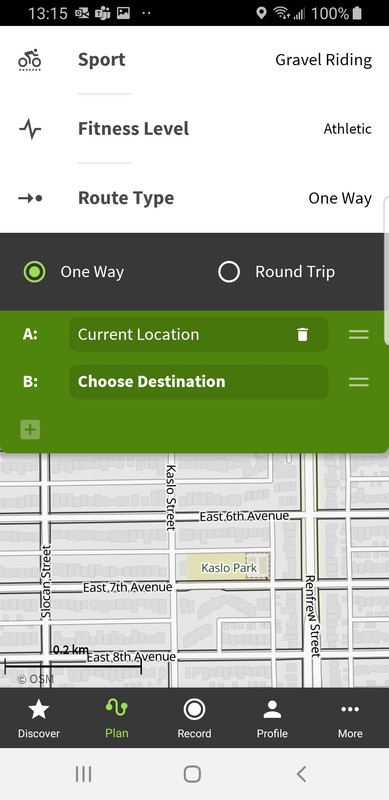
(Of course, if you're not bothered about where it takes you and you're happy with a magical mystery tour, then that's fine!)
For each of these screen shots, the screen loads where taking upwards of 15-30 seconds, and the same time would be needed each time you panned or zoom in/out and need new tiles to load
Mines scrolls instantaneously. If it's not your network then it could be something to do with the rendering on your phone.
Mines scrolls instantaneously. If it’s not your network then it could be something to do with the rendering on your phone.
Which type of phone so you have?
Mines a 4yr old Samsung S8 so not exactly new but not low-rent either...I'll try on my girlfriend's newer S10...
Currently on a Pixel 6 but it was fine on my Xperia ZX2 Compact which would be about 4 years old too.
Just to make sure, I've just pulled up Vancouver. I've never loaded those tiles previously and it's still seamless scrolling.
Hmmmm, thanks for the feedback Scotroutes!
Update: I installed and tested it on my GF's Samsung S10 and the load/render was indeed pretty snappy. So I uninstalled and reinstalled on my S8 and now the load/render is much better.
So, to answer my original question, yes - it is me!
However, the free version of RWGPS does not allow new routes to be created on the phone, which means that if I need to create an ad hoc route ‘out in the field’, then I’d have to use Komoot to do so.
Can't help thinking this could be fixed by disabling the ability to do anything but follow a route on phones.
I guess this "functionality" (or lack of) was added when it was commercialised??
When loading this GPX to Komoot I got a message with two options, both involved Komoot rerouting my GPX, which was rather annoying. I’d like to stick to the route I’ve planned you throbber!
Just watched a video with some poor sod trying to use it to do the Lakeland 200 bikepacking route. He ended up with a couple of extra thousand feet of hike a bike because it decided to helpfully re-route him without him spotting it!
He ended up with a couple of extra thousand feet of hike a bike because it decided to helpfully re-route him without him spotting it!
This can be a problem between the route planning software and the device itself sometimes.
In planning the route between two points, a lot of software will just route you along what it thinks is best using the parameters set so the user can often choose by popularity, prefer roads, etc. Strava uses its popularity heatmap which (in theory) is fine as it'll choose the routes most used by cyclists but it can get confused if your point to point goes near a well-used TT course up and down an A-road in which case Strava will think "aha, that's popular, we'll send the bikepacker down there!" and it turns out to be terrible. You get similar if you try and plan anything in SW London, it will always route you via Richmond Park.
On software, the longer the gap between the points, the more errors will be introduced as it decides to route your road ride along a towpath or your MTB ride over 3 extra hills...
The GPS head unit itself though will also have its own settings - if you go off course you can select "never re-route", "ask before re-routing" or "re-route automatically" for example. You can also set it to Road, Gravel (sometimes called Tour) or MTB as well so the route you're putting into it needs to match the GPS settings. If the GPS is set to prefer MTB and you upload a road route, the head unit will quite often try to take you off down random bridleways as it tries to recalculate the waypoints to its own preferences.
Check how your GPS re-routes you as well - mine tries it's best to get you to turn around to the point where you went off course (even if you're doing a shortcut), some will just route you to the next reasonable waypoint.
In this case, he'd made the mistake of downloading a GPX of the route, but in the other direction, so when he reversed it in Komoot, it introduced some errors he didn't spot. Unfortunately one of them was straight up the big hill behind the Black Sail Hut in Ennerdale, presumably because it a shorter distance, and cut out a seemingly annoying (but very necessary) tarmac climb up Honister. 🙂
In this case, he’d made the mistake of downloading a GPX of the route, but in the other direction, so when he reversed it in Komoot, it introduced some errors he didn’t spot.
I'm guessing he didn't check it on his PC...
All (well most) of the problems seem to be people trying to use it directly on a phone ..
I've used it since pre-commercialisation so no part of my workflow takes place on a phone except recording or following a route I've planned or QC'd on my PC.
IMHO if this is what you want it works really well.
Unfortunately one of them was straight up the big hill behind the Black Sail Hut in Ennerdale, presumably because it a shorter distance, and cut out a seemingly annoying (but very necessary) tarmac climb up Honister
Ah... I spent most of my mid teens in and around Ennerdale before Brian the old warden died on a fishing trip to Patagonia and they put in a road and electric and stuff.
Komoot, right - so I did a couple of rides in Spain, first one, for reasons I'll not got into I started Komoot halfway round and yes, there it is in my timeline.
2nd one, I recorded the whole ride. Not in my timeline. I found it in there once! I know cos I exported it to Gpx, but have clicked on every single option in the stupid app and can't find it again! Where is it? Why is it not on my timeline? PLleeease help meeeee
Got there in the end. What a messy app. 😛
Its great. I've used it multiple times and its never let me down. Very easy to alter routes and divert to a 'place of interest. One thing I will say though is that its far easier to plan a route using it on a pc rather than the app on your phone. Don't do that.
Its far superior to anything else out there including Strava. Also you need to pay for it otherwise its limited.
All of these route planning applications have things they are good at and things they are not so good at. It’s just a case of using what works best for you.
I find komoot is the best application I’ve ever used for quickly plotting a loop on the gravel bike. I can just drop a handful of points for places I want to visit and leave it to find a suitable route between them. It usually picks something interesting and has led to me finding some real gems. The estimated time also works quite well once you’ve decided what fitness level you are. I can plan a four hour loop in under 10 minutes (including downloading to the Garmin and checking the satellite image for any potential problems).
For routes that are purely off-road I prefer Strava as the heat map lets me find the tracks less travelled. But it’s just horses for courses really.