UPDATE: CLASSIFIEDS section refreshed, redesigned, searchable: Go take a look
Which would you install?
Vista, XP or both?
Oh, and why?
Windows 7.
Or if you [b]really[/b] must, xp. Vista is just painful.
free vmware then try both. You will probably choose xp over vista imo.
I found later versions of Vista were ok for speed on a reasonable pc and not at all buggy.
Try both.
Xp and then download a copy of Win 7. Vista is awful, Win 7 works.
linux mint or the current ubuntu, both really good and cost nowt, what have you got to lose? you could have a dual boot with a winxp install as well while you get used to linux
Depends on the rest of your hardware. Anything less than a dual core with 4GB RAM and go XP. Disk performance is also really important, but difficult to measure meaningfully.
Service packed vista is ok, but notably slower than 7 on a like for like device.
4gb ram, 2.3 ghz dual core in an old Dell Precision desktop.
Think I'll stick with XP but Ubuntu as well.
Vista is absolutely fine. Do a nice clean install, make sure you have all the right drivers and you'll be sorted.
Still using Vista on my PC. Nowt much wrong with it and it's better than XP.
One point though: if your PC has 4GB memory of memory then you need Vista 64-bit to use it all (or Windows 7) (or 8!)
XP and 32-bit Vista will probably only see 3 to 3.5GB.
Vista was crap, but XP is no longer supported, which is worth remembering.
Original Vista was crap, since the updates to it, its been extremely reliable. Windows 7 is a little faster to boot up, but other than that, once in use I dont really see much difference between the two in terms of performance.
XP is still supported.
I'd dual boot with linux and get on the learning curve myself. Windows is the past.
Decision made dual boot with XP and Ubuntu.
XP going on now. Only cis it's easier if it's first and in case I have some software that is Windows only.
Ubuntu looks great though. Tempted to delete XP if I can get away with it.
XP as Vista is really really painful and will proably choke your pc. Get Windows 7 if you can.
Dont go near Vista its the work of the Devil. It was never really adopte in the enterprise as it was 5h1t.
XP definitely. I know I 'm not allowed to (partly cos of my job) but I still prefer XP To Win7.
XP as Vista is really really painful and will proably choke your pc. Get Windows 7 if you can.
Dont go near Vista its the work of the Devil. It was never really adopte in the enterprise as it was 5h1t.
Mainly due to groundless fearmongering nonsense like that.
The initial releases were a disappointment but there really isn't much wrong with Vista these days.
It hasn't "choked up" my PC despite it being a circa 2005 dual core AMD.
Windows 7 is practically identical to Vista, but it managed to avoid the Vista stigma.
Ubuntu IS great. Installed it after I "lost" Windows 7 (Muppet) and have never looked back- apart from DVD issues that is.
Wot GrahamS says. Vista=rubbish is just another internet meme repeated by those who lack the knowledge but like to appear clever.
did you install the 'restricted extras' ? the codecs and drivers for all non-opensource file format support; it's the first thing to get after the online updates are doneapart from DVD issues that is
I run Vista on a single core non hyperthreaded Athlon 1.6GHz from 2004 ish with 2Gb ram. It's fine. I don't recall a single reliability or compatibility issue.
Sorry Graham not fear mongering just an opinion, I also work in IT and never rolled out Vista because it was shit. It may be OK now its all lovely and patched etc but we have Windows 7. When we had XP or Vist nobody went Vista because it was shit. Then Windows 7 came out quite quickly in the software lifecucle, bacause Vista was shit.
2+ years after Windows 7 is released Vista works, brilliant, bit late though!
Vista over XP any day. It's not perfect, has it's annoyances, and is inferior to w7, but it's better than XP in every way.
if your PC has 4GB memory of memory then you need Vista 64-bit to use it all
Don't make me hurt you.
ubuntu
Google "Mojave experiment" - nice videos where Microsoft showed people an unbranded Vista and told them it was a new OS they were working on. They got positive responses, even from people who thought it "looks much better than Vista".
Can you define [i]what[/i] exactly was s**t about Vista?
I've had family and usually not-interested-in-tech friends tell me this, but none of them could tell me why.
As I recall the two biggest complaints were the new User Account Control (better for security, common in other OS, easily disabled and appeared far less after the first service pack) and the old "[i]Vista is resource hungry because it uses all my memory[/i]" misconception (it grabs unused memory for caches and hands it back if required - why would you want memory sat there doing nothing?)
Windows 7 came out quite quickly in the software lifecucle, bacause Vista was shit.
Vista was perfectly usable from Service Pack 1, but Win 7 got rushed out because Microsoft knew Vista had been irrevocably damaged by bad press and FUD, as the Mojave Experiment shows.
Don't make me hurt you.
?? It is Vista 64 I use.
Try XP 64 if you want to know about awful OSes!
Wot GrahamS says. Vista=rubbish is just another internet meme repeated by those who lack the knowledge but like to appear clever.
This. I run Vista64 on an old first-gen quad-core with 8GB RAM. It's still the same install that the PC came with (i.e. never needed to reformat etc) and it's still fine. Certainly no slower than any other OS after 5 years without being wiped (and therefore full of odds and ends of 5 year's worth of poorly patched drivers, fragments of programs etc).
I'm sure if I reinstalled fresh with Vista or 7 I wouldn't notice the difference. Anything with more than 4GB ram avoid XP as XP_64 never really took off and isn't supported by a lot of software any more.
I'd go for Vista, I prefer it over XP. Never had any problems with it myself! Windows 7 is nicer though.
Vista is a hog. If you really "must" use Microsoft then you'd be better using Vista with XP as a virtual machine.
Did they integrate this into the Ultimate edition?
Failing that, VMware?
If you really "must" use Microsoft then you'd be better using Vista with XP as a virtual machine.
So, how would running a 'hog' as an OS, then running another OS inside it as a VM improve performance?
Now this is proper Windows
[img] 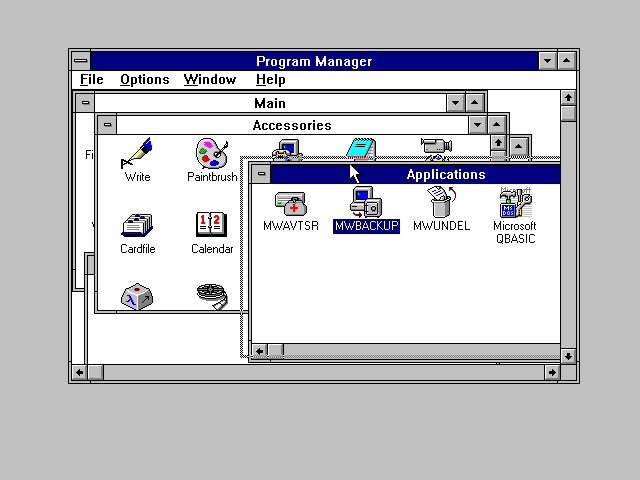 [/img]
🙂
Vista was perfectly usable from Service Pack 1, but Win 7 got rushed out because Microsoft knew Vista had been irrevocably damaged by bad press and FUD, as the Mojave Experiment shows.
A cynic might say that it was quite a smart move by Microsoft to market Vista SP3 as Windows 7...
?? It is Vista 64 I use.
x64 allows you to access more memory including the inaccessible chunk in a 4 GB system. However, it [i] requires[/i] more. It's a fallacy to assume that you "need" x64 with 4 GB, it's usually better to take the hit and stick with 32 bit.
Fair point Cougar, but x64 also lifts the per-process limit, which is 2GB on a 32-bit system.
If you are editing large files under a single process (e.g. image or video editing) then that can make a pretty big difference (IME).
Win 7>> Vista
Vista > XP, but mainly because XP is a bit dated in terms of supporting various peripherals and suchlike, and it's a closerun thing.
GrahamS - sure, no arguments here. But that falls outside of "usually" and into the realms of specific requirements, n'est-ce pas?
Well I'm not sure photo or video editing (or indeed DVD ripping and video conversion) is [i]that[/i] unusual a requirement on a desktop PC these days (actually it is just about all mine gets used for).
But yeah, I think we basically agree.

