UPDATE: Reviews section refreshed, redesigned, searchable: Go take a look
Found some obviously scammy ads in the classifieds. Doesn't seem to be a "report" button anymore - if there is, I can't see it.
Asked the AI thing, and got:
- Reporting the user— go to the poster's forum profile and use the report/contact options there.
- Posting in the forum— flagging it publicly in the relevant forum section gets mod attention pretty quickly, and the mods are generally sharp at spotting dodgy accounts.
- Messaging a moderator directlyvia the forum PM system.
1. Clicking on the user's name just takes me to a list of their ads, no profile, and no "report user" button. The ads have a "report ad" button, which just takes you to the ad... see above.
2. Not a great system but ok.
3. There's a forum PM system? Where's the list of mods then?
Something else that's now more difficult.
There's a forum PM system? Where's the list of mods then?
There isn’t one as mods are predominantly anonymous.
You can email us.
Three more of these today. I have lost track of upgrades for the site, but I was sure we're meant to be on upgraded hamsters now. 900 meg connection here, it's not my end 😉
What phone/app are you using? 7.8Mb is pretty big and, I suspect, caters for 99.9% of users.
Iphone 17 Pro
I'm used to much larger file sizes but my point is the file gets resized anyway and a few extra mb in the grander scheme of things is pretty trivial.
Not sure if this is the place to post this.
On my, ahem, work laptop, I was getting a lot of Cloudflare "Verify you are human" checks. Fine. Then it changed to "Error 403 Forbidden" and I can't get in. I stress, this is my work device so I can't do my job of reading teh internet.
I previously emailed tech and without a reply, it started working again - as in, went back to cloudflare verification and access OK. Not sure if anything was done by tech.
Now it has returned to 403 Forbidden. Is this an STW blockage of some kind? Is there a way round it?
Thanks
It’s to do with your network provider and DNS not updating. There is a fix on the previous page, but as it’s a work laptop you may not have access.
Thanks Drac. Yeah, can't tinker with work laptop but tested by disconnecting the broadband cable and connecting to mobile hotspot and it works ok - which explains why it worked intermittently.
If it's down to broadband, then its BT/EE. I'll dig into whether anything can be done there.
I tried the AI thing and got told my anthropoid credit is too low and to go to billing to purchase credits?!
I'm having a continuing issue with displaying forum images. If there are more than one in a post, it will only open the first one no matter which I click on. No obvious next/last buttons to click.
Chrome on PC, firefox on phone, both the same
Might have been mentioned, but for the last few days when I click on Latest it scrolls to the very bottom of the page.
Same for me, but it goes to the bottom, then goes up to the last post. Definitely didn't do this a few days ago
Android and Edge
PRINT'S NOT DEAD
GET £74 MTB GEAR JUST FOR SUBSCRIBING
Sounds an interesting tempter to re-subscribe.
It was only offering a Performance T-Shirt as a freebie. There seems to be £44 MTB Gear missing from the offer.
When I was logged out, the adverts shown looked they were related to logging in. Account verification type spam. More than dubious.
When I was logged out, the adverts shown looked they were related to logging in. Account verification type spam. More than dubious.
I have no idea whether STW is affected, but there's a particularly insidious malware out there at the moment which looks like a Cloudfare type account verification. It asks you to press the Windows key and R, then Ctrl V to 'complete verification.' This copies whatever nasty code it's got squirreled into Clipboard and executes it. Mac users aren't safe either, they get equivalent keystrokes so Command + whatever.
It should go without saying but no legitimate verification (or indeed, pretty much anything) should have you running system commands.
How do you tag posts?
You can add them when you start a thread.
There is an option at the bottom but you can only add 2 max.
#Vovloforsale
Every time I load the site or head to a thread page etc I see this:
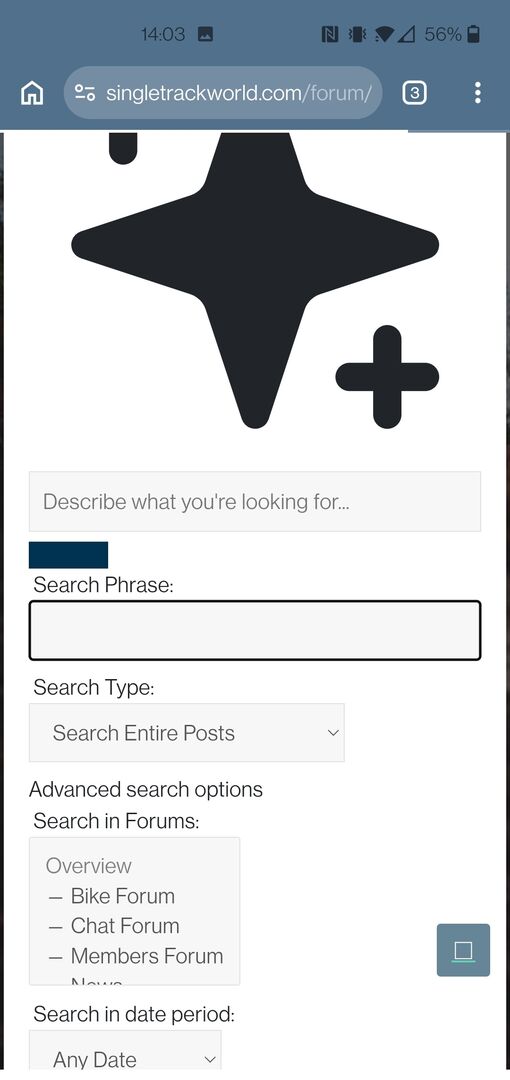
Only website visited on my phone that behaves like this.
Hey, this place works on Brave on Android again ! Can someone tell MSP.
Every time I load the site or head to a thread page etc I see this:
Only website visited on my phone that behaves like this.
Same here, I tried to screenshot it but wasn't quick enough! What on earth is it?!
What on earth is it?!
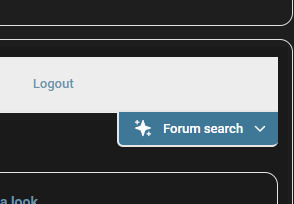
I know what it is. It's the icon next to the Forum search at the top of the page, only blown up massively. It looks like parts of the page are loading ahead of CSS being fully applied (maybe?) I've seen it happen with what looks to be the Giphy button in the post box too.
What on earth is it?!
I know what it is. It's the icon next to the Forum search at the top of the page, only blown up massively.
It’s the beginning of the end………….the a.i. search function has escaped and is polluting the website……we’re all doomed…….doomed i say…… 😱
Yeah, just came to see if anyone else experiencing the W.G.P. (weird graphic phenomenon) too. Its disappears pretty quick once the page is loaded, but yeah, odd!
It’s the beginning of the end………….the a.i. search function has escaped and is polluting the website……we’re all doomed…….doomed i say
Just started happening on work laptop too...best not tell IT helpdesk...maybe the AI thingemejig is now polluting wider interweb...
Is Stan really Skynet in disguise??
Looks like the WGP has gone today.. everyone else too?
Yeah, just saw it again 😆
Ah back to the hertz advert that opens up in a new window regardless of whether you click to close the pop up or not.
Still, we have that helpful Stan AI bot that nobody uses.
I'm getting WG too.
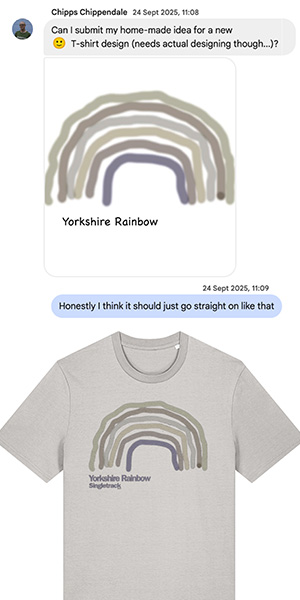
Could it be incorporated into the next STW T Shirt design?
seems to be on its arse (again) when replying to topics...
Seems to be totally random to me. I click the double arrows, sometimes I go to the bottom of the first page. If I wait an age it then goes to the last, with lots of scrolling up and down. Been broken (for me) for several days.seems to be on its arse (again) when replying to topics...
I'd turn off auto subscribe if I could find it. (not joking)
Doesanyoneknow which post I should be seeing when I open a thread I've already been reading?
Depends how you open it. If you click the thread title, you should go to the last post you read - but if it's a multi-page thread, first you will go to page one, then it will go to the last read. If you restrict cookies this probably won't work, but for me it's pretty reliable these days, both on Android and Windows. If you click the double arrow, it will go straight to the most recent post - again, for me, it's pretty consistent.
...but worth noting that if you 'open in a new tab' like any sane person would, the 'click on the thread title to open at your last read post' just doesn't work (for me at least, Chrome on iOS). It seems to be an annoying bodge behind the scenes, I've mentioned before. Not to mention the unnecessary extra slowness that comes from the link going to page 1, loading that, and *then* loading the relevant page. I have a lot of sympathy for the limited developer resources available, but I can't understand how someone could implement that, and then think "OK, that works, I'll move on to the next thing now."
I have a lot of sympathy for the limited developer resources available, but I can't understand how someone could implement that, and then think "OK, that works, I'll move on to the next thing now."
I was just thinking exactly that. It must also put considerably more strain on the whole infrastructure, as it's retrieving loads of data then just throwing it away.
I'm not getting the the last read point in any topics now. I either getting taken to the first post (if I click on the topic title of a thread I've been reading) or, if I click on the arrow at end of the thread title I get taken to the top of the last page. I then have to navigate to the last post or find where I was last reading.
Only been happening this week for me...not great, but just an annoyance rather than a showstopper.
...but worth noting that if you 'open in a new tab' like any sane person would, the 'click on the thread title to open at your last read post' just doesn't work (for me at least, Chrome on iOS). It seems to be an annoying bodge behind the scenes, I've mentioned before. Not to mention the unnecessary extra slowness that comes from the link going to page 1, loading that, and *then* loading the relevant page. I have a lot of sympathy for the limited developer resources available, but I can't understand how someone could implement that, and then think "OK, that works, I'll move on to the next thing now."
I think it first loads all the pages. And I don't think that's STW's fault (directly), I think that's just how the forum software works.
I also think it's bloody stupid, but I guess it can't be helped short of changing platforms again.
I think it first loads all the pages. And I don't think that's STW's fault (directly), I think that's just how the forum software works.
I can't see behind the scenes, so don't know for sure. But from what I see, it chugs along for a bit with a progress bar then loads page 1 when that bar gets to the end. Then it sits for a few seconds before the progress bar starts from scratch again, then the page loads to the bit I actually asked for. I don't think that it's loading one big page in the background.
If we select the double arrows to go to the last post, it doesn't do that at all - it just loads a single page (last one) and whizzes to the last post.
Anyway, first world problems and all that!
It doesn't do that for me...it either goes to first post of whole thread or first post of last page (when I tap the arrow option after the thread title)...just started doing that this week for me.
Edit - posted that reply and instead of going to my post (last post) it reloaded the last page and showed me the first post on that page, not the last post (which would have been mine).
I'm having a continuing issue with displaying forum images. If there are more than one in a post, it will only open the first one no matter which I click on. No obvious next/last buttons to click.
Chrome on PC, firefox on phone, both the same
Slight upgrade in that I'm now seeing an arrow to click. But it doesn't send me to the next image in a multi-image post, it sends me to the first image in the next reply that has images. So I still can't cycle through multiple images in one individual post.
Still can’t use the classifieds for some reason, not heard any response from stw either…..that’s 2 months now
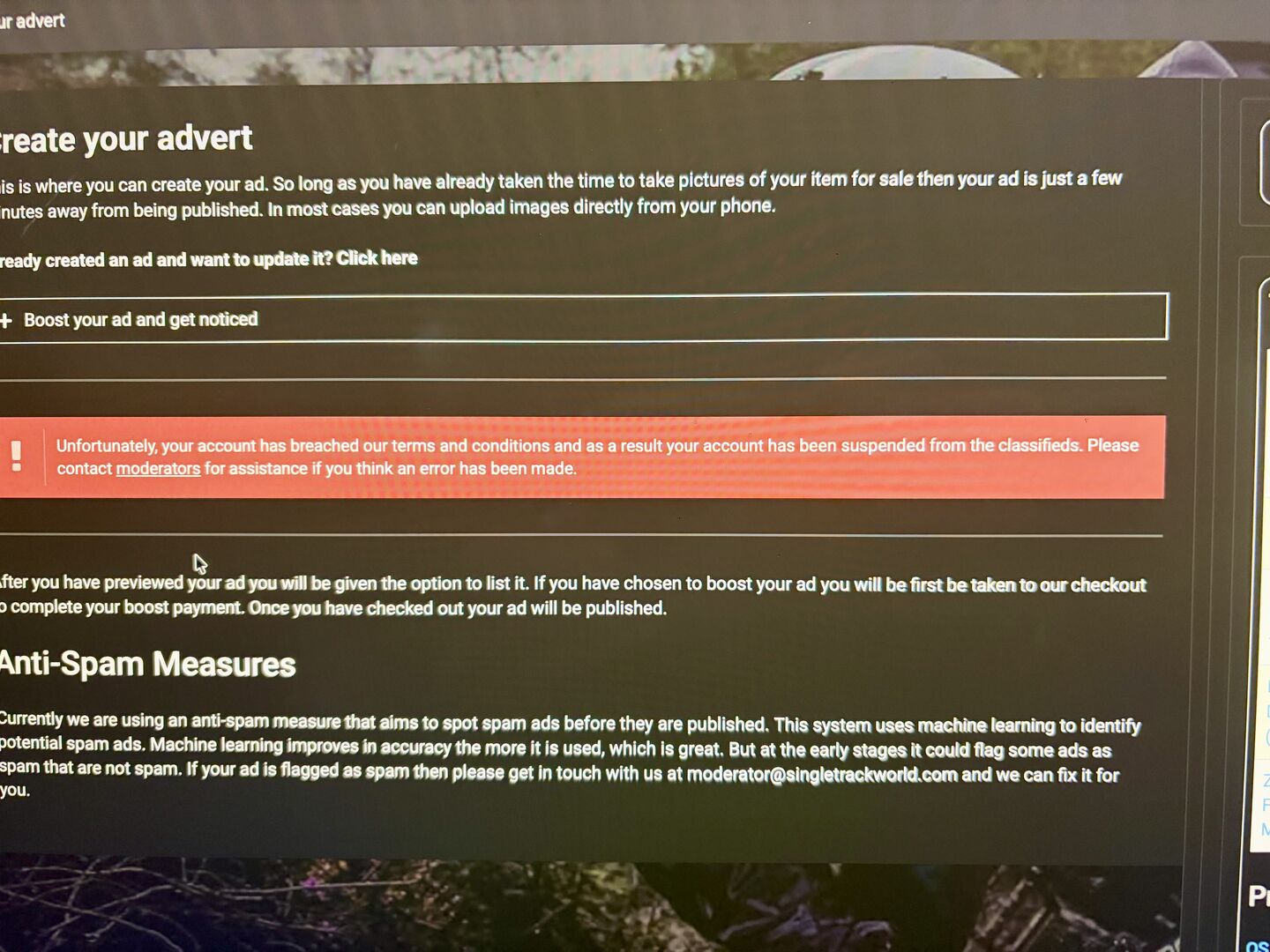
Another oddity for me - if I use the back button on my browser, it reloads the Latest threads view and dumps me near the bottom of the page. Even if I haven't been that far down the page prior.
Stan image loads as a large shape then shrinks to proper size when the pages first load and I end up not where I expect to be.
At the moment, pretty much any navigation button I press, I get the page black and white flashing momentarily, a big black star appear for a microsecond, sometimes my phone keyboard flies up then down, then lots of page window shading. Horrible.
Not something i can screenshot because it's all a flicker and gone.
It seems to the the ai bot icon at full size before it then resizes to the correct size...
Came on to say same as abobe. Getting a flash of a nig black star on each page load and whenever I start my browser I appear at the very bottom of the page I have as a tab and not at the top as before...
I can't upload an image of it has been edited in Android. No idea why.
This image shows as cropped in the image selector. Then shows as the original uncropped and then actually inserts cropped. The whole image insertion process is also a bit gash.