Forum menu
I found an old Epson scanner at work today, languishing unloved and unused in a filing cabinet, so I liberated it for the weekend.
Spent the evening scanning some old slides after getting the shitey old PC to install the drivers and software properly...
Some results (all from Glasgow Uni. MC trips to France in the early 1990s):
[url= http://farm4.static.flickr.com/3418/3370816841_dac141fb3c.jp g" target="_blank">
[url= http://farm4.static.flickr.com/3617/3371635226_4936291169.jp g" target="_blank">
[url= http://farm4.static.flickr.com/3644/3371541264_be384a46dc.jp g" target="_blank">
[url= http://farm4.static.flickr.com/3599/3370722669_3b094833c9.jp g" target="_blank">
[url= http://farm4.static.flickr.com/3464/3370786963_914d4d0b8f.jp g" target="_blank">
So my question to the photographers is:
Is it worth me shelling out for a more up-to-date scanner like an Epson V300 or a Canoscan 4400f? I'm happy to spend £70-80, but not £300+ on a proper Nikon slide scanner. Will the modern flatbed ones do a better job?
I'm quite impressed with the results form this one (Epson 3490, 2005 vintage), not the sharpest but it's possible the originals aren't either.
**** Geek notes - photos taken on Fufi Velvia, Fuji Provia or Kodachrome 64 slide film using Olympus XA2 and Mju cameras.
I like this one, is that the Midi?
[img] 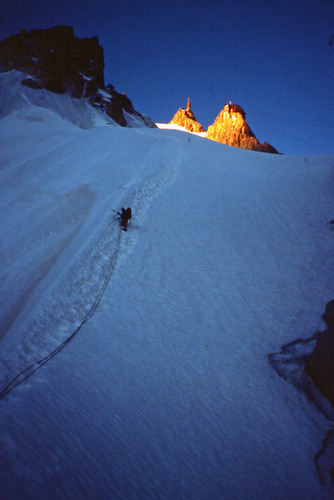 [/img]
Looks great, is that stuff bolted?
Rich,
Yup. morning on the Frendo Spur.
Mybike,
Yup - most of the Verdon stuff is bolted, apart from the occasional trad route like La Demande.
The third pic is round the back of the Mer de Glace on the Envers des Aiguilles walls which are (were) "sportingly bolted"
In answer to your scanner question. Why not get a good s/h one of ebay scan your slides, and sell it back. I know a couple of folk who have done that.
Excellent idea Rich - would it be worth it in quality terms?
I'm looking for good colour density, contrast and sharpness. Slide film has the former two attributes but the original shots may not be very sharp.
If (some of)the originals are quality shots it's worth it.
You won't lose out money wise other than postage on the scanner ime.
For top quality IMO it's really worth shelling out - I had a heap of slides, medium format and 35mm films (and about 10 APS films from an old Ixus) that had been sitting around for years so I just kept an eye on ebay and picked up the top-of-the-range Canon Canoscan for about £300. I downloaded a trial version of Vuescan (? I think) and spent a weekend busily converting them all to huge, pin-sharp digital pics at something like 4000dpi before selling the week after for about £75 more than I paid for it.
I had a cheapo Epson and there really was a significant different between the two. Mind you, this was in 2006 so maybe technology has caught up with itself by now and evened out the disparity...
I've got an Epson dimage iv that I bought to copy my slide and film. There can be quite a bit of work involved in cleaning the pictures up if you want them looking perfect, but it's quick and easy to get them onto your pc if you've got a scanner that does batches. Takes up a lot of space though if you import them at hightes quality (tiffs rather than jpg).
Best to do it though - I found it really bought back old memories.
Hmm...interesting thread. I've loads of slides that I'd like to 'digitise' - previously tried an Epson 2003 (vintage I think), but results were v.disappointing.
Just spotted this Aldi slide scanner [url] http://www.aldi-stores.co.uk/uk/html/offers/58_9232.htm [/url] Wondered it'll be any better than the old flat bed scanner, and whether it'd be worth a punt for £40? What do you reckon?
I bought a Nikon Coolscan (4 or 5? I think 4) a few years ago for about £400. 4000dpi.
I've a couple blown up to 54 inches across and they look great.
[img]  [/img]
[img]  [/img]
[img] 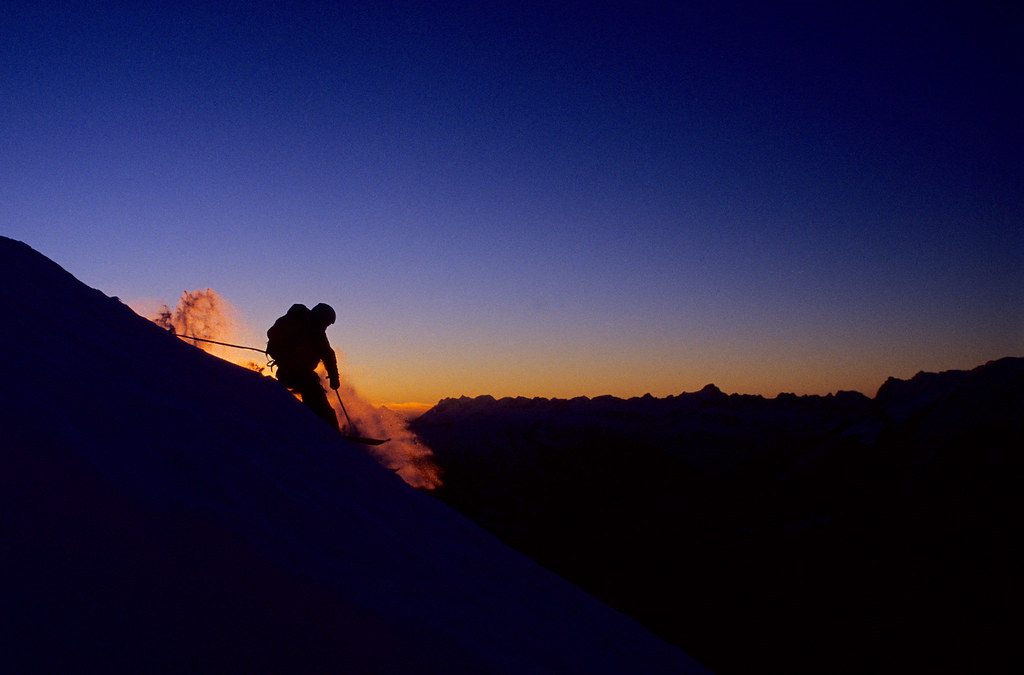 [/img]
[img] 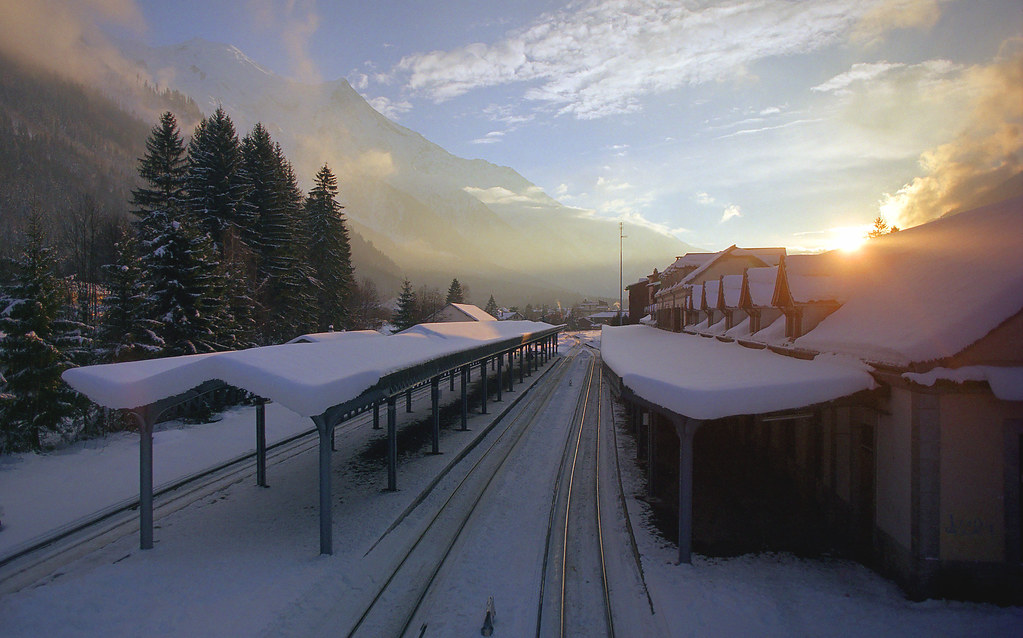 [/img]
I'd imagine there'd be a fair few second-hand with people buying them to archive all those slides they took years ago, but are never going to need it again after they've finished.
Is this easy to do? My Dad has a whole heap of slides he never looks at anymore but I was thinking of doing this for him.
I'm planning to pick up one of those aldi jobbies to scan in Mrs NBT's grandfather's slides from his days in India. Will let you know how it goes on
I bought a Nikon Coolscan 5000 to scan in old slides - it is really fantastic to see those pictures again. [url= http://www.autresdirections.co.uk/pblog/index.php?showimage=23 ]This[/url] is one of my favourites.
Advantages of the spendy scanner are faster scanning speed, higher resolution and better dust removal functionality. It has also made me interested in using my film camera again!!
Blzin: it's easy to do, just takes a while, especially if you're scanning in at high resolutions. Kind of thing you'd do while reading a book or in front of a dee vee dee.
wow these are really great shots. I think i'd go for that aldi one, try it, if it is crap sell it and buy a new better one. I'd love to see more like these
Nice photos. They do look a little soft at 100%, but look fine at the smaller sizes. Bit of dust on some, but you can always try to fix that in photoshop.
Stuartie_c,
I've had a play in photoshop with two of your photos to sharpen and remove some dust/hair marks. Would you mind if I post 'em up or can email 'em to you?
Brilliant Andy.
Post 'em here and email the full size ones to me if you don't mind. I removed dust and hair from some of them but got a bit lazy as the evening wore on.
I'm using the default unsharp mask on the scanner app. which is fine for up to around 1024 pixels across, but the softness becomes apparent as you go in closer. I suspect a lot of this is down to the camera itself - have a look at this one full size, it holds up pretty well I think; I seem to remember it being taken on a Pentax SLR with a decent telephoto lens:
[url= http://farm4.static.flickr.com/3418/3370816841_dac141fb3c.jp g" target="_blank">
Cheers for comments and advice so far guys.
I'm doing another batch of shots from Pembroke just now and they look pretty rank so far... Soft, poor contrast, blown highlights - I suspect the originals aren't great though.
I've got some from a US climbing trip to do later taken with a decent camera (Ricoh GR1s) so I'd be interested to see how they come out.
If you've got access to photoshop (or similar software) then the manual USM tool is very good and, if desired, you can mask off areas of the image so you only sharpen certain sections of the image. It will not make a very soft or OOF image sharp but it can improve things quite a bit. All depends how good the original is.
can you see any difference with these two? I can see the difference at full size but hopefully it will be noticable at small sizes too. With the clone stamp tool in photoshop it is really simple to remove most dust spots. Just takes a bit of practice.


Thanks Andy,
I can see the difference quite clearly with those two. I've never been very sure of the USM settings to use and seem to err on the side of too conservative.
I'll need to investigate whether PS can do a batch USM.
Cheers.
photoshop dust and scratches filter as a starter. then clone or heal tool. nicely.
Nedrapier,
that railway station shot is superb - lots of shadow and highlight detail.
Dust and scratches I'm not too worried about. I'm well practised in the clone stamp tool when I can be bothered, it's more the sharpness and dynamic range that I'm after and I'm not convinced my purloined scanner is [i]really [/i]up to the job, particularly when I see that railway station shot.
Also have a google for 'high pass filter'as that is another good way to sharpen images.
If you have a look on the processing sections of some of the photography websites then you may find people who write their own custom actions for photoshop. There are all sorts of plugins you can download. It's a bit over my head at that level but there shouldbe someone who can help with setting a custom action up.
I'm loving nedrapier's 3rd shot there. Can I pretend its me?
stuartie_c, if you've got colour negatives as well, you'll love the dust and scratches remover. colour negatives seem to be a bit more fragile (maybe it's just how I've kept them!) It does a great job and it can save you hours p1ssing around with the close stamp tool. It doesn't work with b&w negs though.
And I'd be lying if I said the railway shot hadn't benefited from little photoshopping for the contrast and some lens flare. Not a lot, though. Right place, right time. The lens was great too, Minolta Rokkor 24mm. Loved it, broke it. :.-(
jimmy: yes you can. It's actually Captain John Barry of 4 Rifles, as is chap in 3.
As a quick and dirty, my mate recently projected his slides on a nice clean wall and photographed that. Certainly good enough to give you a hearty nostalgic grin...
[img]  ?v=0[/img]
[Clach Glas, Skye 1990]
Went in at lunch, every Aldi in South Manchester has sold out of the scanners - the manager was kind enough to ring all the local stores for me. No scanner for me then 🙁
Why do you want the high res scans?
You seem to have found a scanner capable of producing some pretty good images for web use, and if you wanted to make prints you'd be better doing that from the slide anyway.
looking at your scans i'd guess that any sharpness problems are in the original slide, not in the scan. Low res scans often look 'sharper' than the originals, but that's only because micro softness is not picked up in a low res scan. If you had the slide printed by a pro, any softness would be there, but your shots work because of the great colours and composition. the softness would not be an issue imo
If you need hi res files of the slides then second hand would be a good option, but do not underestimate how long this will take to do - scan, edit in photoshop for colour, sharpness etc. you could pay someone els to do that for you on the absolute cutting edge scanner