Forum menu
I need to get this put onto Canvas for the in-laws Christmas present. I want to get rid of the blemish in the bottom corner without cropping the pic. I have tried to do it on Photoshop and iPhoto but I just smudged it.
Can anyone give me a clue how to do it?
Thanks in advance!
[img] 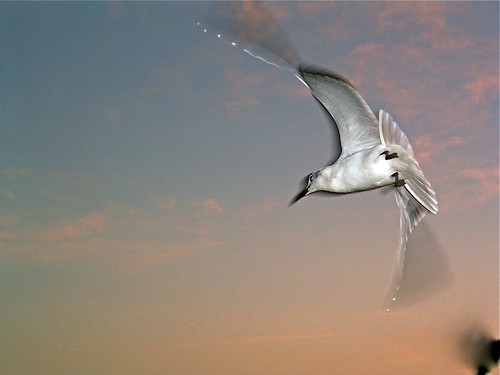 [/img]
Clone tool should do it or the new one that's in Lightroom too forgot the name of it and haven't got Lightroom or Photoshop installed.
yeah clone or healing brush
Quick and dirty, i would suggest the clone tool with airbrush.
[img]  [/img]
Healing Brush that's it.
As the top of the wing is off shot why not recrop to widesceen style (40x20) then you can crop tight into the bottom of the wing too and not need to fix the blemish. I reckon it would make a more striking crop.
could do to take the shadow away from the head???
As the top of the wing is off shot why not recrop to widesceen style (40x20) then you can crop tight into the bottom of the wing too and not need to fix the blemish. I reckon it would make a more striking crop.
Agreed, looks much better with the crop MF suggests!
OH and you might want to add a band of sky top+bottom depending on how the canvas is stretched over its frame!
Plus 1 for mastiles_fanylion suggestion - even then you may have a slight problem as a canvas needs at least 1.5 inches image 'space' on all edges to be printed with the required wrap around and allow stapling with a margin of error. On huge sizes that's less of a problem tho (less of a % lost to the edges).
I think you'll need to manufacture some image on the top edge (or get it from the original) to keep the composition.
If do lots of these a week. If you want to know what the front face will look like on canvas - email you final crop to me (along with chosen size) and I'll send you back a front, top, sides, bottom image.