Forum menu
I currently use an old version of Memory Map to look at and plan routes etc. I also use Garmin Connect (not a massive fan of it) for my biking stuff.
Just received a code for OS Maps Premium annual subscription, it looks like its a for a mobile phones, can this map subscription be accessed online through a browser?
Yep.
Yes.
Cheers for that, I just couldn't see any info on the browser option etc.
Seems like a really good price for the service, recently spent 25 quid on replacement maps, which I use quite a lot.
One last question, does the OS map sub allow you to plan, export and import using .gpx files etc?
Yes, though they seem to have just updated the web map thing:
https://explore.osmaps.com/ it seems to be missing some of the nice bits and bobs from the old system, like being able to overlay Benchmarks.
One last question, does the OS map sub allow you to plan, export and import using .gpx files etc?
Yes, route planning works ok. You can even plot a route on mobile, and load the GPX onto your Garmin device all on the phone, which was useful over Christmas.
The new website is a bit flaky - e g. Gpx files don't export properly, but the mobile app seems ok
I've also had problems importing files, bit overall it's a really good service.
Worth noting that although you can download maps for offline use, you are limited to either downloading a map you already own, or the area of gpx route.
You can't just select a large area and download it, i find this irritating - it was a feature I used a lot with bing os maps and back country navigator
Worth noting that although you can download maps for offline use, you are limited to either downloading a map you already own, or the area of gpx route.
Not an issue for the OP, as he/she has a premium subscription.
The offline mapping does work ok, though it wont let you do massive areas at once
MENU>Offline Maps>Offline Maps>Add a custom offline map
then select the area you want and press Download.
beyond a certain zoom level it blocks the option, but I seem to be able to download chunks of about 20km x 30km at once.
The snap to paths feature when route planning on the app is rather nifty. Perhaps I'm behind the times but I'd not seen that off-road before.
I wish the downloadable areas were larger. I do find it limiting.I also wish there was an option to default to offline rather than having to choose it every time. And an icon somewhere on screen to show if you are online or offline would be good too.
Also found that recently on my android phone there is a big pause between launching the app and the maps appearing. Maybe I'm just impatient.
, but I seem to be able to download chunks of about 20km x 30km at once.
Aye, true, but I can download the whole of the Cairngorms in a few minutes, so not a hassle really.
@grum I've not tried that yet in the app, used to irritate me in the desktop version that S2P only works in national parks.
Also found that recently on my android phone there is a big pause between launching the app and the maps appearing. Maybe I’m just impatient.
Possibly an issue with your phone, or another app affecting it. I don't have to select an offline map to use it just comes up automatically, even when I've no data connection? Maybe yours needs an update?.
I wish the downloadable areas were larger. I do find it limiting.I also wish there was an option to default to offline rather than having to choose it every time. And an icon somewhere on screen to show if you are online or offline would be good too.
Agreed. Faffing with flight mode to prove the point can be a bit annoying. Overall though a brilliant app / sub for a map obsessive.
The ap has a few annoying features, at least on android. The snap to path only works in national parks on the proper os map, you can use it on the standard map but that doesn't show the bridleways and footpaths and the share functions are limited unless you save your route as public. Apart from that I quite like it.
My standard map has loads of footpaths shown on it which you can snap to - in and out of a national park.
This is on the android app.
[URL= https://thumbs2.imgbox.com/1c/99/jgpB1efz_t.jp g" target="_blank">https://thumbs2.imgbox.com/1c/99/jgpB1efz_t.jp g"/> [/IMG][/URL]
The ap has a few annoying features, at least on android. The snap to path only works in national parks on the proper os map,
Not in the new version - it's more general 🙂. I had some issues importing files and editing them, but they seem to have been resolved (or I didn't see how it was working). In the old version, you saw every route point. In the new version, you don't see them all. When you move a route point, it automatically moves the ones you don't see, but there is a lag before this happens which can be a bit frustrating. The other thing I don't like about the iOS app is that if you load a route but don't follow it (the way I used to use Viewranger, for occasional location checks), half of your screen is taken up with unnecessary route information. That said, the subscription is still good value and I will be renewing when the time comes.
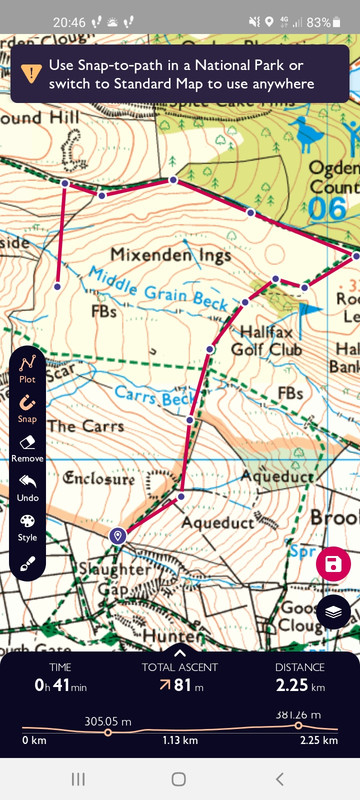
As above, the snap tool doesn't work on the os maps layer unless you're in a national park, works on the standard map which is OK unless you need to know the difference between footpath and bridleway.
Hmmm, on further investigation it looks like the snap to path may have been initially rolled out and then silently dropped. The initial email from OS about the new version (received 30/06/2021) included this:
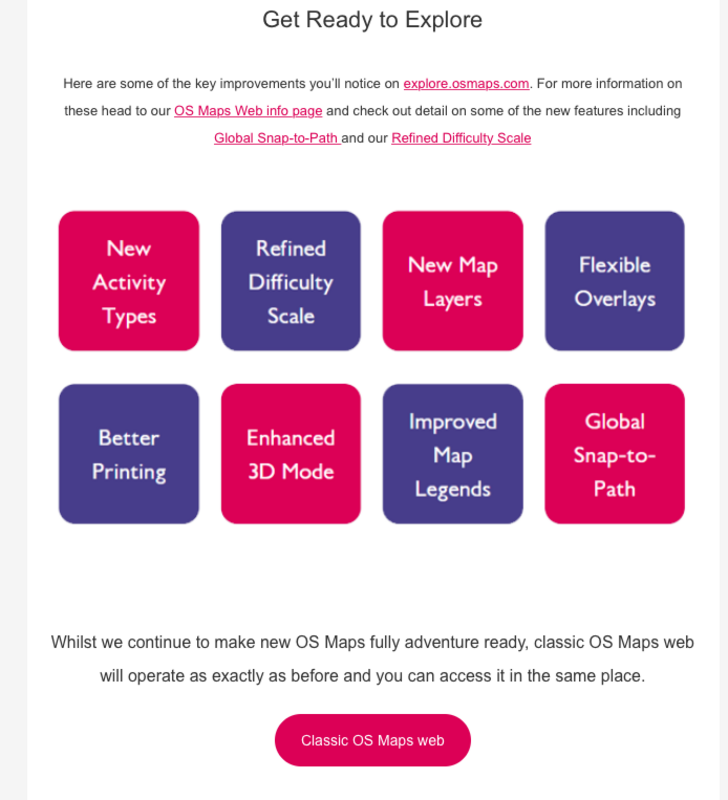
I tried the "Global Snap-to-Path" at the time and it seemed to work ok. I've tried it again today and it's no longer working (at least for me). 🙁
unless you need to know the difference between footpath and bridleway.
The what now??! 🙂
Easy enough to flick back to the OS map if you do need to check though.
I’ve used Memory Map for years and find it excellent for drawing tracks for events I’m doing, plus buy the maps every few years towards the end of the year when there’s a sale on. Much prefer it to the OS app.
Snap-to-path still works for me in the latest Android version, both in NPs and, more generally, on the Standard Map. The latter only works at higher zoom levels though.
I used to use memory map but found every time there was an app or OS update I had to re authorise all the map licenses and the process was torturous. Plus the app and website look like something from 20 years ago.