Forum menu
as title just tried and failed!
tried the link and enbedded thingy too to no avail
you've hosted the image somewhere on the www ?
I dont think you can. Its an iframe, not an image so cant be embedded in STW forum. (* not a geek, so prob not correct)
You could take a screen dump, host it and then link, but it would be static pic.
scaredypants - Member
you've hosted the image somewhere on the www ?
I think google have that covered 😉
Why do you need a screen grab in the first place? You know you can link to co-ordinates on google?
This is what you were trying to link to I believe: [url= http://maps.google.co.uk/?ll=50.481787,-3.511505&spn=0.011893,0.033023&t=h&z=16 ]linky[/url]
If you really must post a screen grab, you could upload to flickr or something
no just took the image from the website,
they do a screen grab of every page they serve up ? WHere do they host 'em all ? 😉I think google have that covered
ah ok i thought i could embed the image straight from the website... didnt know i would have to host it. cheers.
Do you mean like this?
[img] 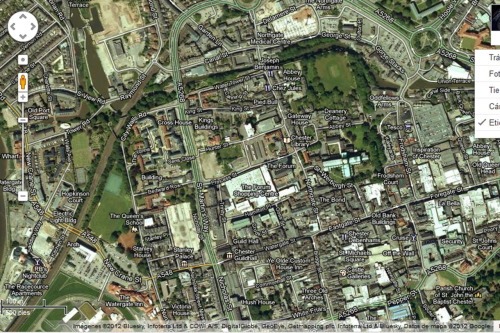 [/img]
You use the print screen function usually alt F? Then open up word or photoshop and paste into it.
@ david yes like that!!
<alt>+Print Screen. Paste into your pictures folder. upload to flickr* & link as normal
* other photo hosting sites are available
lovely. cheers!
Screen shot/print screen.
Saved to photoshop.
Hosted on photohosting, tumblr/flickr etc.
[i.m.g.] [/i.m.g.] (without the fullstops, obviously.
Now, can anyone tell me which town/city is in the screen shot?
I'd go for Chester.
But then the fact it has a symbol and the words Chester Guildhall, was a bit of a give away 😆