Forum menu
For 10 years or so now I have used desktop pc at home connected to phone line via cable to telephone socket for internet(we use TalkTalk)
Have just bought another pc (old one died)and it is wifi ready and has a texet thingy that you plug into a socket in the back.
What do I need to do to get this up and running the wifi way? Thanks for all help.
Are you on dialup with an internal modem still??
The modem sits on top of my computer. Not sure what you mean by dialup though.
Is the texet thingy a pay-as-you-go wifi dongle?
If not you need a router (A wi-fi router, that is).
No it is not pay as you go, so what sort of router should I get?
If its a normal phone cable going into your modem then you have 2 choices. Either keep the modem and just get a wifi router. Or ditch the modem and get a modem router. If you get a modem router you will need to either get a BT modem router or a Cable modem router depending upon if you receive your internet via your telephone line (BT) or a Cable TV provider via the cable.
If its just a desktop and you're keeping it in a location close to the phone line i'd stick with using a cable connection though. No benefit to WiFi unless you want portability (e.g. laptop/tablet), ealily connect other devices or if you want to move your desktop to a locaiton away from a phone line.
Have TalkTalk sent you a box that you plug into your phone line? Something like one of these?
[img]  [/img]
If so, this is a combined modem (translates the broadband signal from your phoneline to your computer) and wireless router (sends the signal through wifi to your computer).
You need to get your computer to speak to this by setting up the wireless connectivity on your computer. The modem/router will have a code printed on the back that you'll need to input into your computer when it asks for it.
However, you can avoid wifi by using an ethernet cable to plug directly from your computer into the modem/router.
Yes, as said, if your modem and pc have ethernet, like this:
[img] 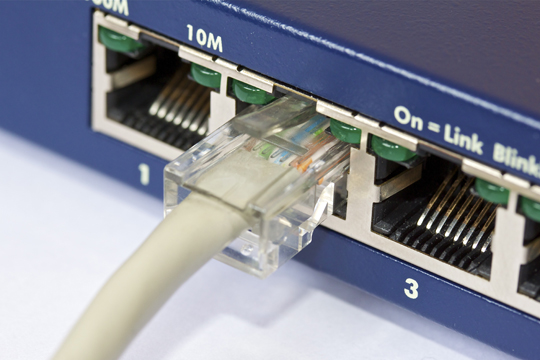 [/img]
Just connect em. That's how my workstation runs. Wifi is just for portables in a different room
Before everyone starts making stuff up, can you tell us what this "modem" is? Is there a make / model written on it anywhere?
I have this connected to computer just now, many years old!
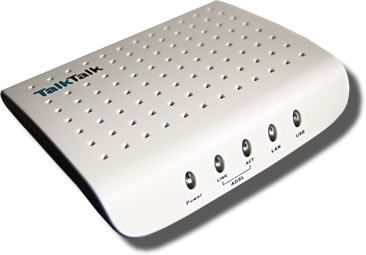
Gosh.
I think what I'd do if I were you, is ring TalkTalk and ask if they'll send you a new router.
I think what I'd do if I were you, is ring TalkTalk and ask if they'll send you a new router.
Do that. Ask them to send you one of their new "Super Routers" (it's the most recently developed TT router and is being rolled out now).