UPDATE: CLASSIFIEDS section refreshed, redesigned, searchable: Go take a look
Could anyone point me to a really easy to understand guide on how to create & manage GPS bike routes?
I have a Garmin 800 on order and just looking to setup some of my local routes on mapping and view/download other peoples data for cwmcarn etc... so I could potentially 'race' against in the virtual partner mode.
So I've downloaded 'Garmin Basecamp' and frankly it's appalling. Can't understand how you would plot a meaningful route in it? I've also been looking at google earth but can't work out how to plot a route on it either...
I've taken a look at memorymap/tracklogs which seem to do the things I want but ideally I don't want to be forking out even more money for software I thought the garmin could do...
Any pointers on the best places to look would be much appreciated.
Try looking up Frank Kinlan, if not look up bikehike website
Thankyou! first look at bikehike is that it does the stuff I want it too and appears to export in the right formats.
Any idea if it just exports the route or the backdrop mapping as well? I think the Basecamp software seems so bad as it only has the basic mapping in. If my 800 looks like that even with a route loaded I reckon I'll be lost in no time!
Getting late now so will have a proper play tomorrow.
You could try Garmin Mapsource. There are ways of downloading and installing it for free. Its kind of similar to Basecamp in that you can plot routes and stuff, but I think its better/easier.
It doesn't include any maps as standard, but you can download free OpenStreetMap based maps to use with it.
I'm not sure if there's any way of using OpenStreetMap maps in Basecamp.
Can you not plot a route on the Garmin?
I think basecamp will display the maps that come with your Garmin.
Never used basecamp but from what I've heard it sucks big time.
I'd always start with Garmin's own connect website to find other routes or find good times to race against. As well as uploading your own routes once the 800 arrives. Here are my public ones:
http://connect.garmin.com/explore?owner=gothandy
I use memorymap to create my routes, but I'm sure there are plenty of online and free alternatives where you can create the necessary TCX or GPX file format.
Thanks for the links gothandy, I was planning on using garmin connect to download & upload the routes, it actually looks pretty good for that purpose (though I've also been recommend to use sporttracks)
From what I've read you can make Garmin custom maps to use in basecamp by scanning in paper maps and creating an overlay in Google earth, which would mean I could actually plot a route in it.
Looks like I'm going to be having a lot of tinkering before I get it working just right for me. I was truely amazed at how crap basecamp is given I've just paid £300 for the tool I was expecting the software to be cutting edge but from what I've seen it's a long way behind the curve.
It's been along time since I've had to spend so long in the 'help' section to do basic operations in an application. No excuse in this day and age for things to not be straight forward and obvious, and I'm not exactly a technophob
I hope the unit itself lives up to its reviews as based on my impressions of basecamp it isn't doing to well to start with.
Oh if you are interested I also came across another site which looks great, breadcrumbs, but does a bit more than I need.
Has anyone worked out or found a detailed guide to this? Just an idea - was thinking of scanning the Forestry Commission maps for trailcentres and putting them onto my Oregon - just as a way to link together trails etc - more for a play than for serious use.
Ive got several different maps loaded into basecamp and mapsource.
openmtbmap
osm munky
gb contours
etc
all free online based on open street map mostly. just find the map download sites and instructions are usually on the websites.
shame my 705 cant have multiple maps.
though for creating routes i use memory map you could use one of the following
http://www.bikely.com/
http://wtp2.appspot.com/wheresthepath.htm
Dazzlingboy you can create custom maps in google earth kmz format and import to the garmin. Follow the guide here
http://www.garmin.com/garmin/cms/site/us/onthetrail/custommaps
[url= http://sherwoodpines.yolasite.com/resources/Sherwood%20Pines%20Poster.kmz ]here's one[/url] I did earlier
Nice! Have put the GT and Innerleithen maps on - here they are in Google Earth - then simple to export to Oregon as Abductee says. Works a treat.
[IMG] 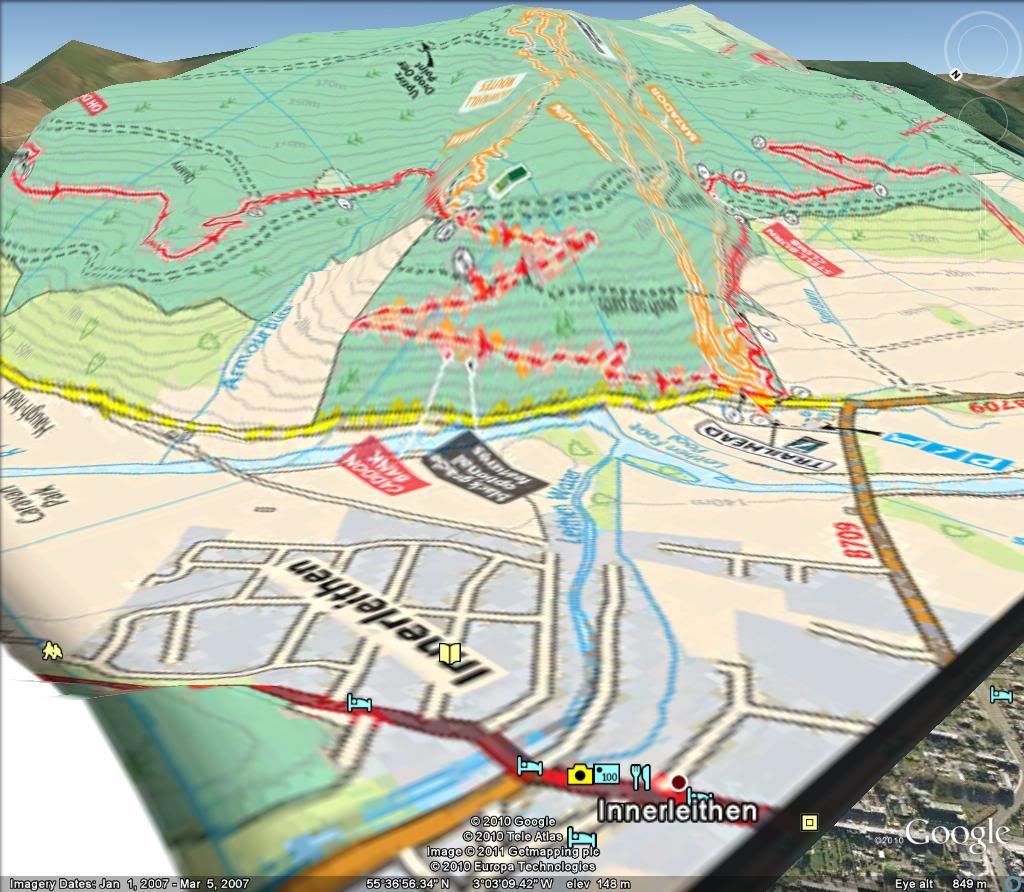 [/IMG]
[IMG] 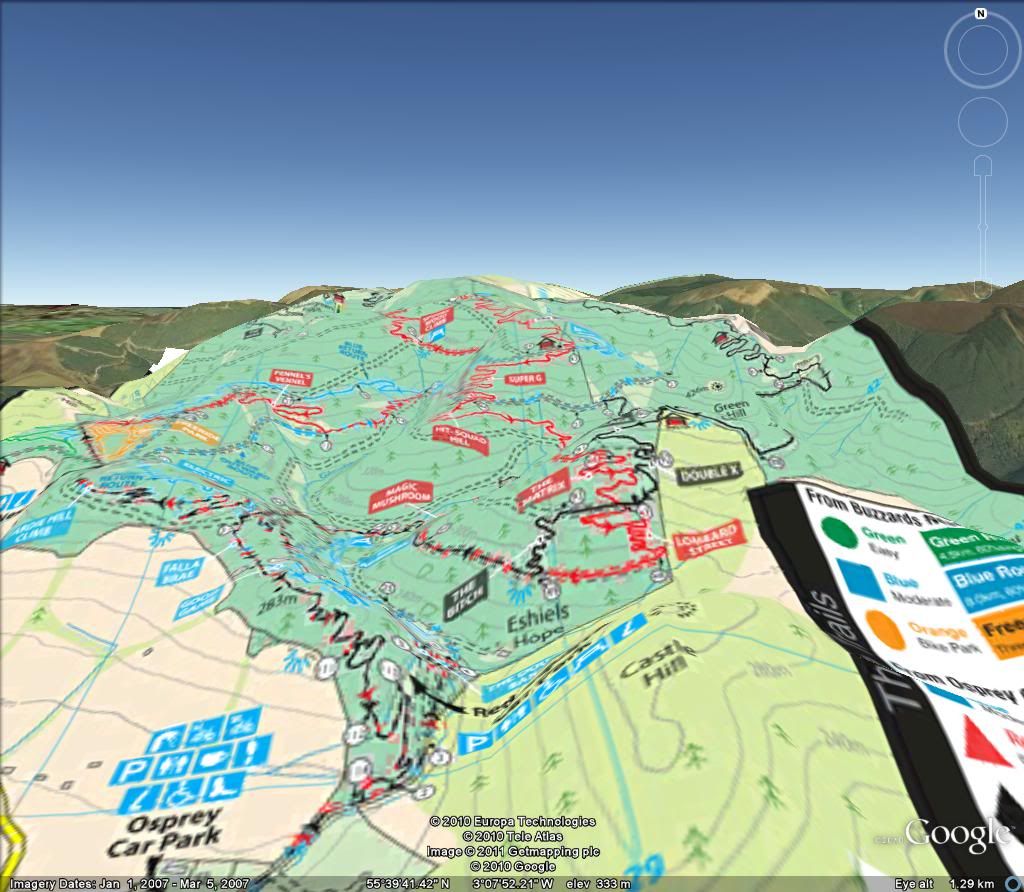 [/IMG]
[IMG] 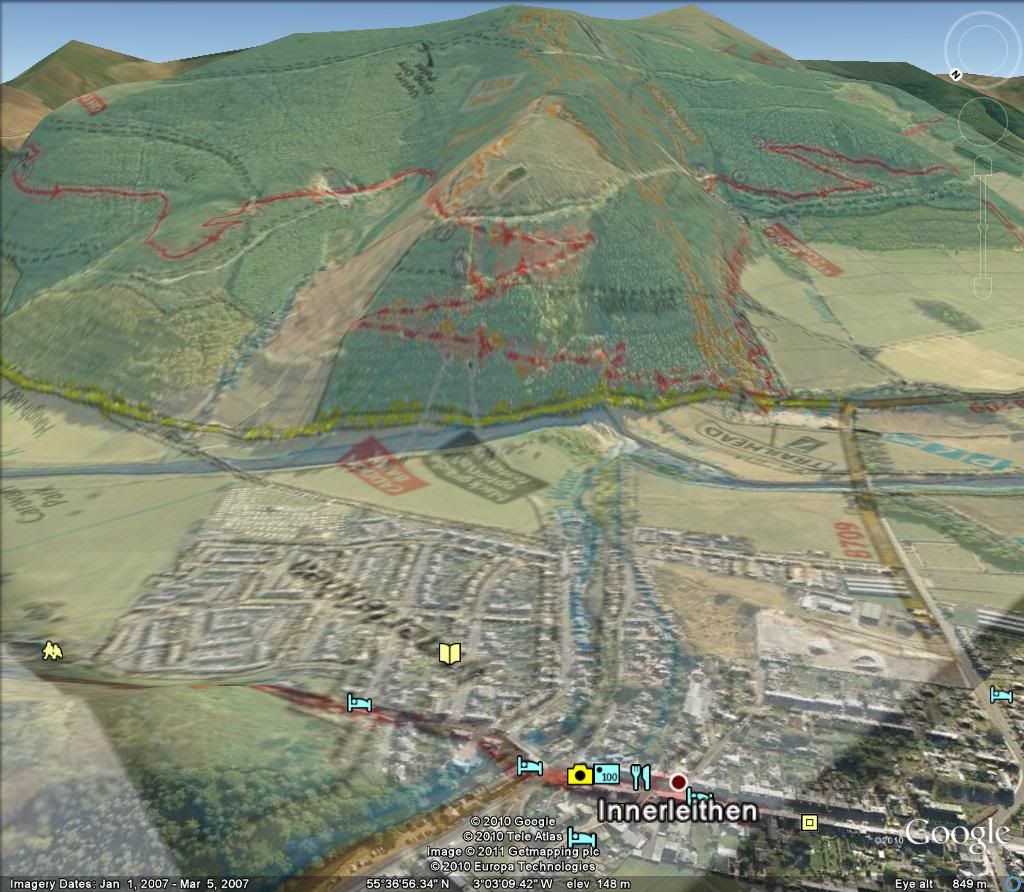 [/IMG]

