Sounds like the MUVIs do not get over 20 fps as mine or my brothers will not show more than 20 fps with new class 6 cards in them. Seems a shame the cheaper copy ones do what the MUVI does not . I am more than happy with the picture but you would like it to do what it said on the box for the extra money we have payed for them.
When I right click on my test video and select properties it shows 30.98fps and this was using a no number micro sd card.
Pembo - hope this helps [url= http://www.veho-uk.com/support.aspx ]Veho[/url]
Mmm, checked the info that came with my friends Muvi and it does state that it records up to 30fps, but we can't get more than 19fps and that's using a class 4 card ?? ... My cheapo version records at 30fps regardless of memory card. The Muvi is definately a nicer product feling more solid, metal case and sliding on/off buttons but the footage does not seem as good, odd, you'd think it would record footage better costing more and with obvious superior manufacturing?
Hi,
I've just received my Mini DV DVR Camera MD80 DC From HK.
Can you tell me if i need a micro SD card or can i use a Micro SDHC.
Thanks in advance.
Either I think. I put an SDHC in mine.
> Somebody asked: [i]Did anyone install the driver for this? What does it do?[/i]
Mine (which might not be the same as everyone elses, got it from Hong Kong via eBay) works as a wee webcam with the driver when I hit the mode button after connecting it to a PC. My model's a Sunplus SPCA1528.
There do seem to be a few different models floating around though. If the first letters of the saved video files are SUNP then you've got a Sunplus model of some description. Videos recorded as a webcam via the PC don't have the annoying datetime stamp (which somebody else asked about earlier in the thread). I've been trying to find some way to get rid of it when not recording via a PC as well but no luck so far. VirtualDub with the plugin Logoaway does a good job of hiding the timestamp if anybody's itching to get rid of it but it's a bit of a pain to have to reprocess everything, eh.
I've been watching this thread about the md80 mini dv cam and just seen this on fleabay [url= http://cgi.ebay.co.uk/Portable-3-0MP-Video-Recorder-Mini-Spy-Helmet-camera-DV_W0QQitemZ280438679774QQcmdZViewItemQQptZUK_Gadgets?hash=item414b72a8de ]helmet cam[/url] what do we think?
worth a punt or what?
cheers
and when you know how much and where from, share the knowledge 😉
Bregante, if you are refering to my post
they are £22 from Hong Kong
To me they look like the same internals as the md01 but in a torch/helmet friendly design
I got one of the cheapo Ebay ones, and whilst picture quality looks OK the battery doesn't seem to last that long even when not recording. I charged it for a few hours in the evening and disconnected from the PC. Made sure its switched off. In the morning it's flat again. Has anyone else found this problem?
Looks worth a punt, ruminant.
I haven't used mine enough to say anything about the battery, Trigger. Maybe somebody else has though ...
Yeah, the battery on mine soon drops off when not used. The unit manages to maintain the correct time (after it's been set initially) when powered off so must be consuming some power keeping its internal clock updated.
mine's a uk ebay Sunplus, and yes the battery soon goes flat with standing - have to use it as soon after charging as poss.
how do people get theirs to video, i got mine today and put card in yet cant figure out how to get it to video.....
nick
for all those how bought the "real" veho muvi cam, turns out you cant get the 25-30fps as it stated on the box, I contacted veho and asked them how to get the said fps and here is there reply...
Hi Craig
The software on the Muvi was originally developed to work at 30FPS, however it has since transpired that the average is closer to 20-25 FPS. We are about to release a new model, our Muvi Pro, which has a framerate enchancement software that should enable users to film at 30FPS. We apologise for any inconvenience caused.
Many Thanks,
Veho Tech Team
went out today to test my cam... results to be honest im really happy!
i got 1.7gb to 17mins of filming
here is my test footage only 1 min long so its all good.
does the size have to be so huge tho?
nick
Anyone know if this is the same camera as the eBay ones
http://www.ebuyer.com/product/183959
I can't see eBay in work to check
Yes, it looks identical to the one I got off eBay.
Further to the suggestion by Ratty to enlarge the holes which enable you to see the lights, I used a very small heated pozidrive to pierce the hole. I only pierced to show the red light because if that is on the cam is powered up ready to go.
With cheap little cams you dont't get built in stabilization. Good news is you can download it free here to doctor things up a bit later.
[url=
download and Info[/url]
(you can also cut off the date and time if you play around with it)
goodwork duntstick!
thanks duntstick, that is going to be very useful, i have been making friends and family sea-sick and had resigned myself to shakey video!
For anyone who might be interested i recently got a MD91 from dogcamsports. You pay more money but the wife got it as a present within a couple of days and it has been fantastic so far. It came with LOADS of mounting options and brackets, and a 2gb card. It doesn't seem to have any problems recording at 30 fps despite the memory card being unbranded. As mentioned elsewhere the instructions aren't the best translation, but they are still easy to understand.
right, i'm off to do some de-shaking!
cant wait for my ebay cheapo to turn up now!
Cool Deshaker!
well i have one of these that my father in law got me for 30 quid in maplin.... http://www.maplin.co.uk/Module.aspx?ModuleNo=285263
[img] 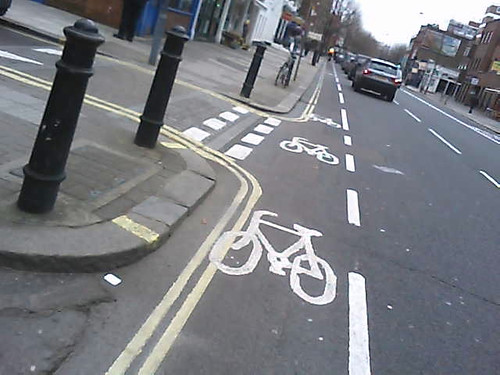 [/img]
and the muvi one i paid 50 for....
[img] 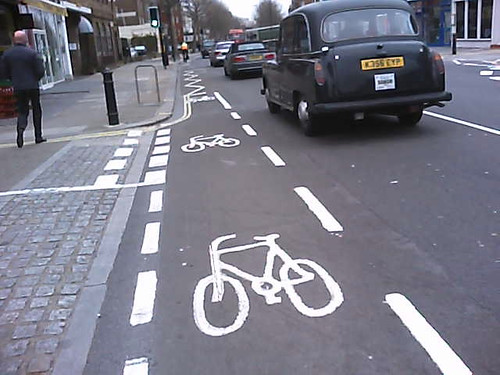 [/img]
both running the standard 2gb cards at the moment im quite enjoying them
Hi,
I'm new to these boards and I'm not a biker. I'm a skydiver and I've just bought one of these MD80 d001 cameras from ebay [url= http://cgi.ebay.co.uk/ws/eBayISAPI.dll?ViewItem&item=180515553065&ssPageName=STRK:MEWNX:IT#ht_3605wt_873 ](This One)[/url]. I'm here to ask your advice because I can't get the ****in thing to record clips.
From the c**p instructions, I've managed to figure out how to turn it on, switch modes and use it as a web cam. I'm pretty sure I know how to start/stop recording and activate the sound recording (i'm guessing that I know how having seem changes in the red light)
I'm using an 8gb class 4 SDHC card from my nokia n85. when the camera is connected to the pc by USB, I can read the chip and I have put the TAG file on it. but I can't seem to record any files to the memory card.
Has anyone had a similar problem with one of these cameras? do I need to format the card or something? is there a setting or switch that I'm missing?
Any help would be greatly appreciated.
Greg..
hello all
new here my first post
bought 2 mini dv cams from memorybits great cam at under £12
sent them both back because they would only record for around 45 min,
on site it states that you can record for 2 hours !!!!!
they are so good i have asked for new ones which i recived one yesterday but once again only records for 55 min, i don`t want to send them back again anyone knows where to buy a better battery ?
i also have a 8GB sdhc card any help please
i was going to buy the £35 ones does anyone have these how long can you record for ?
thank you paul
isn't the time set by the size of the memory?
ie an 8 gig will record about an hour and a 16 gig will record about 2 hours
hello thepodge
and thanks for replying i have plenty of memory
i.e. when the battery runs out around 45-5o min, it uses around 3-4GB i have around 3 gb still left on card to use
but no power left to fill the card up
last night i charged it for over 5 hours i shall see what happens today !!!!
also i cannot record when i`m charging
i.e in car useing usb lead and adapter in 12v
thank you again paul
Are these worth a go for the money? A few of us bought a Go-Pro between us but it sounds like it might have died so for £15 I thought I might buy one of these for some helmet/bike cam stuff. Which one (theres cheap ones on eBay and through zoombits etc) is the best or are they all of a muchness for £15!?
Cheers
Dave
just sent for one of these, not expecting great things but for the money its worth a look.
Looks like they have gone up in price ,I paid £12.99 last week now showing £16.99
Andy
help again please
Hello
I ordered 2 mini dv cams over a month ago from this site
http://www.memorybits.co.uk/shop/camcorders/mini-dv-camcorder-the-smallest-in-the-world!-md80/19252
I had a fault on both cams sent them both back
I had replacements cams last week
I’m afraid to say these new ones are worse
they will only record for 35 mins or less
I have even tried a 3 hour charge which I did last night ready for my school run
Left my house at 8 .30 it stopped recording at 8.52
I’m using a 8GB sdhc card checked the card after recording ended
Around 5 GB was left on card so memory is not an insure
I`m sending them back
what I need to know I have looked at a few sites they all seem to have the same mini dv cam
Are the batteries just as bad ? They all say 2 hours of recording
Any out there that will record for 2 hours or more ?
Thank you paul
Mine arrived from 7dayshop today. Ordered for 12.99 with no microSD - It arrived with an 8gb class 4 card already installed. Plus an array of clips etc to attach it to things! Absolutely astonishing mega bargain - best of all it actually works! Instructions are useless and date function is fiddly but a bit of googling sorts it out. Cant wait to play with it now.
hello
Can I buy a bigger capacity battery from maplin !!!!
As mine will only record for 30 min
I have ample of memory 8GB SDHC card
paul
it would seem you are better off asking some where else
Hi all,
I have recently bought a MD80 001 camera and a MicroSDHC 8GB Class 6 card for it and the device is giving me hard times.
When i press the power on button with the card inserted the lights blink once and then remains on and freeze. i can't do anything else just to reset it from the button in the tiny hole on the side.
I have test it with another card MicroSD 2GB and everything works fine.
Does anyone else had this problem? Is there something i can do with the card or it is not supported by the MD80?
Crikey, resurrect an old thread...
Just got my hands on a D011 car DV thing...looks like a small torch. Just wondering if anyone else has one and how long you charge them for - instructions suggest first 3 charges of over 12 hours each - that doesn't sound right...

