UPDATE: CLASSIFIEDS section refreshed, redesigned, searchable: Go take a look
Is that Terry’s chocolate orange?
Oooh! I'm an idiot! It's his ear!
Three_Fish
Is that Terry’s chocolate orange?
Yes! (Pic taken to show how they've hollowed them out to reduce the amount of chocolate)
oldnpastit
Who knows or cares?
Me. Three_Fish.
sirromj
Oooh! I’m an idiot! It’s his ear!
You're an idiot? oldnpastit can't even see the usernames above the posts!
testing testing
<span style="font-size: 12.8px;">[img] 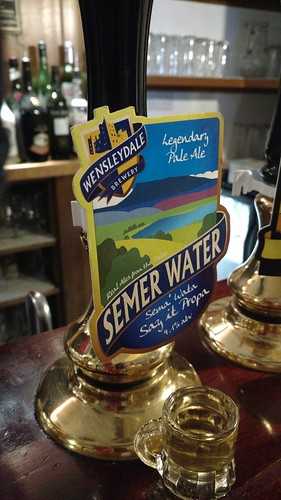 [/img]</span>
😂😂😭
So where are all these buttons then ?
(Google chrome)
Can't even post a screen shot to show you they're not there 🙁
What's that you've posted, Drac? The image doesn't have a URL...
steel4real Member
So where are all these buttons then ?(Google chrome)
Can’t even post a screen shot to show you they’re not there 🙁
Yes you can! Instructions are available in my earlier post on this thread: [url] http://singletrackworld.com/forum/topic/new-forum-an-idiots-guide/page/3/#post-9804547 [/url]
I still don't know how to post videos with the button-less interface though. Does anyone know the BBcode tags for that?
No buttons for me either, my authenticated Nessie picture will never be seen.
There are no buttons (same in IE as well)
(img) 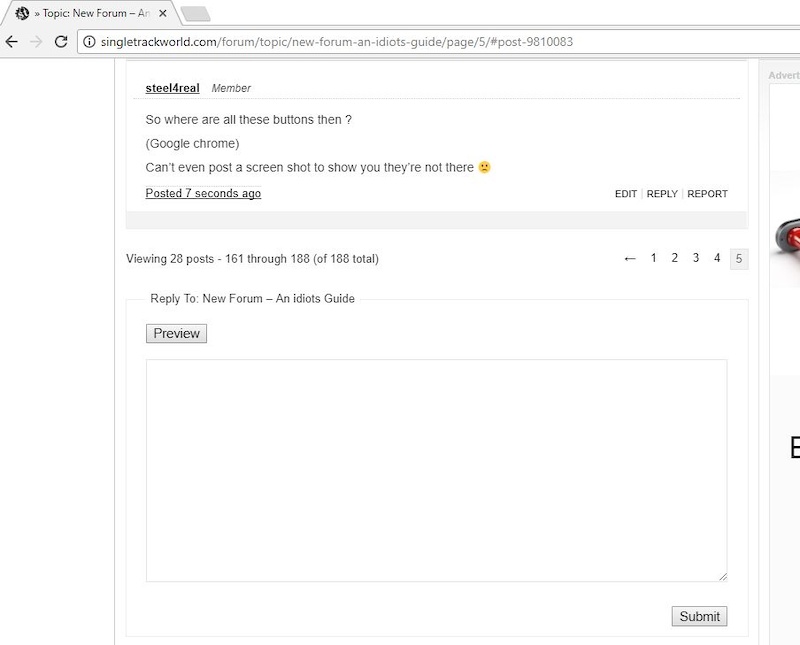 (/img)
Well that doesn't work either - neither does the preview button.
I still don’t know how to post videos with the button-less interface though. Does anyone know the BBcode tags for that?
No BB codes needed for vids. Just paste the text of the video URL -
Like - [img]  [/img]
[img] [/img]
Ah well, there you go no buttons and it's square brackets not ()
No buttons for me either, my authenticated Nessie picture will never be seen.
Test
There is a while routine to get quote to work. Just remembered it ! 🙂
Can't quote user name though... That totally screws it. 🙁
[img] [/img]
So where are these buttons?
[img]  [/img]
It's like he Twilight Zone in here. Much weirdness.
🤯
Interesting: how do these huge emojis keep happening?
Not sure. The should have been a normal size emoji.

And so should that. I copied and pasted it from some normal size text and it appeared small in the edit window.
Weird!
So how do you follow a conversation that you’ve posted to? I can see threads I’ve started, and my posts, but not go to those posts.
Ah you mean the ‘has anyone chomped down on my troll bait yet’ and the ‘quick link back to the viscious exchange with forum big hitters’ features. Yes i miss those as well.
I scrolled through 3 pages of posts yesterday to see if anyone had answered this and couldn't find the thread. It happened to have come back to the top just now. That's kind of fundamental to having any sort of useful discussion on here.
@simons_nicolai-uk completely agree.
The old forum screen showing posts I had replied to was pretty much my main page for interacting with the forum.
The new "Replies Created" one seems to show all your replies, with their full content, but no way to get to the actual thread that they were replies to!
<div></div>

