UPDATE: CLASSIFIEDS section refreshed, redesigned, searchable: Go take a look
I can't stand it when people fullscreen every window, when most things just leave tons of white space everywhere or way too much text per line. Huff.
I do this, that is why I have multiple screens - so neerr.
It's a good job you're not involved in IT development 🙄
WDYCAI?
I do this, that is why I have multiple screens - so neerr.
Ditto. Got four screens in front of me at the moment. Having everything full screen keeps my neck supple.
My pet hate: people who double-click on things that should be single-clicked (internet links, menu options etc)
I generally run everything full screen. Focus is good.
My second monitor generally only has Outlook open at work, unless I [i]need[/i] two items on view at once.
+1 for the double click on a single click item.
My pet hate: people who double-click on things that should be single-clicked (internet links, menu options etc)
Watching people log in.
Click the username box which is already selected; type their name; pick up the mouse again and click the password box; type password, using caps lock to toggle case rather than using the shift key; pick up the mouse again, click ok. In the time taken to do this I've managed to grow a beard.
Everything full screen on 2 screens here. I also never combine the taskbar buttons.
My pet hate is overuse of the back key in your web browser. I tend to open things in a new tab and rarely use back.
I'm with molgrips. 2 screens with 4 windows here for things like Email, Browsers and Word.
Then full screen for Photoshop/illustrator/etc.
Before windows started working better, I used to open all my usual software in the same order, so their taskbar positions would be consistent.
[i]<<double clicks on Graham's [u]Member[/u]>>[/i]
Two screens here: dev stuff on one, management stuff on the other.
Yeah, full screen. Maybe OK when the screen size was 800x600 but with the size of monitors these days it's a waste of screen real estate. I've a calculator app open at the minute, why would that need to be full screen?
Like the log-in example. I've seen similar: initial field and text already highlighted so user clicks in field (unselecting the text) then drags mouse to select the text! Placeholder text (which will disappear as soon as they start typing) also confuses them and they'll try to select it.
Oh God, the Caps Lock thing!!
I can't stand it when people fullscreen every window, when most things just leave tons of white space everywhere or way too much text per line. Huff.
Funny, I can't stand seeing other windows and distracting crap behind the window I'm working in. Probably why I dislike working on Macs....... I much prefer Alt+tab or using the mouse to change windows.
double clicking links winds me up a treat.
using the mouse to change between user name and password.
not displaying file type in file manager/explorer windows.
not using the details view to view files.
pictures as desktop backgrounds.
animations and stupid graphic effects on stuff.
I think I may have issues........
"Watching people log in.Click the username box which is already selected; type their name; pick up the mouse again and click the password box; type password, using caps lock to toggle case rather than using the shift key; pick up the mouse again, click ok. In the time taken to do this I've managed to grow a beard."
Living the dream, eh? 😆
Multiple screens each full screen 🙂 That way I can max text and not have to wear my reading glasses.
Mac F3 or Windows <alt><tab> are my friends
<<double clicks on Graham's Member>>
😯
I love a full screen on the larger of my 2 monitors, hadn't really thought much about the fixed width site!
Bosses that touch the screen. Seriously, if I could electrify the thing, I would have... 👿
Rachel
One fingered typing make me sad.
it's a waste of screen real estate
Ugh - I actually prefer and use 4:3 monitors.
I've a calculator app open at the minute, why would that need to be full screen?
It wouldn't. I've got a calculator on my desk.
Re multiple screens; on my iMac, I can two-finger swipe the mouse, and it moves to a new desktop. Wouldn't that be better than two physical screens, or not?
Bosses that touch the screen. Seriously, if I could electrify the thing, I would have...
My lab know that if they touch my screen they lose that digit. If they leave a mark they lose a limb.
Click the username box which is already selected; type their name; pick up the mouse again and click the password box; type password, using caps lock to toggle case rather than using the shift key; pick up the mouse again, click ok.
I have some software where you have to do most of his otherwise it doesn't work. So maybe developers coming on here getting all snotty with users, how about you designed products that worked properly.
how about you designed products that worked properly
Most of us do!
n my iMac, I can two-finger swipe the mouse, and it moves to a new desktop. Wouldn't that be better than two physical screens, or not?
Depends how often you're swapping between them I suppose. If you need to compare two sets of content I imagine screen-switching every half a second would get old fast.
Nine times out of ten I alt-tab around between apps, it's fast and convenient. There's times though where it's much easier to have two physical screens on the go.
Re multiple screens; on my iMac, I can two-finger swipe the mouse, and it moves to a new desktop. Wouldn't that be better than two physical screens, or not?
Depends. If you are short on space then yes, but I'd rather have multiple physical screens than multiple desktop views.
Typically at least one of my screens is displaying a VM and I prefer to keep it mentally separate.
I have some software where you have to do most of his otherwise it doesn't work. So maybe developers coming on here getting all snotty with users, how about you designed products that worked properly.
A couple of our back-office systems are like this. It drives me spare. See also, pop-ups with a screen-width's of text, in a window half the width of the screen that you can't resize, with scrollbars.
But, this is an entirely different rant.
Go onto web-page with form. First field is highlighted and has focus so no need to click, just type. Hit tab key to move focus to next field and enter text. Keep going until you get to the commit/register/yes button, press the enter/OK key and that's it.
I can only program for the idiots I know about not the super-idiots that are being bred and let loose on the world.
Typing h t t p : / / w w w . etc. GTFO!
Maximised windows do seem a little wasteful. As most who come to this thread though, I've 3 x 1920x1080 so when wasting time (yes, STW counts) it doesn't matter. A pity websites aren't a little better at making the most of screen estate.
[img]  [/img]
People who have messy desktops. A few screenshots and perhaps a folder that you've used very, very recently is permissible. Desktops like my boss' aren't!
[img] 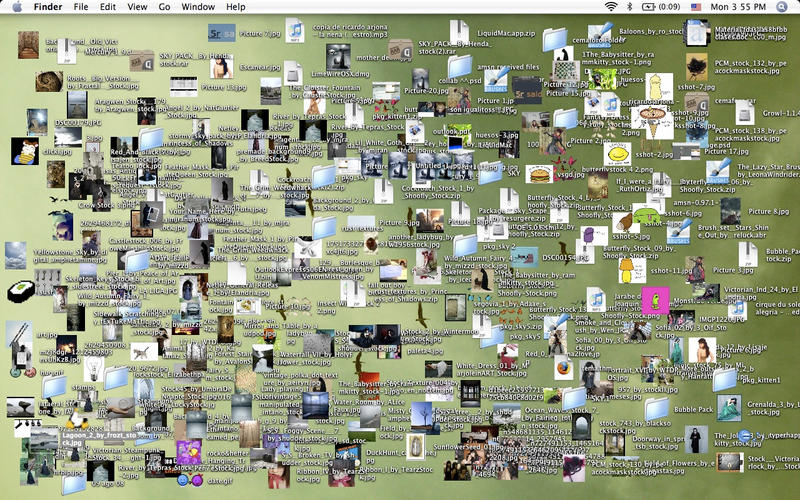 [/img]
I've a calculator app open at the minute, why would that need to be full screen?
I use the address bar in Chrome as a calculator*; why would I use a whole app?
Obviosusly, "mini apps" like calculator, snipping tool, and notepad don't get the full screen treatment.
People who have messy desktops. A few screenshots and perhaps a folder that you've used very, very recently is permissible. Desktops like my boss' aren't!
By choice, my desktop would be empty or maybe have a shortcut to a frequently used folder. At work we have a bunch of icons forced on us; this is also partly why I run full screen, I think.
*apart from for proper maths, when I use a proper calculator
[i]like calculator, snipping too[/i]
Can't anyway 😛
[i]screen real estate[/i]
No-one called it that did they. Please tell me no-one called it that.
makecoldplayhistory - stw usually fills those boring side bits with adverts, unless you are a mug with a P, do you have a P? 😆
There's a limit to how long a line of text can be before it starts to become less legible or understandable so having a really wide website doesn't make sense. This is why newspapers have columns. You could make the text bigger but then it just becomes silly as you have text that is mahoosive!
Copy and Paste with the mouse. This is my worst one
Second in line is folders on desktop that aren't a link. WHY put 20gig of pictures on your desktop....use a folder link FFS
Even thinking about it is winding me up.
those who circle the button/link 3-4 times before clicking it.
People who get all shirty about how others use their equipment - these things are designed for lots of people to use in lots of ways that suit them. There is no right or wrong way.
Oh, and desktop calculators, are you quite mad?
Bosses that touch the screen. Seriously, if I could electrify the thing, I would have...
Winds me up so much!
Allowing bosses to touch things - that's where you've gone wrong! Keep them away from anything remotely important to the business, you know, like pens, paper that sort of thing.
I double clicked on graham's member to embiggen it. Now it's gone full screen and I can't turn it off!
Don't worry. It won't last long.
using the mouse to change between user name and password.
not displaying file type in file manager/explorer windows.
not using the details view to view files.
pictures as desktop backgrounds.
animations and stupid graphic effects on stuff.
All of this +1.
I do run everything full screen though (stupid locked down settings won't let me raise resolution and for some reason IT think it's fine to have me run Windows in 4:3 on a 16:9 monitor...).
I used to know someone who would go to every website via Google, like they thought that was how the browser worked or something.
For example, I'd say "go to ebay.com" and they would:
Click on the address bar
Type "google.com"
Type "ebay.com" into google
Click on the ebay link
Everywhere! Aargh
People who don't have the git bash completions enabled. I have to watch them solemnly typing out branch names, rather than just hitting tab.
I always have everything full screen. why have it smaller than you can?

