UPDATE: CLASSIFIEDS section refreshed, redesigned, searchable: Go take a look
back for me now. Wifi and O2.
Just out of interest, how long do you have to be using STW before this pop-up appears? I've turned off wifi on the pad, and I've been using it for about thirty-forty minutes, and nothing has appeared yet. That's on O2. I can't try on 3, the signal in this part of town is almost non-existent.
Mark
Are these of interest? Ones that try to install an app onto your phone?
[IMG]  [/IMG]
Ah, this thread explains a few things i've seen on my Nexus.
However, overall the site is completely unuseable on my Nexus anyway, "Chrome is not responding.." "wait, close, " etc.
So so so often on Android it's not even funny.
Hi,
perhaps this was the cause of the problem? http://www.theregister.co.uk/2014/01/06/yahoo_tainted_ads_malware/
I just saw that on bitterwallet and was looking for this thread.
I'm not sure it's the same as that one was targeted at PC users as well?
Just had a pop up blocked on my new phone. Moto g running android 4.3 with chrome.
Logged in as premier member with ads off. Still only ever have the problem on stw, never on other sites.
I didn't follow it to investigate.
This has been fine for a couple of weeks for me but its started going mental again today [IMG] 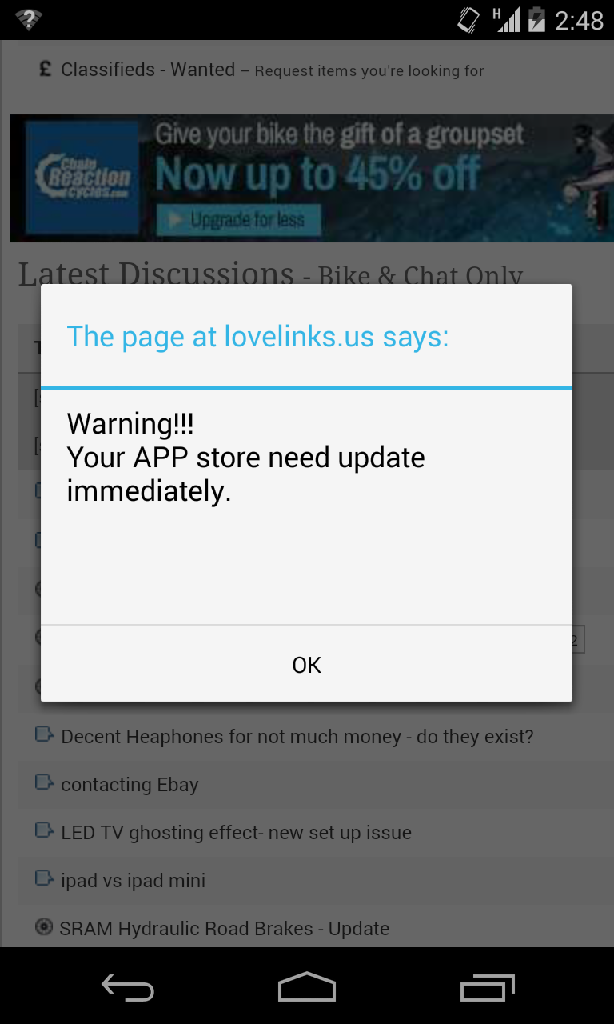 [/IMG]
Phone settings
[IMG] 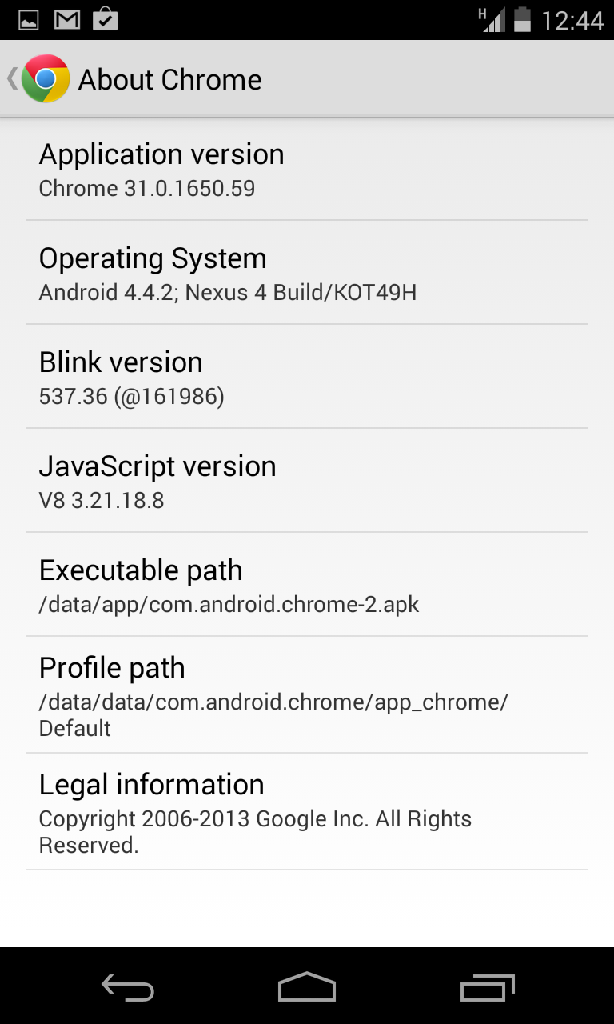 [/IMG]
Had it a lot recently. In Singapore on hotel WiFi. Android 4.3, Google nexus 4. These and the yahoo one:
http://lovelinks.us/gray/mobo/360.php
Got this also.. Being served up ONLY from stw
Ditto... 🙁
Had a bogus "Java update required" page served-up to me today.
Still getting the "you've won an ipad" scam pages as well.
ONLY from STW.
Had my first experience of this today on my new phone. Get a warning message flash up for a split second then the screen goes blank and the phone shuts down completely then powers up. Only happens on STW as the ads load up. Can stay on other sites for ages without a problem.
Sony Xperia SP, Android 4.1.2 using Chrome browser on O2. Doesn't happen on the built-in browser.
Just had this on my nexus 4 never seen anything like it on any other web page using chrome btw
Its back again. Same as last time (screenshot above) forum unuseable on mobile now.
Any update from admin?
HTC Desire S, ancient android 2.3.5, and for the first time getting the lovelink.us "you're app store needs updating" popup. On open free hotel WiFi and never had it on home network, but only getting on STW site.
Im getting a virus frightener, only on my phone and only on here.
I don't get the redirects to the App Store - couldn't Apple just ban them for their antics?
It's not the App store or the App that cause the problem.
I fell for the bogus Java update. Lots of programme deleting, remove Firefox including all personal settings, OS back to a recovery point, reinstall Firefox, all OK now. Except Chrome which is still screwed but only serves as a back-up browser. Apart from the games everyone else gets I get some specific French things saying I've won an i-pad. AVG sends me a warning from time to time and Malwarbytes considers the stuff automatically downloaded when I use STW to be nasty. There were about 80 STW related things to be deleted the last time I ran a scan. Watching the adresses flashing up bottom left when I open an STW page is amusing but not reassuring.
I suggest admin put a sticky up warning users not to click anywhere on any window that opens automatically while using STW.
Bump as this is getting massively annoying now.
It's not the App store or the App that cause the problem.
But surely it's only the app that would propagate an exploit to drive users to download it? Qui bono? Or have I misunderstood?
But surely it's only the app that would propagate an exploit to drive users to download it? Qui bono? Or have I misunderstood?
Or it could be the app developers have an affiliate program that someone is taking advantage of. There's lots of poorly run affiliate programs out there where they don't worry about fraud as long as the sales come in.
if it helps: I only get it visiting the classifieds section...
(previously I got it on all of the STW Forums)
The AVG warning is for a "fake flash exploit".
Cheers atlaz - makes sense!
I just got a pop up - something about an Android speedup. While I was reading a post on the chat forum. It had a cancel button so I risked it. First time I've seen this don't get it on my other regular websites. Nexus 4 with KitKat.
Galaxy S4 mini, on mobile data, just got the speed up your phone one...
I am plagued by love links.us and ads.yahoo.com. Am in France. On android tablet and android mobile. Some of the pop ups are far from suitable especially considering my son watches over my shoulder when on this forum.
It has been going on for over 3 months now with no apparent improvement.
Given for a logged in premium user there's 3 sets of tracking/ad codes and when you're logged out there's 33, I guess the investigation will be a bit of a bitch.
It does seem to be down tot he people serving the ads to have robust processes in place.
They seem to just let people post up stuff with no real controls in place about what's embedded in them.
Very difficult for stw to police because, as you say, the sheer volume of sources and ads is too much to manage.
Seems legit
[img]  [/img]
I've had that one on my phone and my tablet today.
I'm still getting them on my phone (Galaxy S3). I also get pop-up blocked alerts on my Nexus 7, I can only assume it's the same thing.
I get them on both my Galaxy Tab 8, and my Galaxy Note 2. I also get them on artofmanliness.com
Its only a matter of time before singletrackworld.com gets added to the malicious content list on websense etc.
[quote=petrieboy ]Its only a matter of time before singletrackworld.com gets added to the malicious content list on websense etc.
Except that the ads aren't coming from singletrackworld.com. If you read the thread you'll see that they are popping up all over the place.
Singletrackworld IS serving the ad's which ARE serving up malicious content. I'm not seeing anyone stating they are getting these elsewhere (but I'm sure other websites will be effected)
The only responsible thing to do would be to switch off all ads until the offending service can be identified but as this has been going on for some time and Admin have not given an update, it doesn't look like that's happening.
[quote=petrieboy ]Singletrackworld IS serving the ad's which ARE serving up malicious content. I'm not seeing anyone stating they are getting these elsewhere (but I'm sure other websites will be effected)
The only responsible thing to do would be to switch off all ads until the offending service can be identified but as this has been going on for some time and Admin have not given an update, it doesn't look like that's happening.
search for "lovelinks.us popup"
It is a fair point. If STW is the vehicle for malicious ads that people are seeing the easiest thing to do would be to stop mobile adverts for the moment
Just rummaging on my tablet.
If you go into Chrome, Settings, Content Settings, there's a tick box there which says "Block pop-ups." Mine was already ticked, and I've never seen these malicious adverts.
There's also an "Enable JavaScript" tick box. Mine's also enabled, but I'd expect that disabling it will kill the malicious adverts stone dead (at the expense of potential loss of functionality on other web pages which use JS legitimately).
If you go into Chrome, Settings, Content Settings, there's a tick box there which says "Block pop-ups." Mine was already ticked, and I've never seen these malicious adverts.
For anyone like me, peering myopically at their settings, "Content settings..." is a button, in the privacy section of the Chrome settings. It's a really obvious button, but for some reason I kept scrolling past it.
Mine is ticked too, so I suspect it's ticked by default.
f you go into Chrome, Settings, Content Settings, there's a tick box there which says "Block pop-ups." Mine was already ticked, and I've never seen these malicious adverts.
In my settings the following is ticked 'Do not allow any site to show pop-ups (recommended)'
Still got a Citroen survey pop up earlier
Starting to take the piss now. Had 6 various ones today, now this one.
[img]  [/img]

