UPDATE: CLASSIFIEDS section refreshed, redesigned, searchable: Go take a look
hammyuk - Member
With the amount of IT/Dev/ etc on here though Cougar it wouldn't take much for it to be done at little or zero cost to STW
Fat chance with the rates I charge 😀
Have emailed the mods with a pic.
I've passed it on to tech.
Cougar, thanks, I've just re-read some of this thread and seen an update should cure it... so I updated and it has.....
However, I'm now not getting any of the quote, smiley etc shortcuts on the reply box. I had to type my own brackets for this message. 🙂
EDIT
The update cured the ad for one thread (this reply before I edited it) now it's back again, as are the shortcuts oddly.
Sorry if it has been asked, but is there any way to view the 'classic' site from a mobile?
(POS iPhone if it matters)
This might have been asked further up, but, where's the profile button gone?
[quote=chipster ]This might have been asked further up, but, where's the profile button gone?
It's the green one with your name on it in the "hamburger" menu
[quote=bearnecessities ]Sorry if it has been asked, but is there any way to view the 'classic' site from a mobile?
(POS iPhone if it matters)
Chrome on Android has a "request desktop site" setting. Might be something in your browser?
[quote=scotroutes ]No one has complained about the lost Share button..
I don't seem to have lost a Share button here 😉 https://chrome.google.com/webstore/detail/singletrack-world-forum-e/cpgdlmbifgbhcoigdoeoooakijdionop?hl=en-GB
(it seems to still work fine - though I really must get around to adding multi-quoting as it seems it will never happen otherwise)
Hold down the refresh button in the URL bar. A menu will pop up from bottom of the screen. Select request desktop version or words to that effect.
Edit: [img]  [/img]
This might have been asked further up, but, where's the profile button gone?
It's in the menu icon (3 lines) at the top of the page
Cougar - Moderator
Constructive feedback good.Unconstructive complaining bad.
I did have a bit of a whine, purely out of frustration. It was an alternative to throwing my phone across the waiting room.
Here's some constructive feedback instead.
I don't have a premium subscription because I quite enjoy the ads. I love to hear about beautiful Russian single ladies who would like to date me or how I could blind a bear with a tactical torch. It makes a refreshing break in the puns if I'm honest and I like to think I'm doing my bit for Marks advertising revenue.
My enjoyment of the ads has been lessened however because I can no longer view the one at the top of the screen because it is obscured by the fixed banner and I can no longer view the one at the bottom of the screen due to it being semi concealed beneath the massive floating sidebar.
This, combined with the headache inducing mixture of inappropriately huge or tiny fonts has led to me having a sub-optimal user experience and complaining about it for the first time ever.
I don't want the old forum back and I'm not demanding a personalised version. I only ask that whoever is mucking about with it tries it out on iPhone before calling it good.
Merry Christmas.
The 'request a desktop site' option solves alot of viewing problems for me. Although it does leave me with really small text and having to zoom in and out more - but alot better than without that option ticked.
Why the change to it all?
Now I am on mobile it's a bit weird not seeing poster or last post date.
Also, text input box doesn't scale to screen.
Bit all over the place to be honest.
[img]  [/img]
BTW I didn't really comment before on the changes as I thought I'd wait until I also experienced the desktop version. For me at least it's a big improvement on before - sure I miss seeing the thread starter and time (though that's not a huge deal for me), but being able to just read threads on mobile without having to zoom is great. Don't seem to have any of the problems others are getting, though is it just non-Ps having issues? I'm on android 5.1ish
Constructive feedback good.Unconstructive complaining bad.
My comment about whingers was aimed at the entitled pricks lecturing STW about how people don't want to see ads these days, I should have been clearer about that!
Oh, and the ****s saying stuff like "how about you test it properly next time, bozos?"
People can be so rude on the internet, eh?
😉
Working for me (Chrome/Android)Also, text input box doesn't scale to screen.
It's weird. It does until I activate the text box, and it zooms in and breaks the wrapping.
iOS 10/iPhone SE/Safari
Thanks Scotroutes and Jamba, just that ****in banner that's taking up 10% of an already small screen, now. 😕
WTF would I want that for?
Walks off to kick the cat. 😉
Proper quoting as currently it is a joke - on Mac you have to even add an extra space before you paste the quote as the forum deletes the last ] if you don't and thats regardless of the browser in use.
I've never heard that complaint before - can anyone else confirm?
I've come to this a bit late in the day, but it was also always an issue for me for a long time on my phone (chrome on android), I always assumed it was an android issue rather than forum as stated above, but hasn't happened in recent months and worth pointing out this is the only forum I use regularly, so still no idea if it was a forum or OS issue.
Generally, the only issue I have as a 50yr old bordering on probably needing glasses, but currently able to function in life without glasses, text sizing is generally about ok, apart from on the occasions when quoting makes text appear too small. However, I always want to have the option to zoom text (early mornings, my eyes seem to be worse). Otherwise, no other issues as yet.
Still happening to me. Makes it very fiddly to post a quote in landscape as I can't see the text input box with the keyboard on. Chrome on AndroidI've never heard that complaint before - can anyone else confirm?
Both brackets work for me (Chrome/Android and Chrome/Win10). I've never seen that missing bracket problem on any combination of browser/OS. Are you sure you don't have one of the square brackets highlighted when you press PASTE and it's that action overwriting it - or do you press Quote, then PASTE, then press /Quote?
Are you sure you don't have one of the square brackets highlighted when you press PASTE and it's that action overwriting it - or do you press Quote, then PASTE, then press /Quote?
Just quoted your text, let's see what happens. This is in Safari on iPad, all text looks fine.
Jamie, thanks for guide. However although it pops up with that option as you showed, it just loads the same page!
Gotta say, I really don't like it on mobile.
Lovely shade of green though.
In my case, curser placed next to [*/quote*], long press to bring up 'paste', ] is auto highlighted, so disappears when you press 'paste' and has to be rewritten. As I stated above, in my case, it stopped happening in recent times, but I can't state a specific date it stopped or OS update or whatever. Personally I never really considered it a big deal, probably because I was aware of it every time, so could act on it i.e. rewrite it.
Lovely shade of green though.
+1
Hmm, top few posts on iPad are overlapped and hidden by adverts down the right hand side.
edenvalleyboy - Member
The 'request a desktop site' option solves alot of viewing problems for me. Although it does leave me with really small text and having to zoom in and out more - but alot better than without that option ticked.Why the change to it all?
Adaptive design or "responsive" as we call it, idea being that the site should scale to a readable and useable size and layout for any device.
Resorting to the desktop version just means a phone is going to render it the old annoying way where you have to zoom in and scroll about. Not user friendly. Nice to finally see a responsive layout, if perhaps some issues for some.
Seems to work okay on Windows 10 mobile though. If fruity phones can't cope, well that's their problem 😛
[quote=B.A.Nana ]In my case, curser placed next to [*/quote*], long press to bring up 'paste', ] is auto highlightedAh, right. A long press for me in the blank space doesn't auto-highlight that ]
probably mentioned already whats with all the white!!! Give my eyes a break
P off?
The overlap problem/bug is only in landscape mode, portrait mode is fine
Like it. Great improvement on android mobile.
Good work!
[quote=scotroutes ]Are you sure you don't have one of the square brackets highlighted when you press PASTE and it's that action overwriting it
...and right there you demonstrate one of the advantages of proper quoting rather than copy/paste
so will the crap version still be here in the morning?
Ok so great job on updating first off. Good effort getting this far. Some bugs...
- can't zoom so it's all a bit Fisher Price.
- Can't see last page of threads so am having to load more pages than I want to.
- can't get between bike/chat with one click. More loading.
[img] 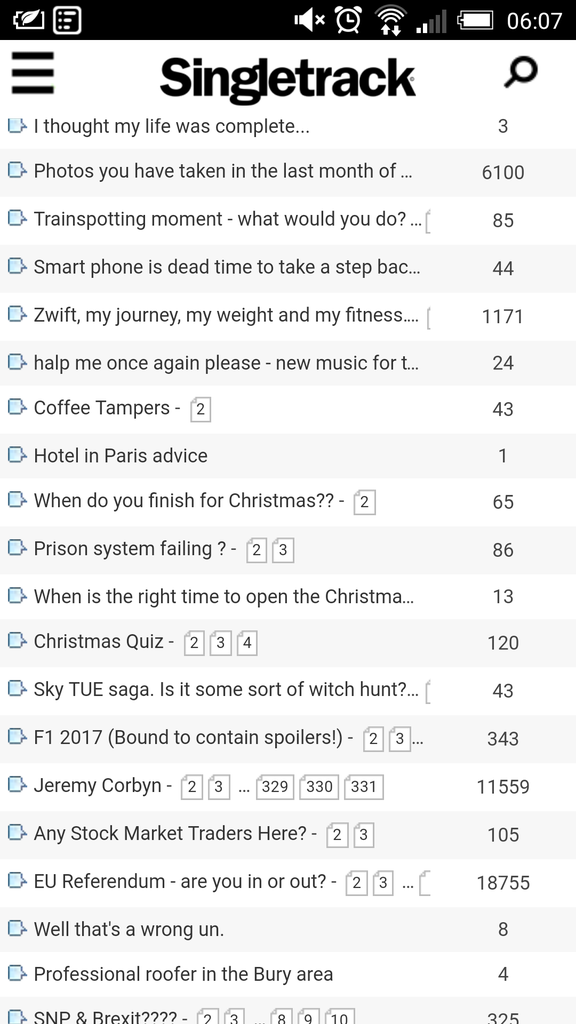 [/img]
Then it displays like this... I find myself backing away from the phone to try to make it comfortable to look at.
Chrome on android
[img] 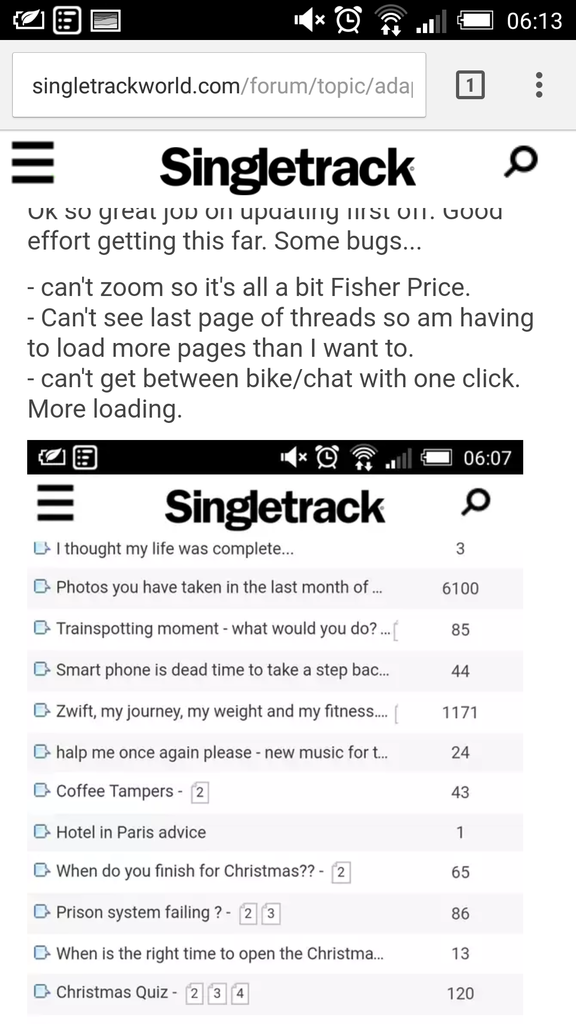 [/img]
I've gotten in the habit of writing a full stop before I long press and paste now to get rid of the disappearing bracket ting. Easier to find than a square bracket on my Android.
Thought it was only me who it happened to. 🙂
The whole thing keeps flashing, posts disappear then reappear, the CRC adverts throughout the page are f***ing awful. I'm out.
Another thought, the main menu navigation on mobile is in the furthest corner away for 90% of the population.
It's not a nice user experience to shimmy the phone to get to the main menu.
the CRC adverts throughout the page
Why are you getting adverts as a [P] member? Have you not switched them off in your account settings?
Ahh, the great STW MAWCB poster cull working well then 😆
All the stw Dev should take from 99% of "complaints" is some people can't handle change
Well I've only had a quick look but it seems good on my android phone, but on Android tablet there's a lot of white space and I can't zoom....I hate not being able to zoom as my eyesight gets worse and worse. (Opera browser)
I can handle good change but not being able to zoom on my ipad mini is a pain in the arse.
My android is OK but I preferred the old forum. On my mac book I think I prefer the new one.
I hope they are more professional than that. The site looks pretty shonky with the random font sizes and some things are now much harder to do due to layout changes and text cropping. All fixable I'm sure but not if it's ignoredAll the stw Dev should take from 99% of "complaints" is some people can't handle change
Idea- currently when shortening the urls for mobile you remove all of the page links if there is more than one page. How about leaving us the last page link only so we can go to the start of the thread by clicking on the thread title and the end of the thread by clicking on the last page link

