UPDATE: Reviews section refreshed, redesigned, searchable: Go take a look
some of us have had a head start on self isolation about 10years worth 🙂
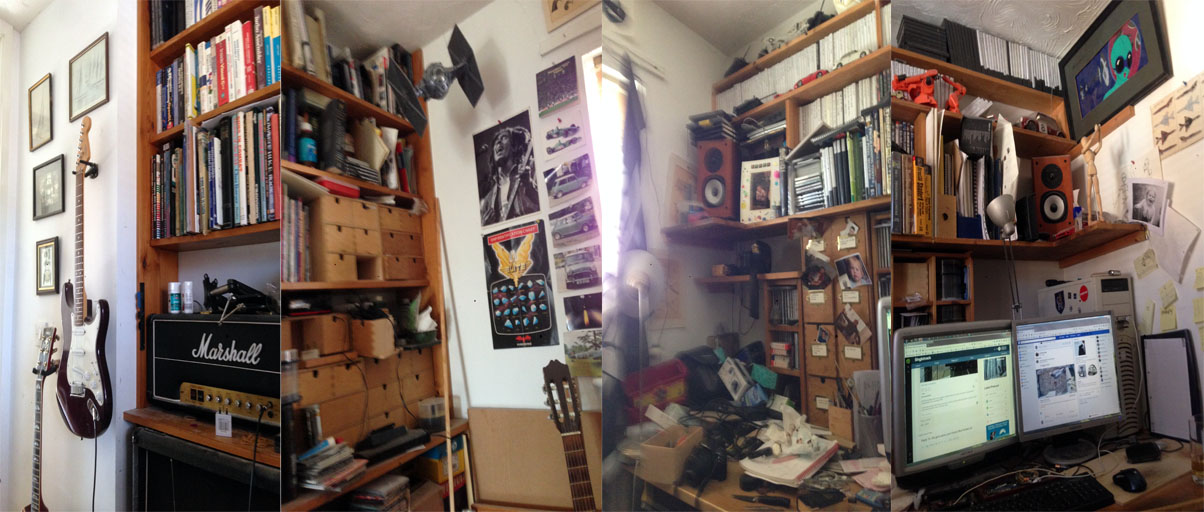
and yes i'm about 12
[img]  [/img]
Marshall JMP? Perfect for home use!
(I have an OR120 + 4*12 LOL)
Marshall JMP? Perfect for home use!
yep JMP it's on max pre amp and the the bare min for master (sounds biblical on the sg and a lovely harsh atteck vibe on the fender). The 4X12 marshall cab is partially holding up the shelving 😉
like your piccy derek ^^^
Mission Control, Simister.
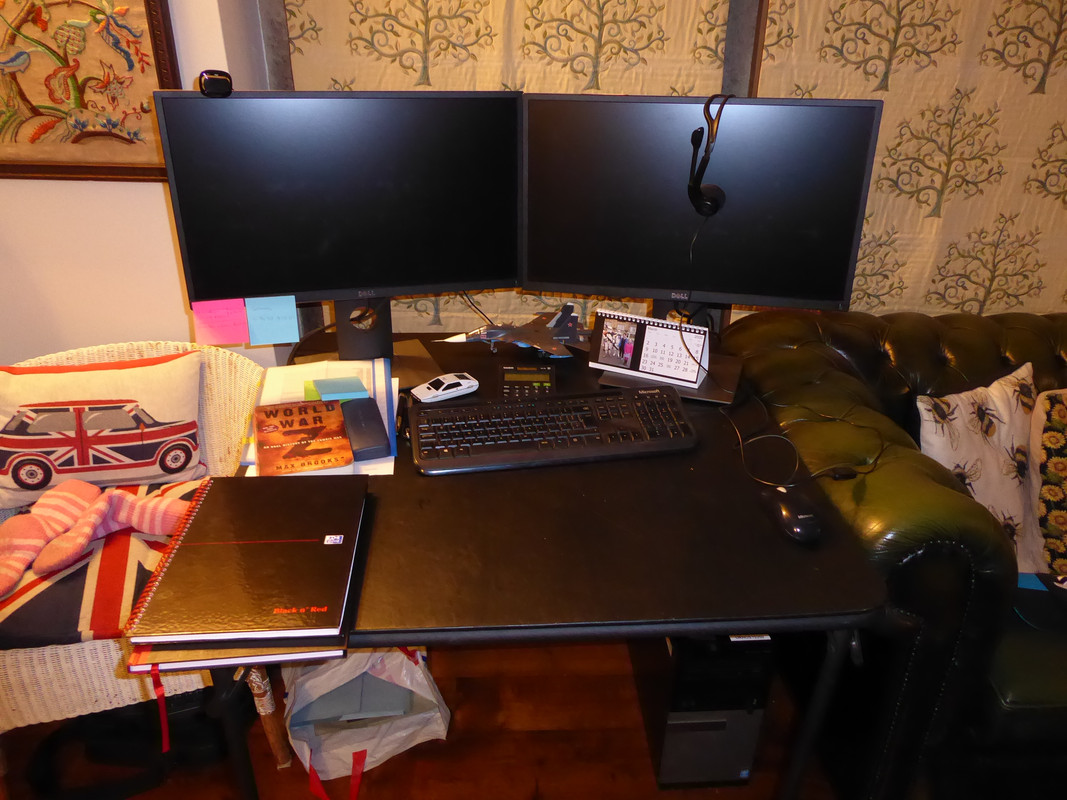
Moving all my work on line has been somewhat challenging. As I do a lot of training
Out of shot to the right is my MacBook which I use as the primary camera as it’s better than the iMac. I also have another monitor where I split the video window and the content. I have a big whiteboard behind the camera on a shonky frame I built out of handy offcuts. It’s fine as long as I don’t lean on it 😉
Very happy I upgraded our broadband with an external antenna as otherwise this would be a none starter.
I’ll find out next week how well it all hang together.
https://live.staticflickr.com/65535/49688270037_cfe9b411bf_z.jp g" target="_blank">
https://live.staticflickr.com/65535/49688270037_cfe9b411bf_z.jp g"/> [/img][/url][url= https://flic.kr/p/2iGMnyZ ]home office[/url] by [url= https://www.flickr.com/photos/187558672@N04/ ]Sailor _74[/url], on Flickr" alt="null" />
Am I the only one bodging it?
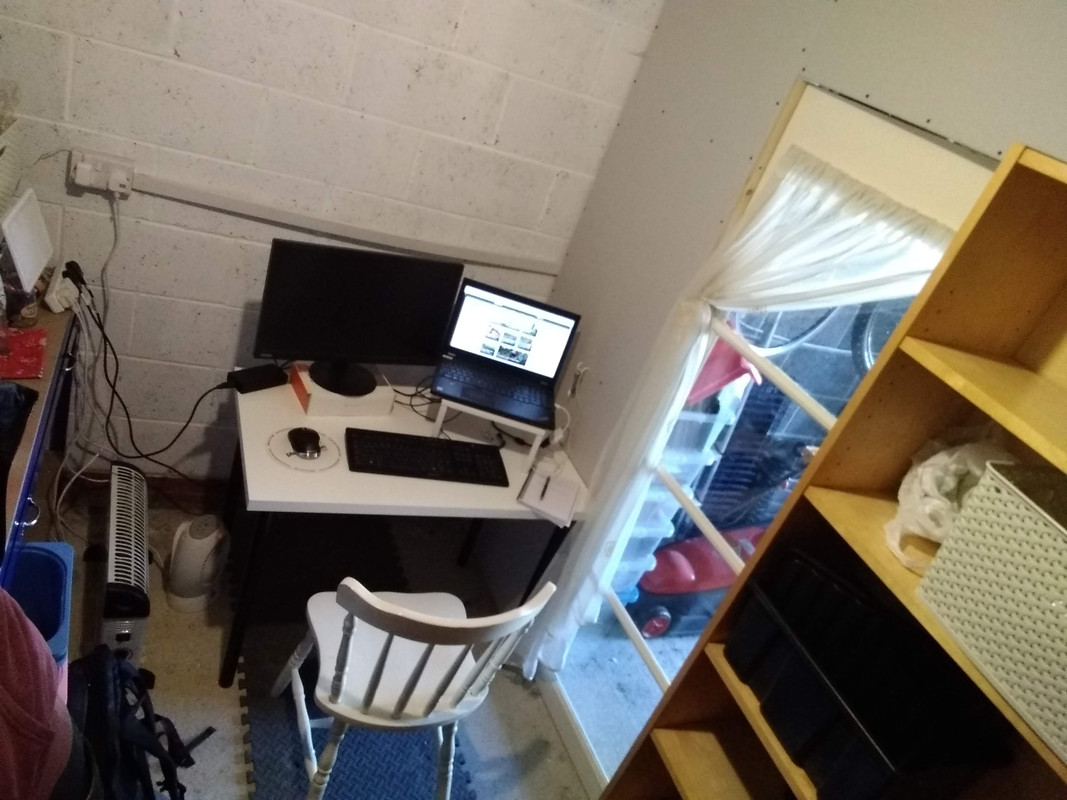
Last week I was set up on the dining table and it was a bit of a pain setting up and putting away each day. Now the children are all off school and there's 3 of them under 10yrs old running round and generally being children I've been voluntarily exiled to the garage. The back third of it is behind a very basic partitiion wall with a glass door in so I can still see the outside world. It's bloody freezing and never seems to warm up even with the little electric heater on. But on the plus side it's secluded, I can have the radio on, I can spend time browsing STW without being judged and I can leave it all set up at the end of the day. Desk is stolen from my son and there's a chair missing from the dining room. Not ideal, but at least I can still work in a socially distanced way.
Just got to resist the temptation to tinker in the garage.

Glad we had a loft conversion last year and I got the home office set up in advance of all this going down. Gets toasty warm with a Mac Pro whirring away under the desk - probably overkill for most of what I do!
Am I the only one bodging it?
Jesus that's making me cold just looking at it!
If this goes long term you're gonna want to sort that room out!
[img]  [/img]
I've been self-isolating since 2008. Not shown: the maze of cables and other computers under the desk, or the two shelving units that flank my desk.
My eldest (11) has a desk in his room and my youngest (9yo) is using the dining table. My partner is a stay-at-home mum who was looking for work, so as far as I'm concerned very little has changed and she is digging into her brief stint in teaching.
Tidy desk, tidy mind, as my mother used to say.
[url= https://live.staticflickr.com/65535/49690456881_aa3b8e111f_c.jp g" target="_blank">https://live.staticflickr.com/65535/49690456881_aa3b8e111f_c.jp g"/> [/img][/url][url= https://flic.kr/p/2iGYzDc ]IMG_20200323_135054_resized_20200323_015230235[/url] by [url= https://www.flickr.com/photos/76951366@N02/ ]hutchinson2017[/url], on Flickr
Look at this shitheap!
Not worked at home for a few years, had to clear all of the accumalted crap that had gathered on the desk. Work were kind enough to let us take our screens and docking stations home.
Still very surreal leaving a very empty site this afternoon.

Dont usually WFH but have an office for my home PC, brought my works CAD pc home so I can do a bit whilst isolated with the Mrs.
[url= https://i.ibb.co/9N6YDWJ/0-B5-F730-B-3057-482-B-AE3-E-B43-C19-C4-CE42.jp g" target="_blank">https://i.ibb.co/9N6YDWJ/0-B5-F730-B-3057-482-B-AE3-E-B43-C19-C4-CE42.jp g"/> [/img][/url]
Tidy desk, tidy mind, as my mother used to say.
oddly theres a counter swedish saying "untidy desk tidy mind" or so i was told.
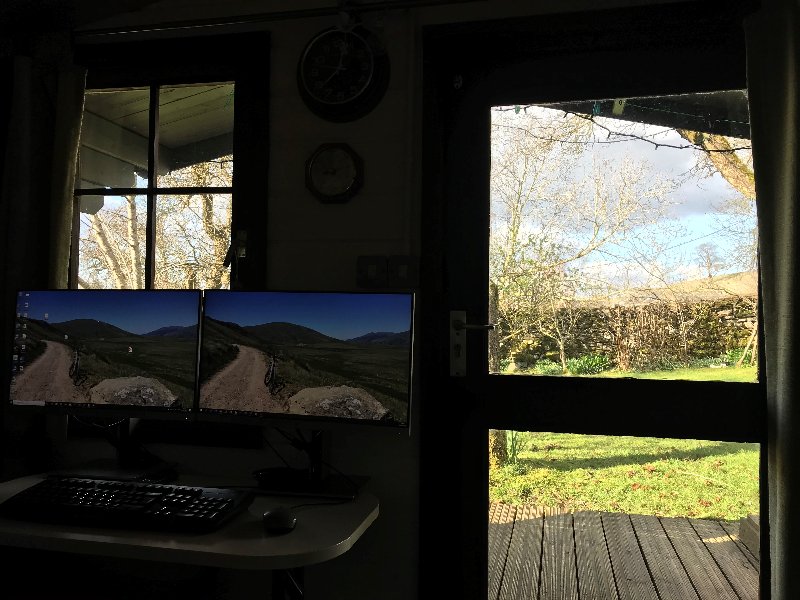
Moved from the caravan to the summer house but might go back because I can see less from here and the dog doesn't stay with me as long. Also need to knock up a longer desk.
I've got a visitor
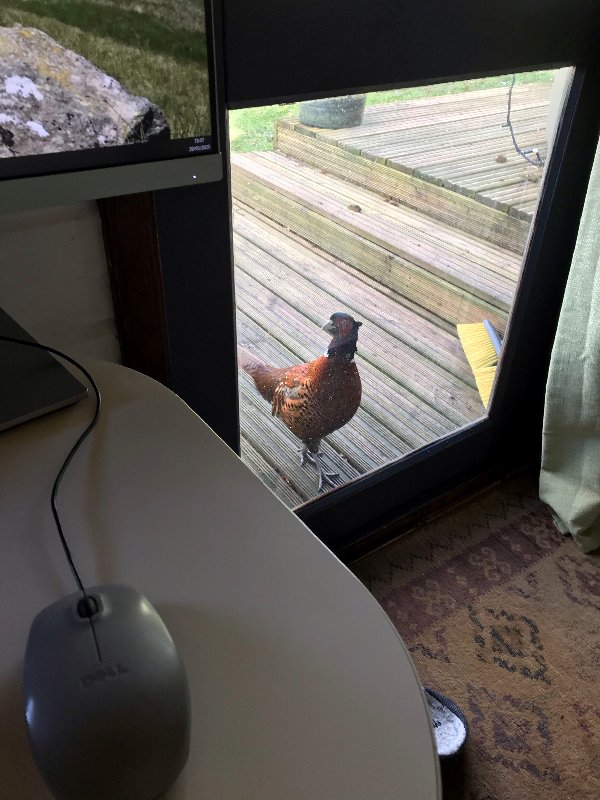
makes a mockery of H&S workplace display screen equipment assessments! i hope we dont end up realising the pointlessness of it all after all this
esus that’s making me cold just looking at it!
If this goes long term you’re gonna want to sort that room out!
I'm taking the use of the word "room" with a pinch of salt there!
I'm banking on Spring and Summer coming along as they normally do every year.
If I'm still here in to Autumn and Winter then I think we'll all have bigger problems than keeping my feet warm.
After pressure from my wife, who works at home 2 days a week anyway, I'd just bought a new monitor. If neither of us are working it's used as a second monitor for the iMac.
If you are considering getting a new monitor I would heartily recommend getting a USB-C one, even if just for future proofing. My wife's not very fancy, but recent, laptop can connect with a single USB-C cable to provide video out, power in and connection to keyboard/mouse (via wireless dongle connected to the monitor). My laptop requires connection of 3x cables to acheive the same (power, DisplayPort and USB-C)

Another Marshall infested office...I run mine through a powerbreak so I can get the power amp cooking nicely without the risk of causing structural damage...


Gak...images kaput...
Why do people need multiple computers or screens? Surely you can only operate one at a time & you can always use split screen if needed?
.

Why do people need multiple computers or screens? Surely you can only operate one at a time & you can always use split screen if needed?
multiple computers will be those with a home PC/laptop and work PC/laptop.
Multiple screens - well for me in IT, my normal day to day programs I need to have open fill my entire taskbar. A single screen just doesn't cut it. Split screen on a single screen ain't the same, or even close.
Why do people need multiple computers or screens? Surely you can only operate one at a time & you can always use split screen if needed?
I do a lot of work on multiple documents, sometimes i have two word documents with a PDF and web site all at once moving things or checking between them.
Lets say first assignment attempt, resubmission, tracking sheet and unit specification.
With big screens i can split all four accross two screens and have them readable.
I carry out railway structures examination so reading past reports looking at photos and compiling new reports is a lot easier on two monitors.
My hastily thrown together working from home remote learning office/classroom.
[img]  [/img]
EDIT. No idea what the forum is doing to that image but it looks awful here.
At least this has forced us to tidy up the room that was laughingly known as the office up to this point (we had good intentions but for that last few years junkroom/tip/random storage area has been a more accurate description).
No home office, currently, but I do have this. \
[img]

[/img]
Why do people need multiple computers or screens? Surely you can only operate one at a time & you can always use split screen if needed?
It's quite easy to operate two at a time. I can have a big SQL running on my work machine, and be browsing here on the other one 🙂
Split screen is ok, and much better in windows 10, but I can do both these days.
Quick question about monitors - as it looks like this WFH lark could be going on for some time I'm going to get a monitor to hook up to my work (Win10) laptop. What size would you recommend? It's for IT work, so another SQL user with a couple of text editors and 2 or 3 browsers and mail and ... etc.
Is 27" too big? The desk I'll be using isn't that deep, probably a similar size to the one in colournoise's picture above.
That’s two 27” monitors. Wall mounted now, but had them on the desk shelf before.
27 /qhd resolution is sweet spot. There was a thread a couple of days ago.
Why do people need multiple computers or screens? Surely you can only operate one at a time & you can always use split screen if needed?
I was going to comment on how few people have enough monitors!
Multiple monitors for me is switching between multiple views is easier on multiple screens. Multiple P.C. have been for different uses. I have one as a server. I have used another as a separate test machines and other uses.
Quick question about monitors – as it looks like this WFH lark could be going on for some time I’m going to get a monitor to hook up to my work (Win10) laptop. What size would you recommend? It’s for IT work, so another SQL user with a couple of text editors and 2 or 3 browsers and mail and … etc.
Is 27″ too big? The desk I’ll be using isn’t that deep, probably a similar size to the one in colournoise’s picture above.
Will you using your laptop as a 2nd screen? Consider an ultrawide which will give you 1.5 screens worth, and can be split into 2 screens when needed, giving you the option of 1 massive screen + 1 laptop screen or 2 smaller screens + 1 laptop screen.
I've just ordered a 34" UW 3440x1440 monitor to go with my 1080p 24" monitor - I'll be doing lates WFH so will need work stuff via RDP on one screen and other stuff on my local PC, with the bigger screen being use for whatever is most important. Or I'll have 2.5 screens effectively to dedicate to work. The monitor price went up £30 in the last day and I can see it rising again so I just bit the bullet. I'll be saving £30 on fuel over the next 4 weeks, plus money on holidays I had planned for April/May, so... sod it.
Will you using your laptop as a 2nd screen? Consider an ultrawide which will give you 1.5 screens worth, and can be split into 2 screens when needed, giving you the option of 1 massive screen + 1 laptop screen or 2 smaller screens + 1 laptop screen.
Yeah almost certainly using the laptop screen as a 2nd screen. Ultrawide looks like it could be a good option, not thought of that. Thanks!
Another attempt with hopefully fixed images...


27" monitors are quite large, mine are both 24" and they're plenty big enough to be honest. I'd like a 27" for my main display but I still need the space for a second screen, and don't have enough desk right now for 27" and 24".
Try the second one portrait
Oh deary me, all these tidy offices. Clearly nobody has worked at home for extended periods. After ten years my pit looks like this.
[img]  [/img]
Nice bear Drac. Do you have the special emergency services version (300brake) or is it a standard one with a load of NAS kit kludged into it?
I find 24" monitors are quite a nice size, assuming they aren't too far away. When I'm in the office my laptop sits betwixt a pair of 24" monitors so I have 3 in use. I generally have my email on one, often AutoCAD or Solidworks on another, and documents on the 3rd. Much easier to have several things on view rather than constantly switching tabs
I WFH 2 days a week and have done for 10 years. 27" monitor is great for writing/debugging code or indeed for Singletrack! Sorry about the mess.
Best thing I bought was a second hand Aeron chair.
[url= https://i.ibb.co/GJKsDH2/office.jp g" target="_blank">https://i.ibb.co/GJKsDH2/office.jp g"/> [/img][/url]
Currently on the dining room table...
Local builders merchant just cancelled my Ply order (lock down) so I won't be making a desk in the spare room....
[url= https://live.staticflickr.com/65535/49693596032_b9524bc418_c.jp g" target="_blank">https://live.staticflickr.com/65535/49693596032_b9524bc418_c.jp g"/> [/img][/url][url= https://flic.kr/p/2iHfENu ]Home office[/url] by [url= https://www.flickr.com/photos/brf/ ]Ben Freeman[/url], on Flickr

