UPDATE: Reviews section refreshed, redesigned, searchable: Go take a look
Yeah I know it's been done to death but this has to be the most user unfriendly forum I go on with regards to posting pics...please how do you do it!?
Really?
Find image on web, right click and grab address, return to your post, click the "img" button and paste the address. If you use something like imgur then there's options to get the properly formatted code so you don't even have to click the "img" button.
[img]  [/img]
Bit OT, but my missus knows you Rocketdog 🙂
She recognized your Smokestone earlier (Nicola, Pearl Izumi thing).
Bit OT, but my missus knows you RocketdogShe recognized your Smokestone earlier (Nicola, Pearl Izumi thing).
that's my identical twin, he does all that industry smoozing stuff
lol, I knew it!
I use Postimages.org to do the pics now and it's brilliant!
[img]  [/img]
Wondering whether this will work...
Yay! Flickr, from the iPad: Camera roll, select picture, go big on screen and 'copy' then paste into img... 😆
johnw1984 - Member
lol, I knew it!
I use Postimages.org to do the pics now and it's brilliant!
Ditto. 🙂
Someone here recently gave the following link to embed Google Photo images.
https://ctrlq.org/google/photos/
And OMG meltdown moment, a random snap from my cat3/4 hillfest ride on Friday... It works! 😯 8)
Yay! Flickr, from the iPad: Camera roll, select picture, go big on screen and 'copy' then paste into img
Sounds easy, let's have a go...
[img] https://www.flickr.com/gp/dang-nabbit/D8RNK4 [/img]
Hmmm. Nope. Must be an iPhone thing. Got Android.
Be sure to delete the http bit in the image box before pasting
Royal mail do a decent job if the envelope the pics are in is reinforced.
Yay, only taken over a decade...
Fair play to Ling.
[img]  [/img]
It only seems to work if you're in camera roll mode and you 'enlarge' the thumbprint image into the larger view.
Well, the normal page doesn't come up with a 'copy' when I press it. Probably work if you went to a specific image to download.
Oh, and yeah, delete the http:/ bit in the img dialogue box...
[quote=n0b0dy0ftheg0at ]Someone here recently gave the following link to embed Google Photo images.
https://ctrlq.org/google/photos/
I was all excited for a moment, but it only gets rid of the most simple part of the process, so I don't think I'll bother - I paste the links in https://goo.gl/ instead and that works just as well, eg:
[img] https://goo.gl/3w5YQ2 [/img]
Posting images from an Android Smartphone ...these are specific to a Galaxy S7 edge.
Both the Flickr App & the Flickr Lite App need to be installed.
[img] 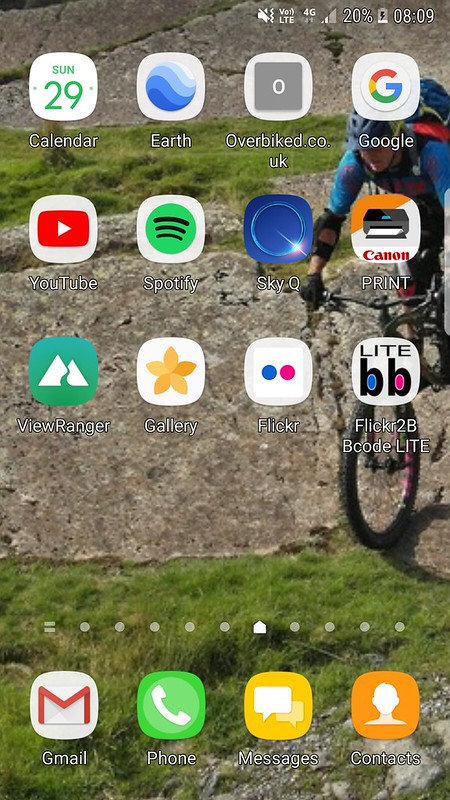 [/img]
[url= https://www.flickr.com/photos/156204930@N03/26230661299/ ]Screenshot_20171029-080921[/url] by [url= https://www.flickr.com/photos/156204930@N03/ ]Neil Hodgson[/url] - [url= https://play.google.com/store/apps/details?id=com.dariogf.flickr2BBcode_lite ]Flickr2BBcode LITE[/url]
[img] 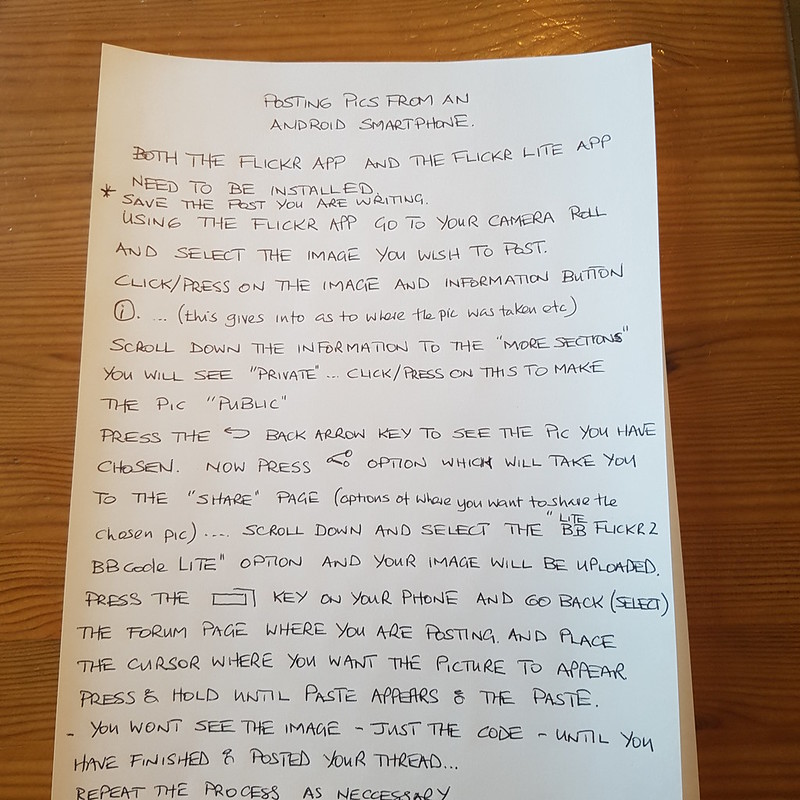 [/img]
[url= https://www.flickr.com/photos/156204930@N03/37953460096/ ]20171029_084002[/url] by [url= https://www.flickr.com/photos/156204930@N03/ ]Neil Hodgson[/url] - [url= https://play.google.com/store/apps/details?id=com.dariogf.flickr2BBcode_lite ]Flickr2BBcode LITE[/url]
Hope this makes sense ..and helps !
Posting pic of hand written instructions - chapeau 🙂
Flickr - stopped using that as they took away mobile support for pic upload and generally buggered up the app
Photobucket stopped using that when they wanted to charge $500 pa
Imgur working well ....
Ah.... "FLICKR APP", must get new glasses.
These google image links, are they permanent or do they expire after a while? I seem to remember that they used to stop working after a while.
[img]  [/img]
Now let me just see if I get this right, urmmm..
[img]  ?itok=LMiuBr3H[/img]
oops 😯
I used to use imgupr to upload photos from iOS but that’s dead now. The imgur app is crap for it. (At least I’m finding it that way with the app and the mobile site.)
Somebody (think it might have been Drac) posted a link a while back for a laite to take photo, upload then extract BB code to post on forum. Anybody remember which one it was?
Jamba..
I'm still using that to post my pics ...?
[quote=chvck ]These google image links, are they permanent or do they expire after a while? I seem to remember that they used to stop working after a while.
Looking through my goog.gl links most of the older ones seem to be broken - I'm sure I shared them properly in the first place (I can't have got it wrong for all of those, I know what I'm supposed to do!) Indeed when I check my shared images they're still in the list - I can even see the image in an incognito window if I go via my shared images list, so I can only assume it's the direct link to the images which expires rather than the share.
So hotlinking from google seems probably to be a bad idea even if you can be bothered to jump through the hoops - I'll try not to do it again.
With the Imgur app on Android you need to long press on the image and then select 'copy link', instead of using the usual 'share' button. Which is weird and annoying..
^^ same for iOS .. not a big deal imho
O.K. So...
[img]/www.flickr.com/gp/dang-nabbit/EK6Nh9[/img]
Nope.
Do what I said above ..ive just checked with Play store and you can still install both the Flickr App for android [b]and[/b] The FlickrBB Lite App
[img] 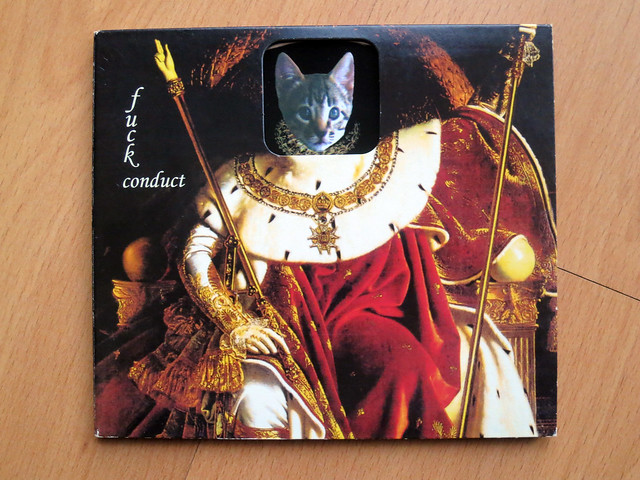 [/img]
Yup I also get it work if I go to a photo, select the download icon, select a size and let that page load. The 'press' on the image to get copy then paste into IMG... (in iOS).
OMG it does work from Google Photos! No more faffing about with Flickr! Hoorah, nice one n0b0dy0ftheg0at.
These google image links, are they permanent or do they expire after a while? I seem to remember that they used to stop working after a while.
Looking through my goog.gl links most of the older ones seem to be broken - I'm sure I shared them properly in the first place (I can't have got it wrong for all of those, I know what I'm supposed to do!) Indeed when I check my shared images they're still in the list - I can even see the image in an incognito window if I go via my shared images list, so I can only assume it's the direct link to the images which expires rather than the share.So hotlinking from google seems probably to be a bad idea even if you can be bothered to jump through the hoops - I'll try not to do it again.
OMG it does work from Google Photos! No more faffing about with Flickr! Hoorah, nice one n0b0dy0ftheg0at.
i discovered this in one of the previous threads on posting images. thought we'd got a workaround for it which seemed to be successful, but the photo always disappeared after a while. sometimes hours, sometimes days, but they never lasted.
now just use imgur for posting images, nothing else as it doesnt seem very user friendly for proper personal storage. easy-peasy for stw/forum pics tho.
[img] 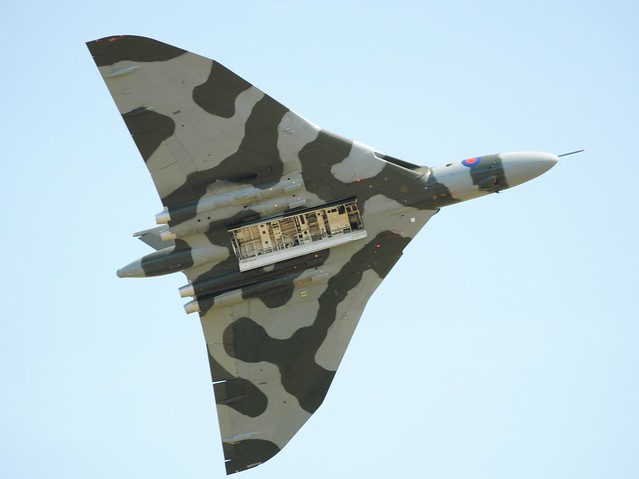 [/img]
Yes! Success on Flikr as above for iOS, download photo, select size, let the page load, press on image to get copy, then paste into img. Delete the http bit from img. 🙂
Tried Imgur, google+, Google photos and no joy.
My Google Photos photo of Butser Hill cafe still lives on page 1 for me. 😯
Works if you follow Noboby.. advice on page one and use> https://ctrlq.org/google/photos/
@stevenmenmuir What device are you trying to do this on? The instructions for Imgur that I gave are for the desktop site, I believe Metalheart gave those for mobile. Here's a shot from yesterday:
[img]  [/img]
On desktop:
hover mouse pointer over image, a couple of items will appear, one says copy the other is a down pointing arrow.
Hover over the down pointing arrow and then click on "Get share links"
A dialog appears with four options
Click on the "BBForums" option, this will copy the code into your computer's buffer
Return to STW and just paste using right click or Ctrl+v, no need to use the IMG button.
My Butser cafe photo from Google Photos using that embedding link still lives! 😯
Easily new record for photo still existing for me. 8)
I want to have a go 🙂
another go.Wont work for me 🙁
Still the easiest way for throw away images:
1) Upload image (no account required)
2) copy the "Direct Link" text
3) paste into the IMG dialog (that appears when you press IMG button on here).
Couldn't be easier. Just remember to delete (or paste over) the completely pointless "http://" text that comes in the IMG box.
[img] https://goo.gl/1K88gC [/img]
I like the Google url shortener! But why can't Google photos just give you that bloody link and save 15 clicks of the mouse?!
I really don't think it's that hard.
[img]  [/img]

