UPDATE: Reviews section refreshed, redesigned, searchable: Go take a look
Tried to embed an image on here last night and got this instead:
[URL= http://i239.photobucket.com/albums/ff167/LukeBurstow/301/16395664_10210245325267808_228717133_n_zpshry8iz8g.jp g" target="_blank"> http://i239.photobucket.com/albums/ff167/LukeBurstow/301/16395664_10210245325267808_228717133_n_zpshry8iz8g.jp g"/> [/IMG][/URL]
Following link it says I need an account upgrade to allow me to embed images but no explanation as to why. I've been using PB for years to post stuff on here and other social media so why this, now?
Also, who else allows easy image load and forum embedding?
Imgur works.
Imgur
Postimage
Both are free and easy to use.
[url= http://forums.moneysavingexpert.com/showthread.php?t=5671481 ]Looks like Photobucket now want to charge.[/url]
Types of Accounts, Pricing and LimitsVisiting : There is no cost to visit the Site or to register as a Member.
Free account : Each individual Member gets one free account that provides 2 GB of free storage or space available for your original photo files, or videos under 10min. The free account does not allow any image linking or 3rd party image hosting. If a free account Member exceeds their Content Limit, their account will be immediately suspended and they will need to become a “Paying Member” (defined below) in order to continue accessing their account. You can upgrade to a Plus account at any time.
Ad-free Account : The Ad-free Account offers Members the ability to use the Site without seeing any third party banner advertisements when logged into your Ad-free Account (note, viewers of your images within Photobucket will see ads unless they, too, have Plus accounts and you will continue to see Photobucket offers and announcements). This account level is available for $2.49 / month, payable by the Member on a monthly recurring basis.
Plus Account : The Plus Account offers several paid options that may give the Paying Member more storage, bandwidth, 3rd party image hosting, image linking and/or other services as outlined below. Once and during such period of time in which you subscribe to and pay for a Plus Account, we will consider you a "Paying Member." Please note that all Plus Account subscriptions are billed annually at the commencement of the service. Photobucket may also offer a monthly billing option for its Plus Accounts (see terms and restrictions, below).
Available Plus Account Plans : Photobucket offers the following Plus Account Plans:
o Plus 50 Plan: 52 GB of Storage for $59.99 / Year. The Plus 50 Plan does not allow any image linking or 3rd party image hosting.o Plus 100 Plan: 102 GB of Storage for $99.99 / Year. The Plus 100 Plan allows for unlimited image linking but does not allow 3rd party image hosting.
o Plus 500 Plan: 500 GB of Storage and unlimited bandwidth for $399.99 / Year. The Plus 500 Plan allows for unlimited image linking and unlimited 3rd party image hosting.
Additional Features of all Plus Accounts : When you upgrade to any Plus Account, you will also receive:
o Premium Support. You have direct access to our tech support team. Email our PLUS Support Teamo No Ads: When you're logged into your Plus account, you won't see any ads on Photobucket pages (note, viewers of your images within Photobucket will see ads unless they, too, have Plus Accounts and you will continue to see Photobucket offers and announcements).
Modifying Your Plus Account : Photobucket has the right to change the limits at any time. If you are a Paying Member, you can always upgrade to a higher-level Plus Account and will have the opportunity to downgrade your service at the beginning of the next annual period anniversary following any such modifications.
Payments, Expirations, Refunds and Cancelations :
There was a little survey on photobucket the other day - asked if 3rd party hosting was used. Also asked if you used it to link on "for sale ads and eBay... Maybe from this they saw a source of revenue. Well they can bugger off when there's so many free places to do it!
Test what my account does...
[img]  [/img]
[edit]arse!
Ah well, looks like change of t's and c's then. There's going to be an awful lot of broken links in forums and searches cos they don't even leave a 'text' link to the image behind.
My son tells me that imgur have now added a *lot* of behaviour tracking on their site - links to images now link to pages with a load of Javascript on it. He's loaded a script that blocks JS on imgur! Also, if you upload an image it now produces a load of 'suggested' posts which are below the fold on a mobile but which take up a lot of mobile data.
He uses Reddit which has it's own image hosting so didn;t have an immmediate alternative...
[i]There's going to be an awful lot of broken links in forums [/i]
Certainly is!
I'll just use my Google albums - it's a faff cos you have to get a shortened link from the URL (I use tinyurl), but it works ok.
Just downloading everything off photobucket and will then clear my account.
Been on there for years but if they can't make their business model work for the way I want to use it then I'm not giving them content.
[IMG]  [/IMG]
looks like you can still copy the IMG and post (I usually trim back the URL bits)
EDIT appears on my laptop but not on the phone, I can see mattyfez's photo on both laptop and phone
Working for me? I've not seen the above issue?
[img] 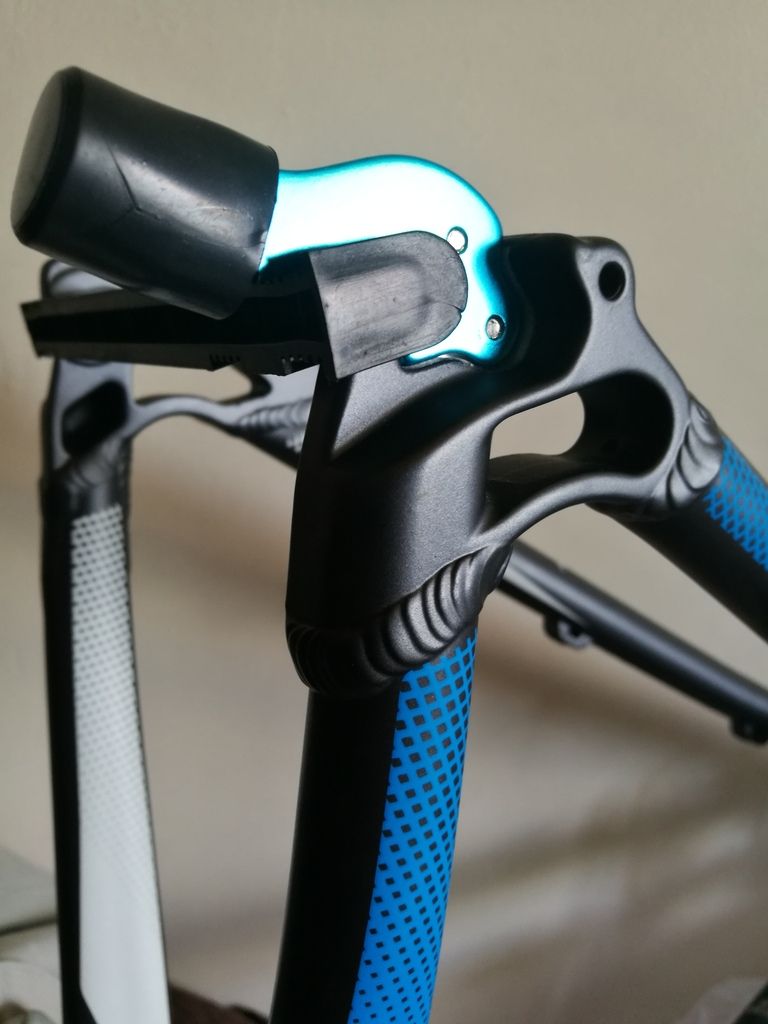 [/img]
Neither of the above posts are showing images btw
No I can't see the pic of the plastic bung on a hanger either.
[URL= http://i142.photobucket.com/albums/r90/dezb99/th_4B1E613E-4197-47C4-ABF1-E2B261EF6D16_zpshbmgtjtx.jp g" target="_blank"> http://i142.photobucket.com/albums/r90/dezb99/th_4B1E613E-4197-47C4-ABF1-E2B261EF6D16_zpshbmgtjtx.jp g"/> [/IMG][/URL]
But! Thumbnail links still work 😀
DezB - MemberNo I can't see the pic of the plastic bung on a hanger either.
Me neither. Nor the natty blue mesh style detailing...
Wanders off to do a test link from Photobucket (it might appear in 3 hrs given the normal log-in time.....
Photobucket used to be good for hosting & linking images but over the last few years it's got worse & worse . I got fed up with all the adverts I encounter every time I use so I've just deleted my account.
For the moment I'm using Imgur without any problems.
I'm using the android app, if that makes any difference, as the website proper is pretty much unusable.
[img] 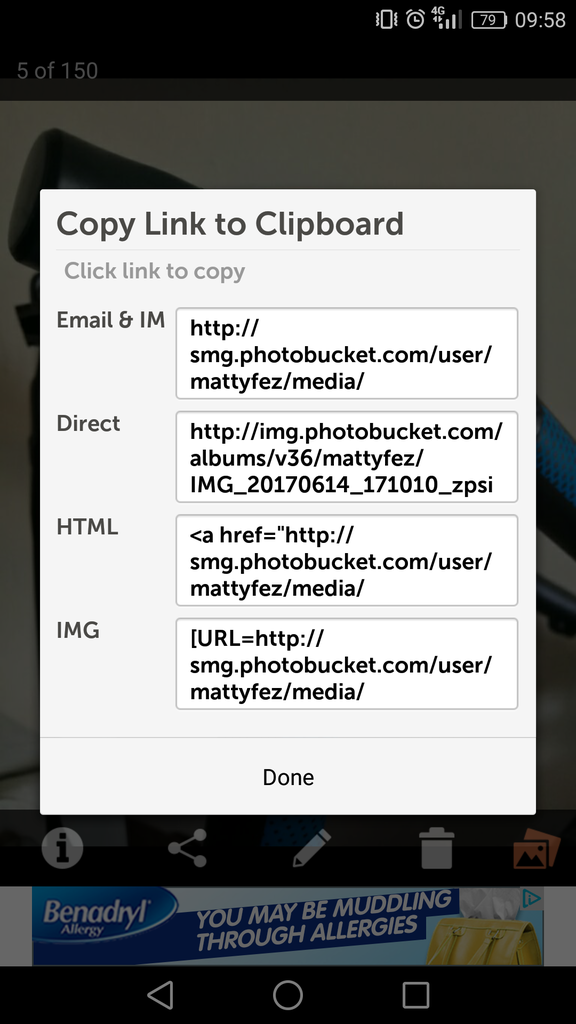 [/img]
Available Plus Account Plans : Photobucket offers the following Plus Account Plans:
o Plus 50 Plan: 52 GB of Storage for $59.99 / Year. The Plus 50 Plan does not allow any image linking or 3rd party image hosting.
o Plus 100 Plan: 102 GB of Storage for $99.99 / Year. The Plus 100 Plan allows for unlimited image linking but does not allow 3rd party image hosting.
o Plus 500 Plan: 500 GB of Storage and unlimited bandwidth for $399.99 / Year. The Plus 500 Plan allows for unlimited image linking and unlimited 3rd party image hosting.
Read more: http://photobucket.com/terms#ixzz4lTV52zbd
I've also got the PB android app, I use it to back up all photos from my phone to my PB account. I'll try linking a photo via the app.
They've also made it so you can't go on there with an adblocker enabled, which has rendered the site effectively unusable.
Sounds like they're adopting the STW model of "pay us or we'll make it completely useless".
Just testing mine. Link copied from PB app on iPhone.
[URL= http://i410.photobucket.com/albums/pp187/rcatkin/Bikes/Genesis%20Tour%20De%20Fer/75171FC6-4E7C-47EF-ACEF-BF368DB26553_zpss2i2z9ke.jp g" target="_blank"> http://i410.photobucket.com/albums/pp187/rcatkin/Bikes/Genesis%20Tour%20De%20Fer/75171FC6-4E7C-47EF-ACEF-BF368DB26553_zpss2i2z9ke.jp g"/> [/IMG][/URL]
EDIT - works ok!!
Testing testing 1,2,3
[URL= http://i602.photobucket.com/albums/tt107/ssbnreso/Santa%20Cruz/016DFFF1-BD77-45C2-9CD1-AD46DE72154D_zpsehynndpc.jp g" target="_blank"> http://i602.photobucket.com/albums/tt107/ssbnreso/Santa%20Cruz/016DFFF1-BD77-45C2-9CD1-AD46DE72154D_zpsehynndpc.jp g"/> [/IMG][/URL]
Edit: works iPhone app
I think that the rules are applied when it detects an image is linked to rather than when it is loaded.
*Or perhaps the IMG url is just changed to the other image? And a direct link to the jpg would work*
hang on.
Copying image location and manually adding:
[img]  [/img]
copying IMG link from PB
[URL= http://i239.photobucket.com/albums/ff167/LukeBurstow/dog_zpstojkfqvd.jp g" target="_blank"> http://i239.photobucket.com/albums/ff167/LukeBurstow/dog_zpstojkfqvd.jp g"/> [/IMG][/URL]
No idea then...
I gave up waiting for Photobucket to load to test it out....
Says it all, really.
Yep, mine been blocked too, they must have phased it across their users and it's caught up to me. I'll take all the stuff off over the next few days, I don't think there's anything up on it I don't have a hard disk backup of, but I'll have to check.
Alternatives then? Dropbox? Microsoft? Google? Imgur? Reddit? Flickr?
[i]copying IMG link from PB
No idea then..[/i]
Maybe we're more frequent posters from it: "Look who's popular" ??
Might open a new account, test see if that works...
So it's not just me then.
Time to look for an alternative. Don't like the sound of Imgur.
I thought about iCloud, but it wants to upload my entire library, which is far too big.
I've found an email from PB @5.43am in my spam, says that features on my account have been disabled, namely using it for 3rd party hosting.
Yeah, just found it in my spam: "WE NOTICED THAT YOU HAVE BEEN USING
PHOTOBUCKET FOR 3RD PARTY HOSTING" well, yeah, that's what it's for you morons, hence the direct link you've supplied for years. Well noticed!
[img]  ?w=480&h=480&fit=clip[/img]
Why is mine work8ng?
They've also made it so you can't go on there with an adblocker enabled, which has rendered the site effectively unusable.
That also applies to hotlinked images. I spent ages a while back trying to fix people's broken links before realising they weren't broken but were being blocked.
Works for me
[img]  [/img]
It's going to be amusing to revisit this page in a few days, with folk going "works for me!" and loads of links to broken images.
Actually, that's a point. I was thinking, it's kinda mass vandalism to the histories any forums who hotlink images perhaps going back years.
Then I wondered - is that why some work and some don't? Are existing images displaying fine, and ones uploaded after the T&Cs changed are not?
The "Photos you have taken in the last month of which you are proud?" Thread is going to be a mess.
Sorry, the obligatory test:
[IMG]  [/IMG]
still working for me at the moment then - though as pointed out above, presumably in a few days this post will have a broken image with me saying it's still working
Just checked and mines not working.
Bellends.
I'll download and delete my account.
[img]  [/img]
[img] http://goo.gl/photos/7EDa5Y5kaxsAMfze9 [/img]
OK, give up. Copied photo over to google photos but can't get a working link
[URL= http://i937.photobucket.com/albums/ad220/khani123123/BBE4000F-0BD4-4309-B155-E7CC8C9E3950_zpsk0xipo2z.jp g" target="_blank"> http://i937.photobucket.com/albums/ad220/khani123123/BBE4000F-0BD4-4309-B155-E7CC8C9E3950_zpsk0xipo2z.jp g"/> [/IMG][/URL]
Just seen this. I flounced after their email and sacked them off. I find it strange as stunts like this should be pulled by companies that have products with a high customer loyalty, quality product or usp.
Photobucket doing it seems like a painfully obvious commercial suicide. So obvious I'd suspect there's a desire to kill it off, if I was the suspicious type 🙂
Well it worked if they are, I just sacked em off..
[quote=breadcrumb ]I'll download and delete my account.
Which is what I was going to do - but it occurred to me that you can upload images to imgur using a URL, so I can just transfer them all there without downloading.
Ah, too late. I've deleted all my media from photobucket now.
I've not been happy with the app for a while so a least it's given me the nudge I need.
I'd say they've pretty much ****ed themselves over tbh.

